To mix audio tracks into one, you can use audio mixer software or seek professional audio mixing services. But the reality is that either the software is complicated and requires professional experience, or the audio mixing service is expensive. If you just mix audio tracks for videos or fun, you can do it easily online, and it's free.
Don't know how to do that? Look no further than this blog post, where you'll find two helpful online audio mixers and the detailed steps of mixing multiple audio tracks into one. Let's get started.
Also Read: Top 7 Free Video Joiners Online for PC & Mac
1. How to Mix Multiple Audio Tracks Into One for a Video with FlexClip
FlexClip is a free online video and audio editor with powerful video and audio editing features. It comes with two editing modes: a storyboard mode for novices and a timeline mode for those with little experience.
FlexClip provides you with multiple audio tracks in its timeline mode that allows you to turn two or more audio files into one file quickly. You can even trim, split, or merge audios with the handy audio editor at your will.
Features
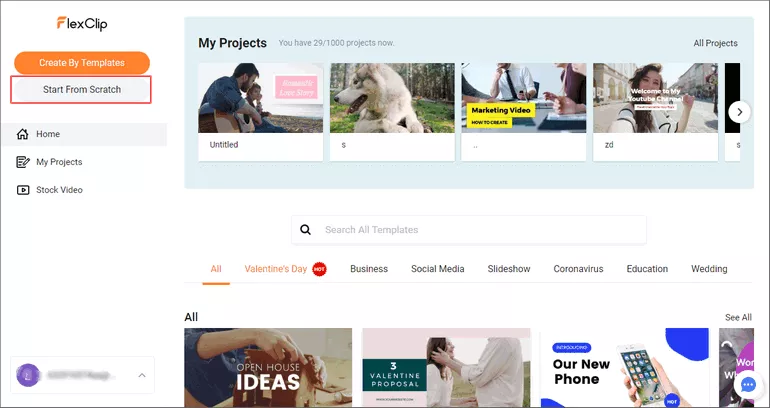
Image Board: How to Mix Audio Tracks Into One for A Video with FlexClip - Start
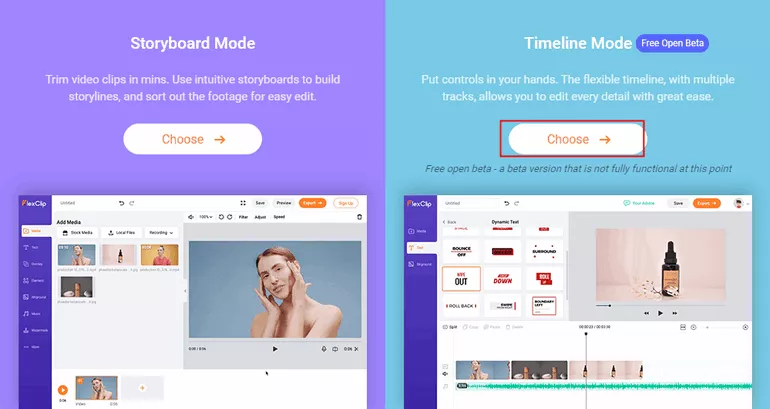
Image Board: How to Mix Audio Tracks Into One for A Video with FlexClip - Choose Mode
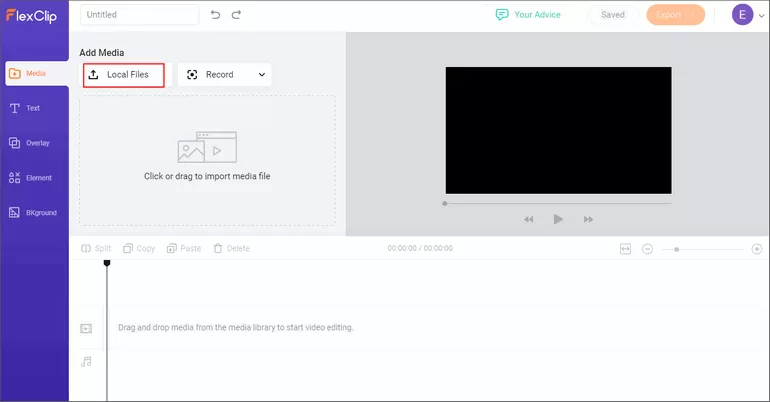
Image Board: How to Mix Audio Tracks Into One for A Video with FlexClip - Upload Media
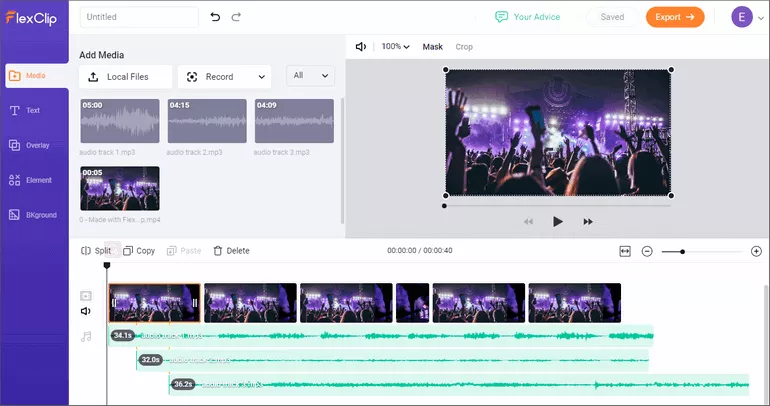
Image Board: How to Mix Audio Tracks Into One for A Video with FlexClip - Mix Audios
2. How to Mix Multiple Audio Tracks Into One with Online Converter
Online Converter is a file converter tool that includes the feature of mixing two or more audio tracks into one in your browser and without any registration. Some of the audio formats it supports are MP3, WAV, OGG, M4A, and WMA. The only downside is that you can’t preview your new audio in real-time.
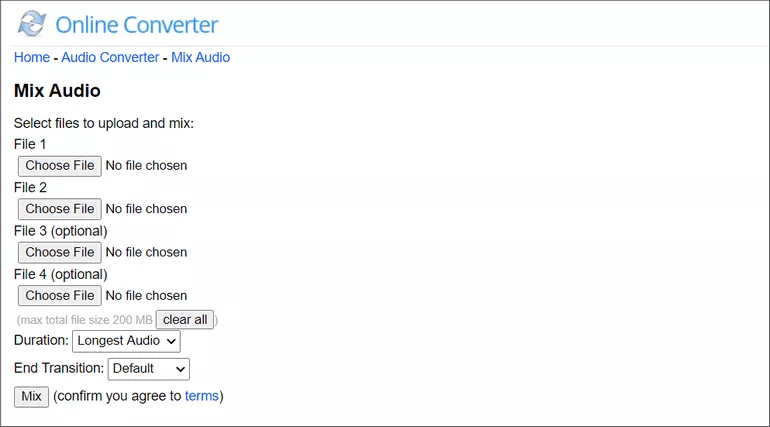
Image Board: ow to Mix Multiple Audio Tracks Into One with Online Converter
FlexClip provides you with multiple audio tracks in its timeline mode that allows you to turn two or more audio files into one file quickly. You can even trim, split, or merge audios with the handy audio editor at your will.
Features
Conclusion
Now that you have learned how to mix multiple audio track files into one file in two free, easy to use online audio mixers, it’s time to try them out for yourself.
By the way, if you need to add audio files to videos, try FlexClip, one of the best online video editors without watermark. No download is needed.




FlexClip AI Video Maker
Reach professional-quality videos faster with easy editing tools, templates, and smart AI.
Start Now for Free
Hot & Trending
-

Ultimate Tik Tok Guide – How to Tik Tok & How to Make a Tik Tok Video that Gets Likes
-

The Best Birthday Video Maker for You to Create Birthday Videos Online for Free
-

Large Collection of Creative and Funny Birthday Video Ideas for Ones You Care
-

Instagram Story Video Quality Bad After Upload? Fix It!
-

How To Remove/Reduce Background Noise? - 3 Best Free Audio Optimizers
-

Best Video Quality Enhancer: Improve Your Video Quality Easily
-

TikTok Filters Guide: How to Use Filter Effects on TikTok
-

How to Add Multiple Photos to One Instagram Story