Part 1: Video Quality Enhancer - Color Grading
Color grading your video can improve your video image and increase your video quality. A right color grading definitely is a good way to improve your video quality for search optimization.

Image board: Color grading vs no color grading


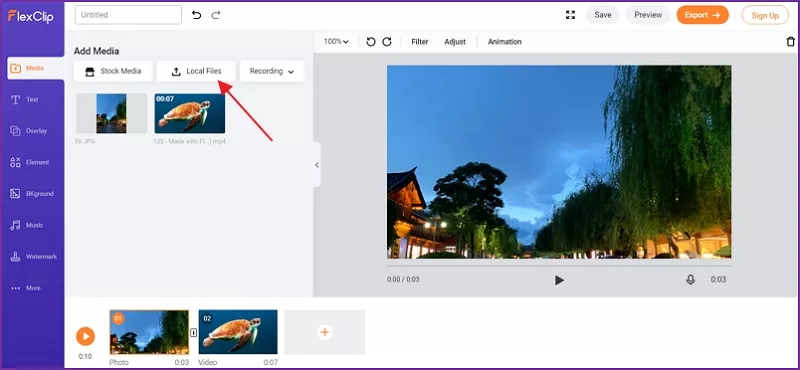
Image board: Upload Local Video
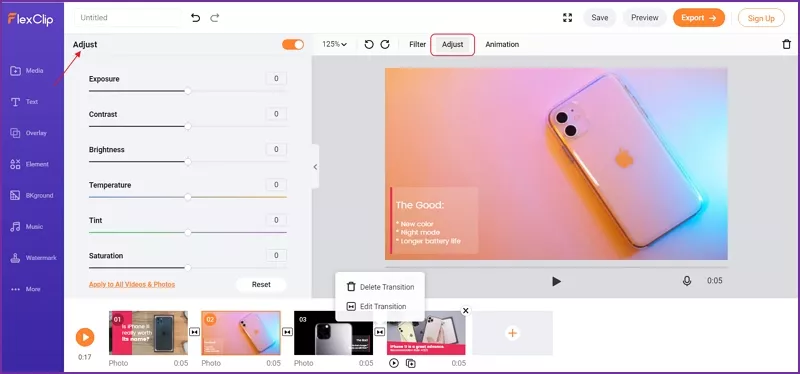
Image board: Make Color Adjustments
Turning on/off the top right "orange button" also enables you to contrast the original color and the corrected color, so you can check it out whether color grading enhances your video quality.
Part 2. Video Quality Enhancer - Adding Filters
Adding a filter makes color in videos more vibrant and lively, this is also one of important ways to enhance video quality. Many online video enhancers offer a feature to add some visual effects. FlexClip, online slideshow maker and video editor offers you dozens of filters for different visual effects.
With 3 steps, you can easily improve video quality online by adding filters:
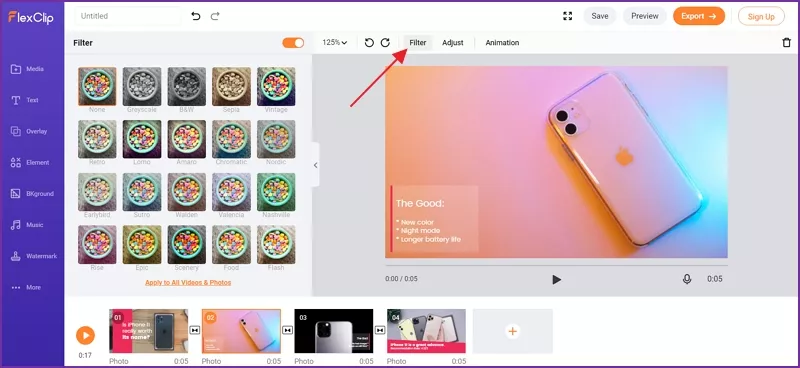
Image board: Add A Filter to Improve Video Quality
Part 3. Video Quality Enhancer - Removing Background Noise
Annoying noise in the video background definitely lower video quality and viewing experience. Check How to Remove Background Noise by FlexClip Video quality Enhancer. To get high video quality, FlexClip online video editor helps you get noise-free video with 3 easy steps:
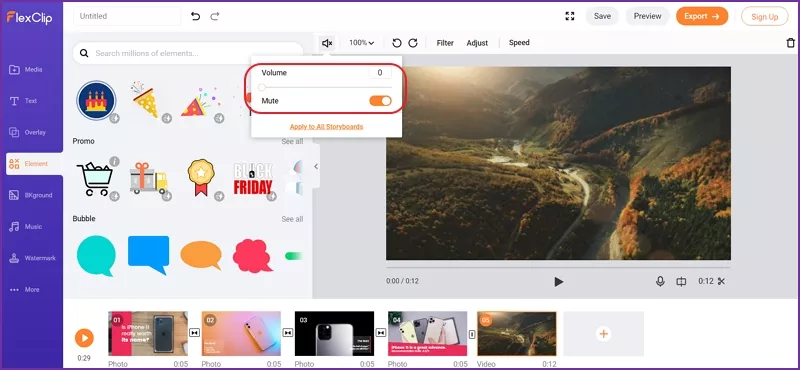
Image board: Mute the Background Noise
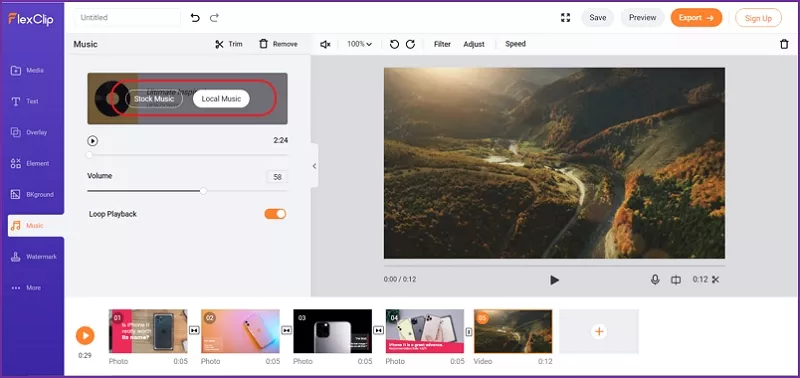
Image board: How to Add Music to Video
Quick Tip: Remove Audio from a Video on iPhone >
Part 4. Video Quality Enhancer - Video Resolution
Video quality can be improved by enhancing video resolution and quality. But which resolution I should choose? What dose 1080p, 720p, 480p or 4K actually mean? Here, we’ll help you understand different video resolutions. Then, the part shows you how to enhance video quality online with only 3 steps by FlexClip video converter.
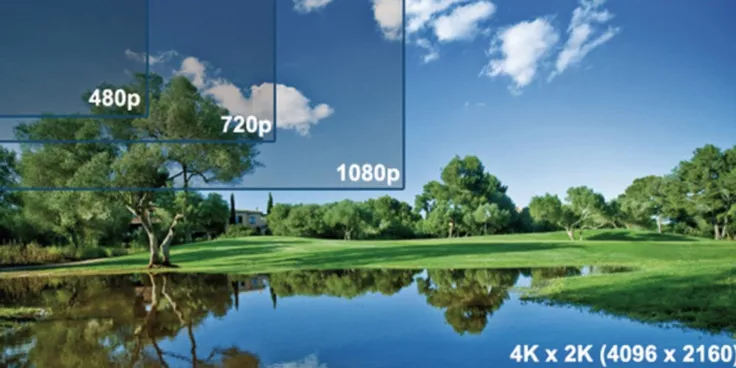
Image board: 480p, 720p, 1080p and 4K
4.1 Understand Video Resolution: Select the Most Proper One
Depends on your different demands and video size you want, you can select a really appropriate resolution and quality for your videos.
480p stands for 640 px × 480 px with an aspect ration of 4:3. Generally specking, it's also known as DVD-quality, giving your DVD the highest quality. 480p videos is better to play on most laptops, desktop monitors, and mobile phones.
720p is commonly seen as "HD", the most common resolution in the internet. All TVs are able to support 720p resolution and show more details compared with lower video resolution.
1080p is usually known as "Full HD" resolution. It's recommended for you, if you want to show your video on large screens or TV. What's more, it's widely used on YouTube and other social media.
4K (3840 × 2160) has approximately 4000 pixel referring to a horizontal display resolution. But it only has the best performance on 4K devices. On other devices, 4K resolution can't has a good performance. So we usually recommended 1080p as your exported video resolution.
4.2 How to Improve Your Video Resolution and Video Quality by FlexClip Video Enhancer
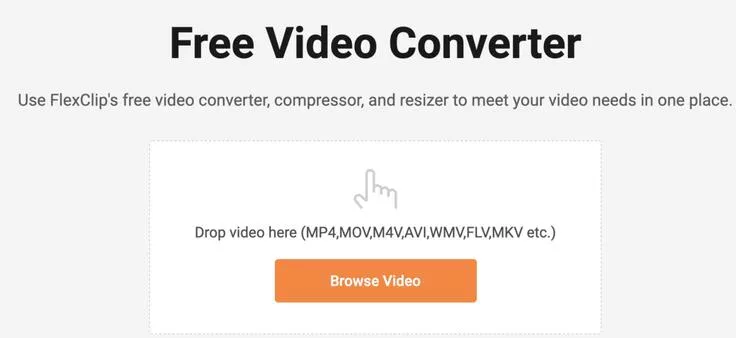
Image board: Upload your local video to FlexClip video enhancer
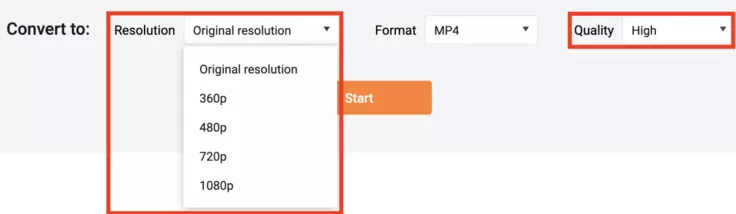
Image board: Select 1080p to enhance your video quality
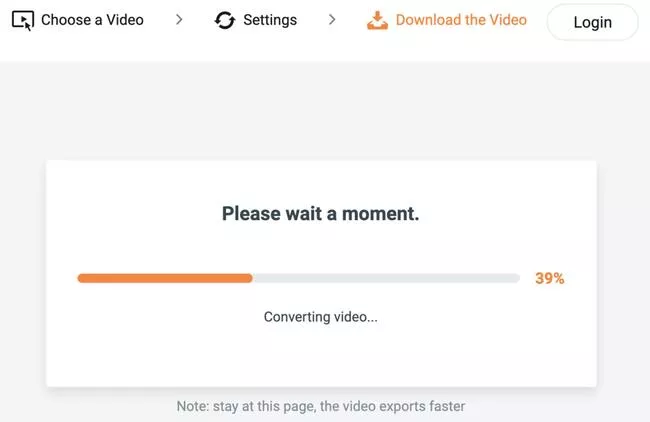
Image board: Export the high quality video with 1080p
Tips: You can also choose a video template and customize it online:


The Bottom Line
To solve the problem of low video quality, FlexClip offers you(even beginner) 4 main features to help you to enhance video quality: improving video resolution and quality; color grading; adding filters; removing background music.




FlexClip AI Video Maker
Reach professional-quality videos faster with easy editing tools, templates, and smart AI.
Start Now for Free
Hot & Trending
-

Ultimate Tik Tok Guide – How to Tik Tok & How to Make a Tik Tok Video that Gets Likes
-

The Best Birthday Video Maker for You to Create Birthday Videos Online for Free
-

Large Collection of Creative and Funny Birthday Video Ideas for Ones You Care
-

Instagram Story Video Quality Bad After Upload? Fix It!
-

How To Remove/Reduce Background Noise? - 3 Best Free Audio Optimizers
-

Best Video Quality Enhancer: Improve Your Video Quality Easily
-

TikTok Filters Guide: How to Use Filter Effects on TikTok
-

How to Add Multiple Photos to One Instagram Story