Want to animate a still picture to make it move or even add movements or animations to a still photo to create more dynamic moving images in a video?
FlexClip makes it pretty easy to add this feature to your pictures in a few clicks. And you won't need any design experience or download any software and pay for it to animate your pictures. With the free online tool, FlexClip, you can create your own moving pictures with great ease.
Also, FlexClip online video maker offers beautiful pre-made video templates inspiring you to easily make a stunning video from your pictures:


How to Animate a Picture Online Free
FlexClip provides two ways for you to animate a picture online free: make a still picture moving with animation feature or rely on its Picture-in-Picture motion option.
Method 1 Make Still Picture Moving via Simple Animation


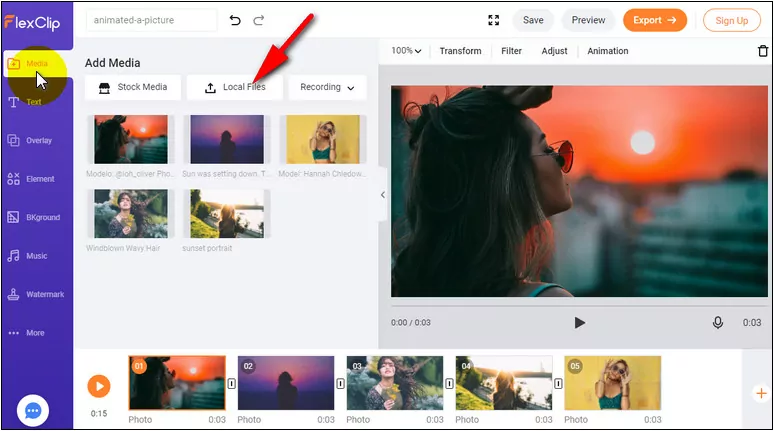
Image Board: Upload Your Images

Image Board: Animated the Still Picture
Here you can choose various animation effects for your photo: zoom in/out, move to left/right, etc. You can either choose to click the Apply to All the Storyboards button to animate other pictures in one click or pick another effect for other photos one by one.
Method 2 Animated a Picture via Picture-in-Picture Motion Option
Besides using the simple animation to make your still picture moving, you can also animate your photos rely on FlexClip's PIP motion feature.
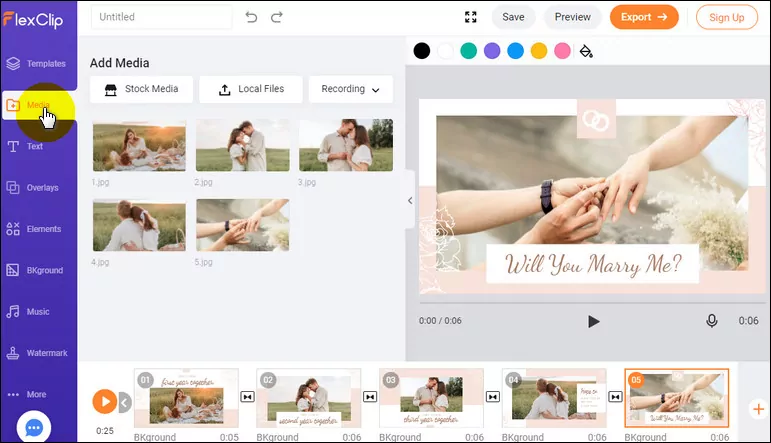
Image Board: Add Photos
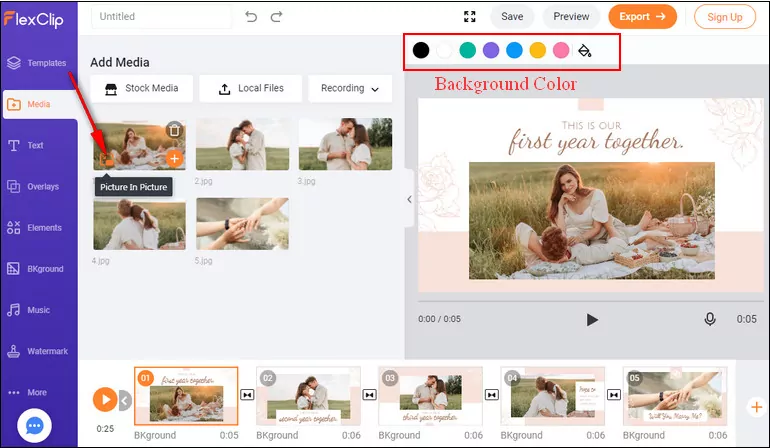
Image Board: Add Picture to Storyboard with PIP
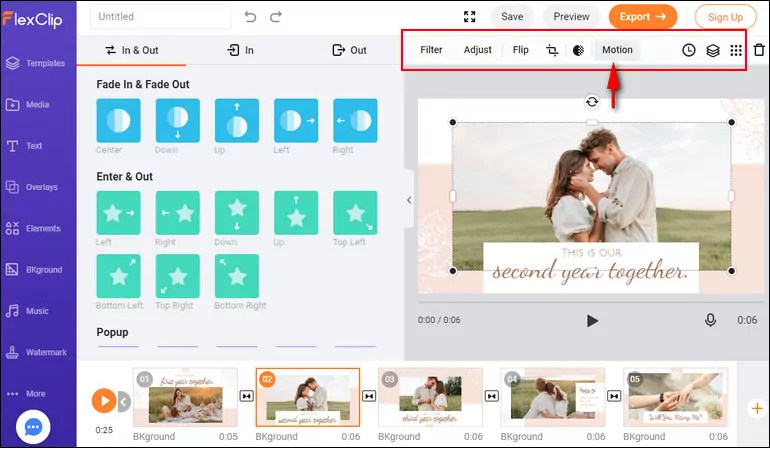
Image Board: Animated the Still Picture
Making Your Moving Picture More Dynamic - Killer Tips
Now, you've mastered the way to animate a photo, here we want to show you how to level up your moving picture to make it more dynamic and appealing.
A moving picture with dynamic text is far more appealing than a still photo. With FlexClip, you can easily add the dynamic text to the moving photo in a few clicks.
Simply go to the sidebar and focus on the text section, scroll down to pick your desired text effect, add it to your picture, then you can enter your content and customize it in the font, color, position, and duration.
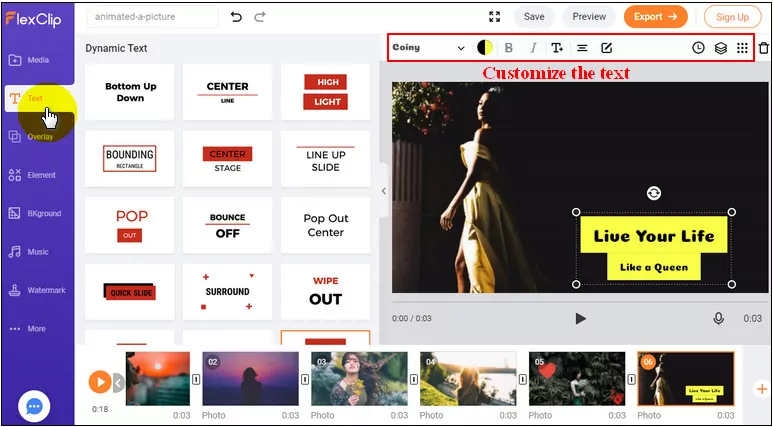
Image Board: Add Animated Text to the Moving Picture
FlexClip also provides various stunning elements - emoji stickers, speech bubbles, and more shapes - you can add to your moving pictures to make them more dynamic and attractive.
It is pretty easy to and the animated effects to your images. Just go to the sidebar and switch to the Elements option, here you will see a lot of elements, both the dynamic element and other simple elements. You can either choose to pick a ready-made dynamic element or choose a simple element then add animation to them manually.
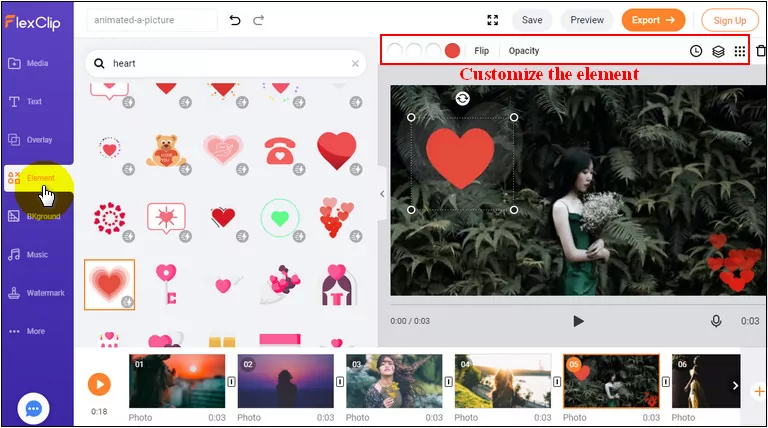
Image Board: Add Animated Element o the Moving Picture
You might already know the importance of the music, and you'll not surprise that different background music of a video can convey different feelings to viewers. If you want to make your moving picture more dynamic, rhythmic music must be the best choice.
Final Words
That's all for how to animate a still picture in a video. Hopefully, with the tool, instructions, and tips we shared here, everyone can make the still photo move and create appealing moving pictures in a video with great ease.




FlexClip AI Video Maker
Reach professional-quality videos faster with easy editing tools, templates, and smart AI.
Start Now for Free
Hot & Trending
-

Ultimate Tik Tok Guide – How to Tik Tok & How to Make a Tik Tok Video that Gets Likes
-

The Best Birthday Video Maker for You to Create Birthday Videos Online for Free
-

Large Collection of Creative and Funny Birthday Video Ideas for Ones You Care
-

Instagram Story Video Quality Bad After Upload? Fix It!
-

How To Remove/Reduce Background Noise? - 3 Best Free Audio Optimizers
-

Best Video Quality Enhancer: Improve Your Video Quality Easily
-

TikTok Filters Guide: How to Use Filter Effects on TikTok
-

How to Add Multiple Photos to One Instagram Story