Early in 2015, Facebook has announced its new feature that allows you to upload a short video as your Facebook profile picture.
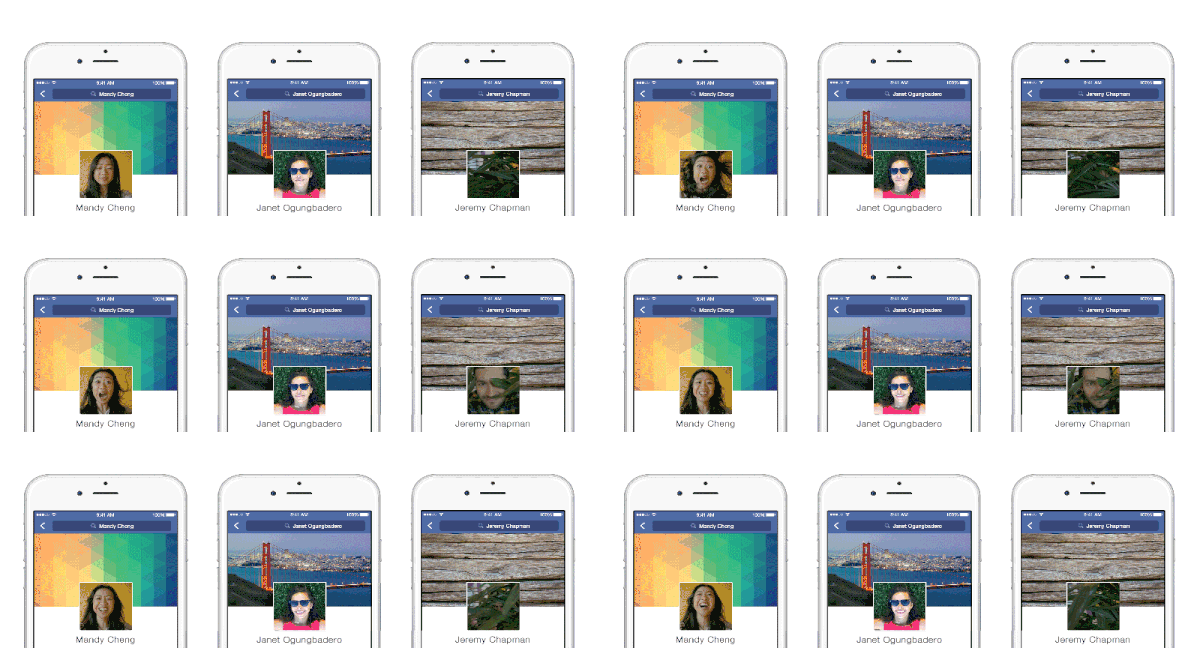
Image Board: Image Sources
A moving profile video can give your profile an even more interesting appeal and create a lasting impression, and you can use it to boost your branding or showcase your personality.
Table of Contents:
Can't-Miss: Facebook Cover Video Specs & How to Create/Upload a Facebook Cover Video >
Part 1 Facebook Profile Video Specs and Technical Aspects
First, you need to know the Facebook video specs and technical aspects when trying to upload a video as your Facebook profile.
You can take or upload a video of up to 7 seconds to use as your profile video on Facebook. If your video is longer than that, Facebook allows you to trim the video down to the required length or select the portion you want to use, but it will automatically use the first 7 seconds if you don't do anything.
There doesn't seem to be any size requirement for the videos. But you'll need to crop your video to a 1:1 aspect ratio to fit the profile space.
You can use any video file formats, including MP4 and MOV, etc. However, a GIF file is not a good choice for the FB profile because Facebook will show GIF profiles as an image rather than an animated picture.
Part 2 How to Make a Profile Video On Facebook
The feature to make a video for your Facebook profile is currently only available on the mobile Facebook app, so you can't upload a profile video to Facebook from your computer. But the steps make a profile video on the mobile Facebook app is pretty easy:
Part 3 How to Make a Unique Facebook Profile Video
Although Facebook itself offers a few video editing options, they are quite limited and basic. If you want to make a far more appealing and unique profile video to make your Facebook profile stand out above the crowd, you can try FlexClip Facebook video maker to add cool video effects.
With FlexClip online video maker, you can edit your videos like a pro in just a few clicks as you wish - adding filters, trimming, cropping, and even adding funny emoji stickers, etc.
To make a stunning video profile for your Facebook, simply upload your own video to FlexClip online video editor and let your imagination do the rest with FlexClip's powerful features. It's pretty easy and free to use; give it a try now.


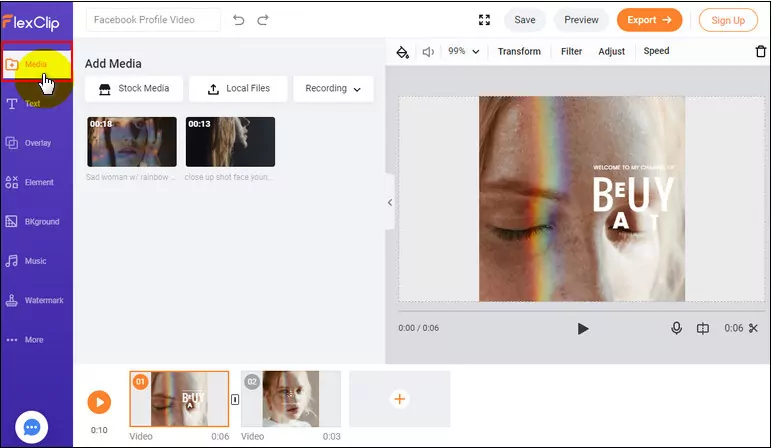
Image Board: Add Media
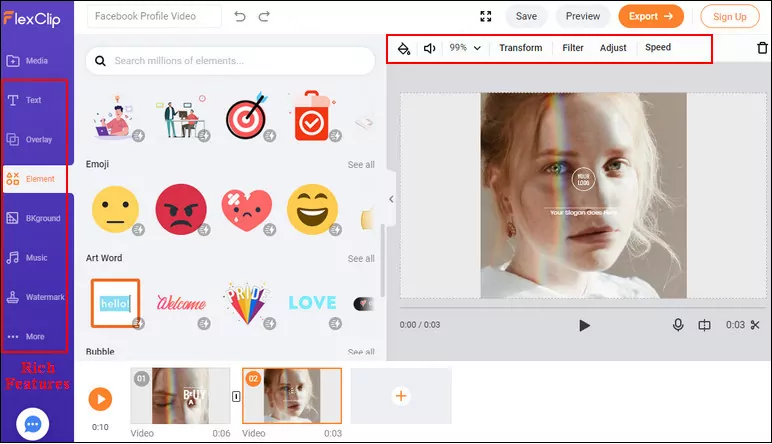
Image Board: Edit the Profile Video
Final Words
That's all there is to Facebook profile video. We hope this article helps you bring some life to your Facebook profile and make your own profile video with great ease!




FlexClip AI Video Maker
Reach professional-quality videos faster with easy editing tools, templates, and smart AI.
Start Now for Free
Hot & Trending
-

Ultimate Tik Tok Guide – How to Tik Tok & How to Make a Tik Tok Video that Gets Likes
-

The Best Birthday Video Maker for You to Create Birthday Videos Online for Free
-

Large Collection of Creative and Funny Birthday Video Ideas for Ones You Care
-

Instagram Story Video Quality Bad After Upload? Fix It!
-

How To Remove/Reduce Background Noise? - 3 Best Free Audio Optimizers
-

Best Video Quality Enhancer: Improve Your Video Quality Easily
-

TikTok Filters Guide: How to Use Filter Effects on TikTok
-

How to Add Multiple Photos to One Instagram Story