Nowadays, more and more people add their own face in the corner of their tutorial video or let's play videos, and share it on YouTube. This kind of video has become a big trend. Ever wondered how they do it? You've come to the right place. This blog will share an online facecam recorder to help you put your face in a video in simple steps.
How to Add a Facecam to Your Gameplay or Video Tutorial
Thanks to the online facecam recorder, like FlexClip, you can easily and quickly put your face in a video.


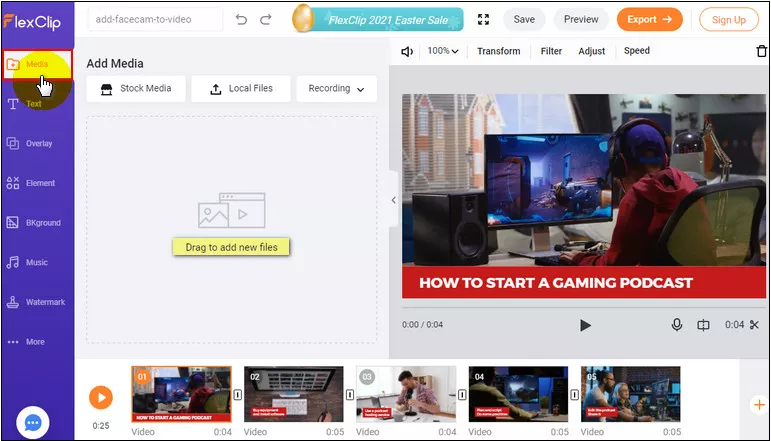
Image Board: Upload Footage
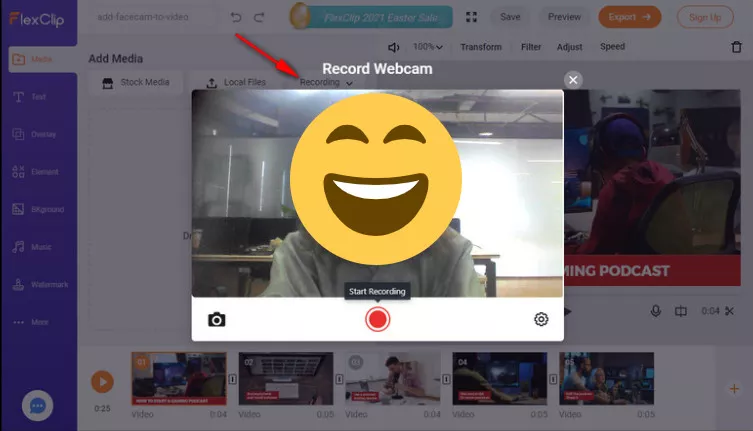
Image Board: Start Recording
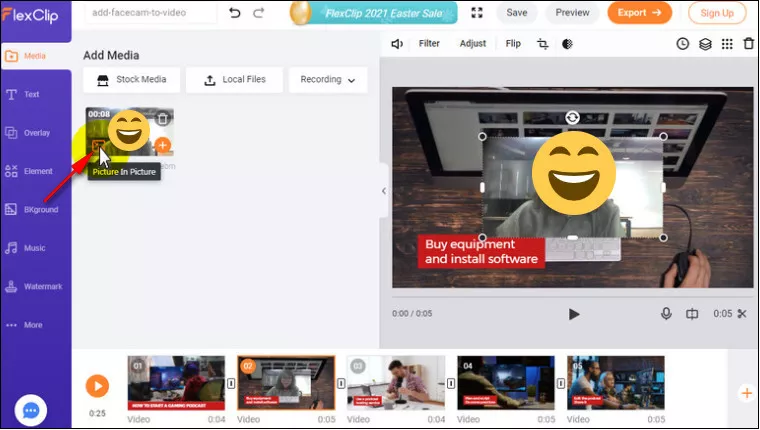
Image Board: Add Facecam to Video
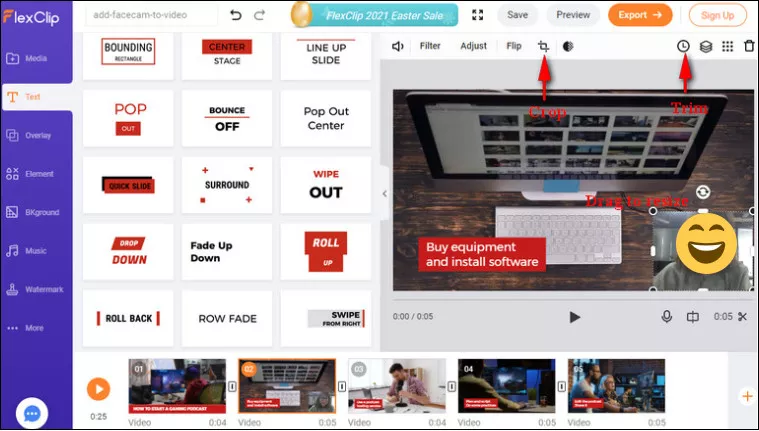
Image Board: Adjust the Facecam Recording
Final Words
That's all for how to add a face cam to a video. Hopefully, you've found the best solution for put your face in your gameplays or video tutorials.




FlexClip AI Video Maker
Reach professional-quality videos faster with easy editing tools, templates, and smart AI.
Start Now for Free
Hot & Trending
-

Ultimate Tik Tok Guide – How to Tik Tok & How to Make a Tik Tok Video that Gets Likes
-

The Best Birthday Video Maker for You to Create Birthday Videos Online for Free
-

Large Collection of Creative and Funny Birthday Video Ideas for Ones You Care
-

Instagram Story Video Quality Bad After Upload? Fix It!
-

How To Remove/Reduce Background Noise? - 3 Best Free Audio Optimizers
-

Best Video Quality Enhancer: Improve Your Video Quality Easily
-

TikTok Filters Guide: How to Use Filter Effects on TikTok
-

How to Add Multiple Photos to One Instagram Story