Adding a black bar to videos is part of the evolution going on in the video editing industry. Also called “CinemaScope” by the industry professionals, it has to do with adding 10-13% black elements below and above the video footage during production. This form of video editing is common in the film industry. It gives your video a high cinematic gloss, hence, making it more attractive to viewers. To apply these “Cinematic black bars” to your video, you need to first launch your program, add a rectangular-shaped object, paint it black, stretch it to the end till it gets to where you want it.
Importance of Adding Black Bars to Videos
The major reason for add cinematic black bars to Videos is to bring out that cinematic ambiance. But there are still more to it;
Also Read:Best 3 Video Black Bars Removers Online to Remove Black Bars >
How to Add Cinematic Black Bars to Video (Online)
You may find adding this piece of video element complicating, but it is not as long as you are doing it the right way, or doing the right tool. There are things to consider before choosing the right cinematic black bars tool. First, it must be easy to use, thus, less complicated. Secondly, you must be able to be in control of the width of the black bars, make sure it doesn’t flatten your video while adding these black bars, and finally, make sure there is no watermark of any sort. And these and more you can find using FlexClip: the best way to add black bars on videos online. Below, we will be illustrating easy steps on how to go about this.
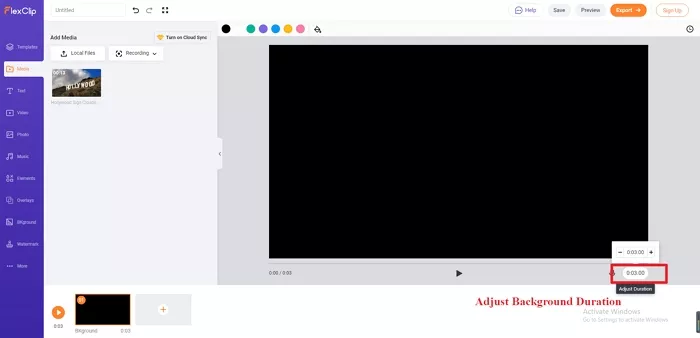
Add Cinematic Black Bars to Video Online - step 1
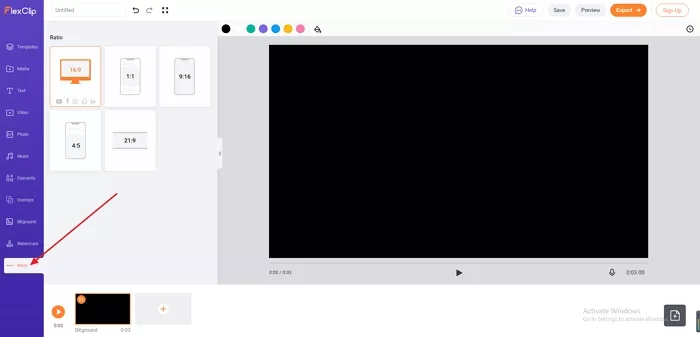
Add Cinematic Black Bars to Video Online - step 2
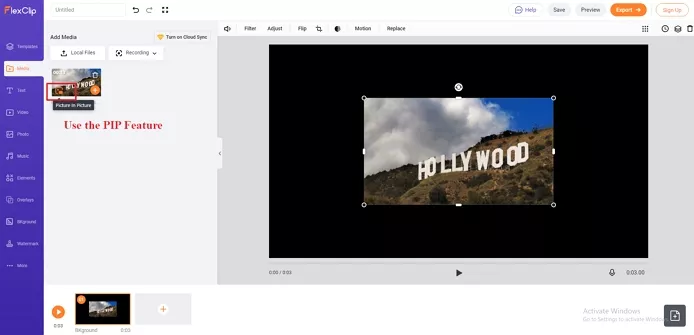
Add Cinematic Black Bars to Video Online - step 3
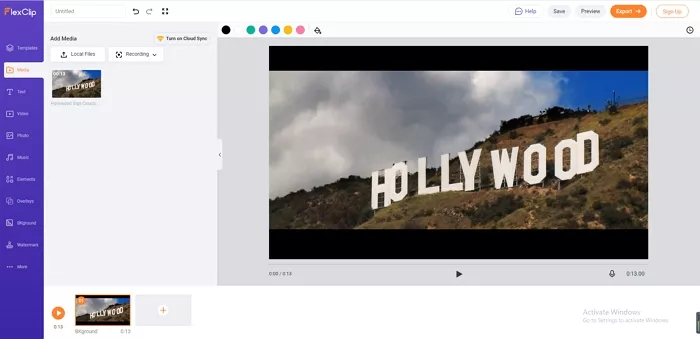
Add Cinematic Black Bars to Video Online - step 4
How to Add Cinematic Black Bars to Video with Premiere Pro
The main question here should not be how to add black bars in premiere pro, rather, how well can you add Cinematic Black Bars to Video using Premiere Pro. Not too many people find using Premiere Pro easy, probably because of the complex interface. But not to worry, we have illustrated a simple step-by-step method on how you can get this done with ease.
How To Add Cinematic Black Bars To Your Footage
Bottom line
It is important to remind us of the importance of using the right tool that works. A tool strictly designed to provide its users with the latest video editing features, that has the propensity to give people who create videos for YouTube, Instagram, TikTok, and other Video sharing platforms the opportunity to make amazing video content capable of intriguing their viewers. And to achieve that, we will recommend the use of FlexClip: an online video editing tool purposely made for video makers. That will be all. But don’t forget to like and share this piece if you find it interesting.




FlexClip AI Video Maker
Reach professional-quality videos faster with easy editing tools, templates, and smart AI.
Start Now for Free
Hot & Trending
-

Ultimate Tik Tok Guide – How to Tik Tok & How to Make a Tik Tok Video that Gets Likes
-

The Best Birthday Video Maker for You to Create Birthday Videos Online for Free
-

Large Collection of Creative and Funny Birthday Video Ideas for Ones You Care
-

Instagram Story Video Quality Bad After Upload? Fix It!
-

How To Remove/Reduce Background Noise? - 3 Best Free Audio Optimizers
-

Best Video Quality Enhancer: Improve Your Video Quality Easily
-

TikTok Filters Guide: How to Use Filter Effects on TikTok
-

How to Add Multiple Photos to One Instagram Story