Making a video collage with videos and photos is an effective way of storytelling from different perspectives. So, you can easily capture the highlights for, let's say an NBA game, a wedding scene, a product display, or a video explainer from multiple angles.
Well, in this post, we are pleased to introduce you to a free online video collage maker--FlexClip. With its latest picture-in-picture features, you can easily mix videos with photos to create a thumb-stopping video collage with music in a breeze.
Contents:
How to Make a Video Collage
While a number of video collage makers can be found online, many of their key features are either only available to paid users or don't give you the flair to make your video collage second-to-none.
To that end, FlexClip, a free and flexible online video collage maker, could be an answer to your calls, with its fully-customizable features like animated texts, dynamic elements, overlays, and vast stock assets of tens of thousands of HD videos and royalty-free music, etc.
So, follow the 4 easy steps to make a video collage with FlexClip video collage maker.
Firstly, open the FlexClip, and click on ‘local files' to upload your video clips or images to the media library. If you don't have videos or photos, you may use our license-free & HD stock assets by tabbing ‘stock media'.
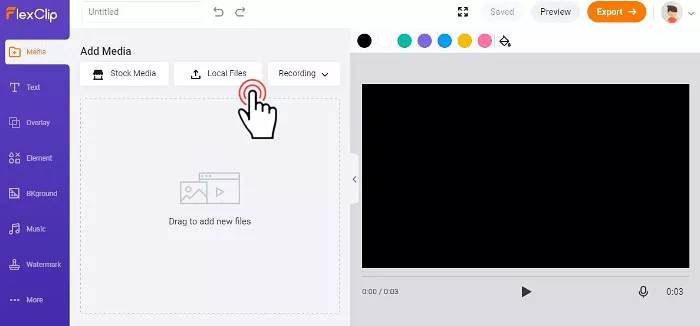
Upload video clips or photos to FlexClip video collage maker


Besides, it's advisable to register a free account on FlexClip to easily manage your video projects.
Tab the little orange ‘+' icon to add one video clip as the background of your video collage. Meanwhile, you can use the trimmer to adjust the video duration.
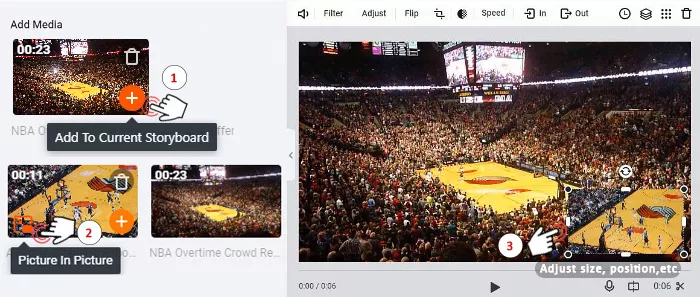
Make a video collage with two videos by FlexClip video collage maker
Then hover over to the next video clip, where you can see a ‘picture in picture' icon. Left-click it, the second video clip will be automatically added to the storyboard. Next, just drag and drop the clip and adjust its size and place it anywhere you want on the video canvas.
To make your video collage truly one of a kind, don't forget to use flexible tools on the left menu.
You can add an animated text from dozens of prebuilt text templates and use the toolbar to customize the font and its colors, alignment, or decide the sequence and duration of each caption with our timing tool. Pretty useful.
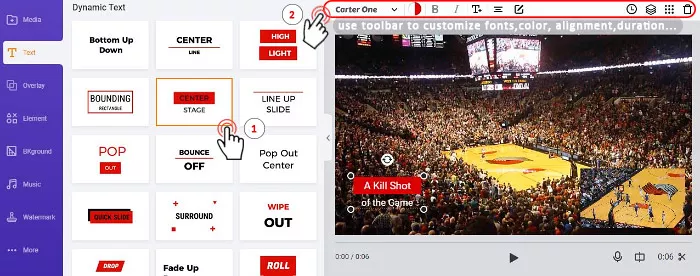
Customize the animated text in the video collage
Besides, the dynamic elements are highly recommended to be added to your video collage. They can be super helpful for highlighting the theme and distinguish your video collage from others in seconds, such an icing on the cake.
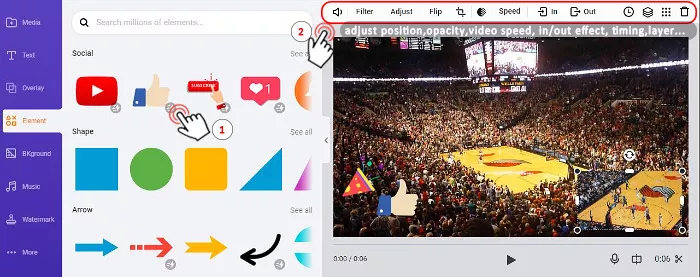
Add dynamic elements in the video collage by FlexClip video collage maker
If the video collage is made for business promo, you can even add your company's logo and website address by using the overlay feature of FlexClip video collage maker. It couldn't be more convenient.
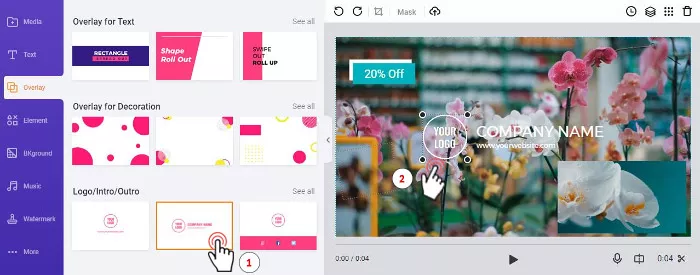
Use a prebuilt overlay to add your company's logo and website address
Now, you can preview the overall effect and press the ‘export' button to export the video collage in MP4 (1080p) or GIF to your local disk or Dropbox for social sharing.
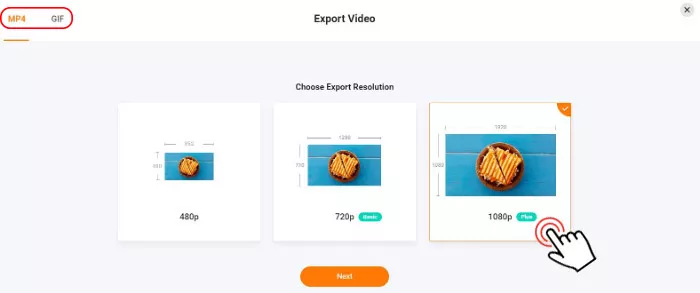
Export a video collage in MP4 or GIF
How to Make A Video Collage of Photos with Music
FlexClip video collage maker offers you a huge music library where 100,000+ royalty-free music is available for making video collages with audio.
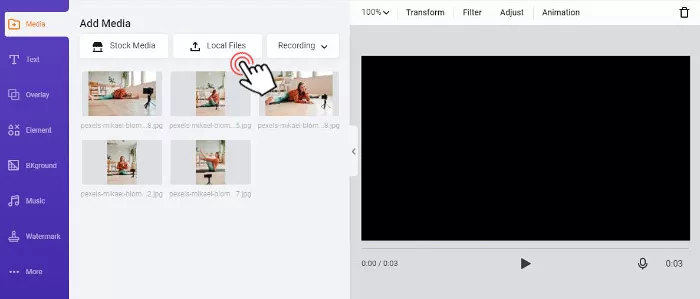
Upload photos to FlexClip video collage maker
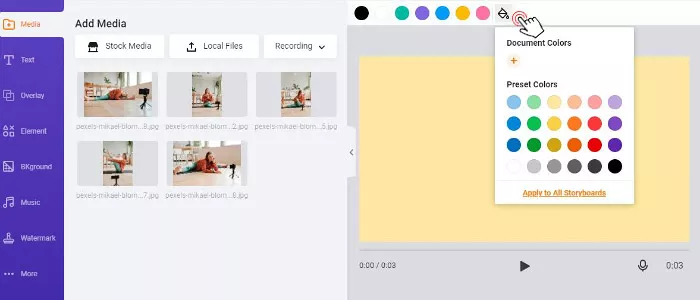
Pick a corresponding background color for a video collage of photos
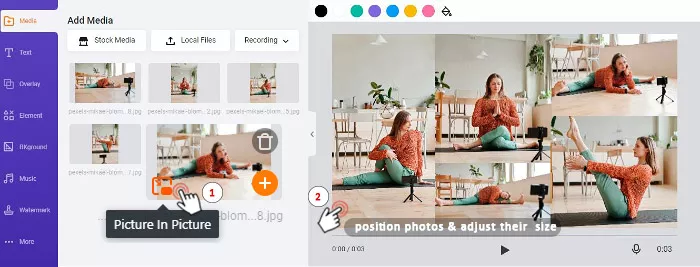
Add multiple photos and adjust their position and size
In the toolbar above, you can find the ‘enter/exit animation' tool to animate each photo. While the timing tool can help you decide the order by which each photo appears.
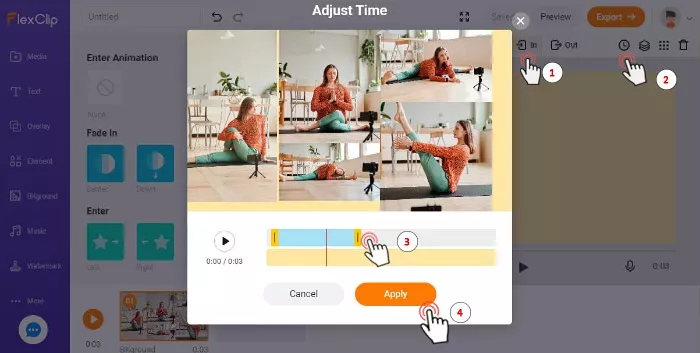
Animate the photos of a video collage by Flexclip
Go to the music icon on the left menu and press add stock music. You will enter the music library of FlexClip. You can choose a piece of music by varied themes, mood, genre, or instrument or enter a keyword in the search box to look for the music.
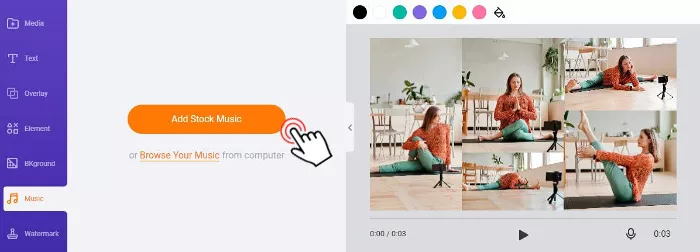
Add stock music to a video collage of photos
Next, preview the music and press the ‘use' button. You may use the trimmer to decide the duration of the music or choose fade in/out effect or change volume or use the loop playback feature. If you are not satisfied with it, remove the music and go back to the music library for a new one.
Bonus Tips for Making a Video Collage of Photos:
A video collage doesn't mean a random pile of photos in a video. There is aesthetic underneath. Please follow the practical tips below as you make a video collage of photos for the best result.
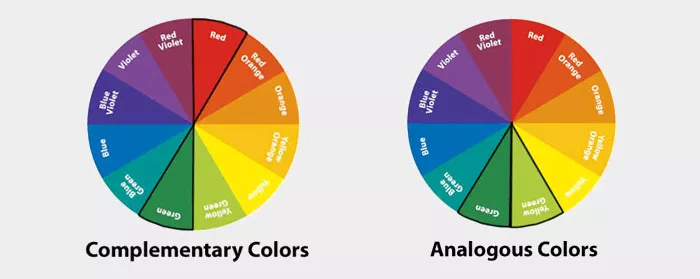
Having a basic color theory helps you make a better video collage of photos
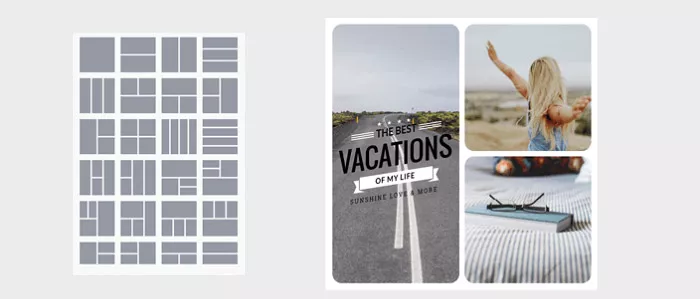
Samples of photo grid layout for a video collage of photos
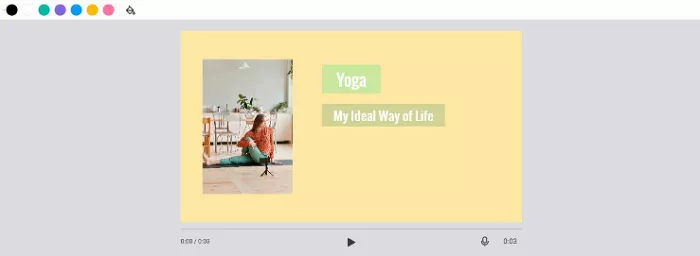
Leave native space for your video collage
How to Make a Video Collage with Pictures and Videos
Well, the steps are alike as shown above, let's take a quick look at how to mix videos with pictures with FlexClip video collage maker.
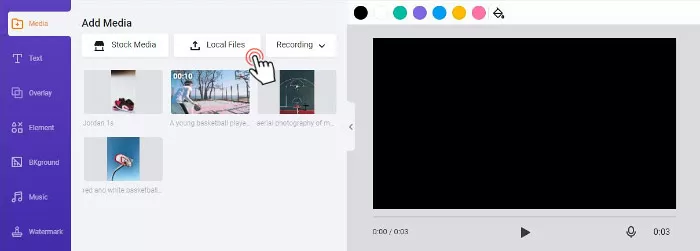
Upload local files to FlexClip video collage maker
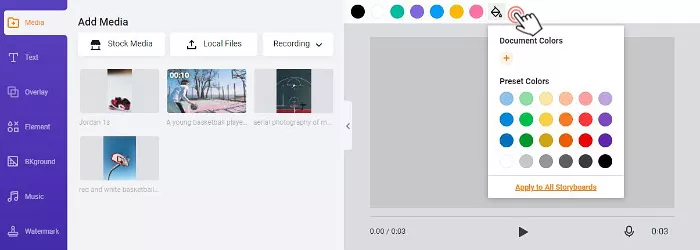
Pick an ideal background color for the video collage
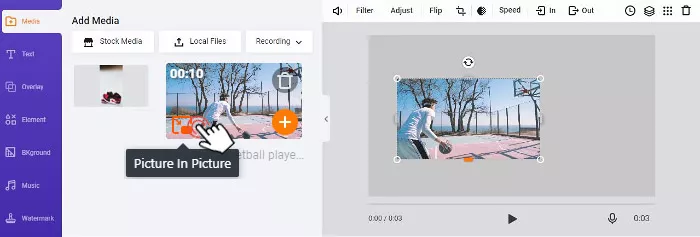
Add videos and pictures to the canvas
Firstly drag and drop the pictures and videos side by side with each other on the canvas, then animate the pictures or videos with the ‘enter animation' tool and set the timing of each element with by timer.
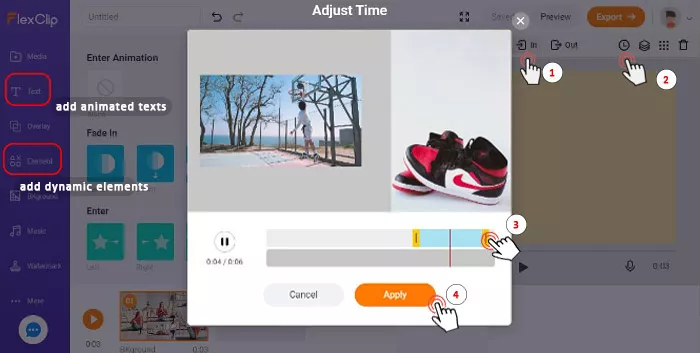
Animate the video and photo and add animated text and elements
You may also use the text tool to add dynamic texts to your video collage. Hundreds of expertly-designed text and graphic animations are a fantastic tool for your visual content.
How to Make a Video Collage for Instagram and Facebook
Since both Instagram and Facebook don't have a video collage tool for direct creation, you can easily use FlexClip video collage maker to adjust to the aspect ratio of the canvas and customize the video collage for Instagram and Facebook in minutes.
Tab 'local files' to upload clips and photos to the media library of FlexClip video collage maker.
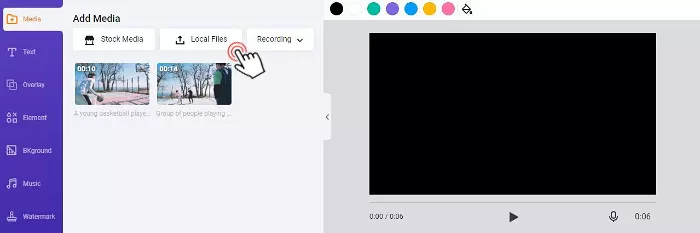
Upload local videos to FlexClip video collage maker
Click on the ‘More' button on the left menu and choose the aspect ratio you want. The canvas will be cropped automatically to fit the screen for that of Instagram or Facebook.
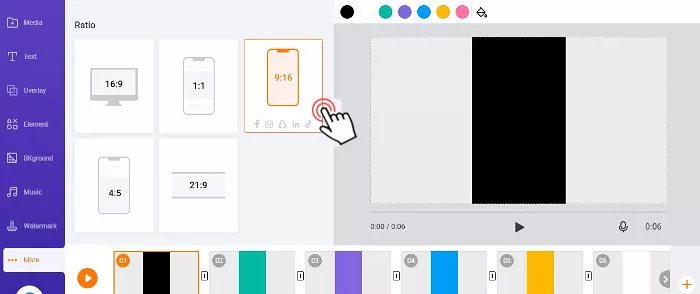
Adjust the aspect ratio of the canvas of a video collage
Kind Reminder:
As you hover over to a particular aspect ratio, the FlexClip video collage maker will suggest whether this dimension is suitable for Facebook, Instagram, YouTube, Snapchat, or other social media platforms.
Press'+' button to add a video clip or photo as the background of the canvas and then hover over to the bottom left corner of the next clip or photo, then left-click the 'picture in picture' icon to add it to the canvas.
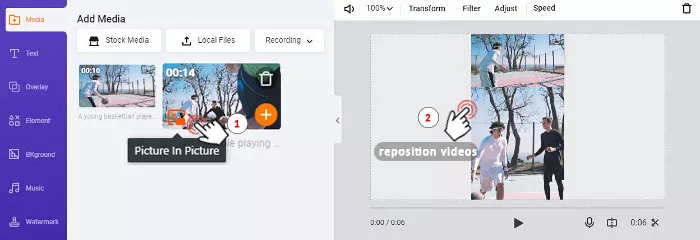
Add videos to video collage and reposition their positions
Next, you can drag and drop these clips and photos to reposition them. Then use the customizable animated texts and dynamic elements to adorn your video collage or even add music to it. The timing tool and trimmer will allow you to animate all the elements as you wish.
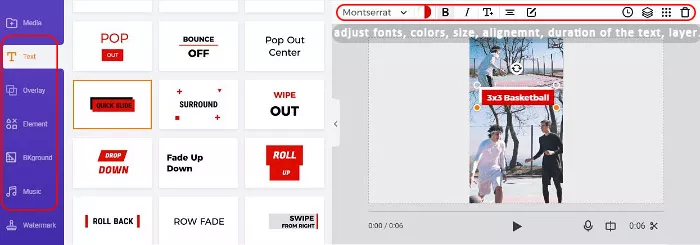
Add animated text and other tools to enhance a video collage for Instagram
Finally, you can export the video collage in MP4 (1080p) or even convert it gif to your local disk. Check how to post on Instagram from PC.
Final Thoughts
Whether you are making a video collage to better display your product or to juxtapose the highlights of your wedding ceremony on Instagram, etc? With FlexClip's free and versatile video collage maker, you will create stunning visual content everyone likes. So, start using FlexClip to make your first video collage now!




FlexClip AI Video Maker
Reach professional-quality videos faster with easy editing tools, templates, and smart AI.
Start Now for Free
Hot & Trending
-

Ultimate Tik Tok Guide – How to Tik Tok & How to Make a Tik Tok Video that Gets Likes
-

The Best Birthday Video Maker for You to Create Birthday Videos Online for Free
-

Large Collection of Creative and Funny Birthday Video Ideas for Ones You Care
-

Instagram Story Video Quality Bad After Upload? Fix It!
-

How To Remove/Reduce Background Noise? - 3 Best Free Audio Optimizers
-

Best Video Quality Enhancer: Improve Your Video Quality Easily
-

TikTok Filters Guide: How to Use Filter Effects on TikTok
-

How to Add Multiple Photos to One Instagram Story