Believe it or not, Instagram is no longer a pure photo-sharing platform.
As Instagrammers craved new ways to entertain themselves more than photos, new video features like Instagram Story, Instagram Reels, and IGTV, and Instagram in-stream video ads, were rolled out one after another, transforming Instagram into a robust photo and video apps for creators, videos, shopping and messaging.
Today, with 1.221 billion global active users in 2021, Instagram overtook TikTok (689 million active users) and WeChat (1.215 billion active users) as the 5th most popular social media in the world only next to Facebook, YouTube, Whatsapp, etc.
So, for both corporations and individuals, the ability to create original and eye-catching Instagram videos can be a game-changer to boost brand awareness, grow followers, and even directly convert leads into sales.
In this post, we will introduce you to the top 8 Instagram video editors, both online and mobile apps, to help you easily create captivating videos for Instagram Feed, Instagram Story, Instagram Reels, etc.
Here’s What You Will Learn:
Best Instagram Video Editors Online
Well, you might ask why do I need to go the extra mile to use an Instagram video editor online to edit my Instagram videos instead of on my phone? Great question!
So, it’s advisable to film the video with your camera on iPhone or Android and save it to camera roll or photo gallery. Then bring it to the following 4 online Instagram video editors for editing and later share it to Instagram.
1. FlexClip
FlexClip is a watermark-free and feature-packed in-browser Instagram video editor that offers you thousands of fully-customizable video templates, including hundreds of designer-made video templates for Instagram Story, Instagram Reels, Instagram video ads, Instagram slideshow, IGTV, etc.
The easy-to-use FlexClip Instagram Video Editor

You can easily swap the premade videos and photos and elements with yours and add stylistic text animations, picture-in-picture effects, GIPHY’s GIF assets, animated subscription elements, logo, etc. to your videos to attract leads and drive up engagement on Instagram and expand your brand’s presence on Instagram.
Prominent Features:
Who Is FlexClip Best Suited For?
Since FlexClip offers both storyboard and timeline modes for editing, anyone who wants to create easy and quick videos for Instagram News Feed, Instagram Story, Instagram video ads, Instagram Reels, etc. would find it exceedingly useful and easy-to-use.
While thousands of readymade video templates and huge royalty-free stock assets (audio, photos, and videos), and user-friendly video tools will unleash your creativity to create thumb-stopping Instagram videos.
2. InVideo
Boasting 5,000+ video templates, InVideo is another powerful online Instagram video editor for Instagrammers. You can select a readymade 1:1 or 9:16 Instagram Story video template and quickly start editing. The timeline mode allows you to easily drag and drop to add music, video transitions, and elements.
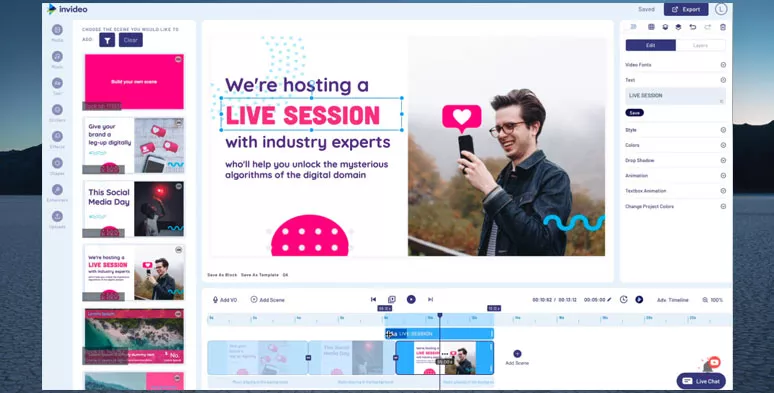
Use premade templates to make Instagram videos with InVideo
A cool feature of InVideo is its Text to Video option. You can paste a long paragraph from your blog into the text-to-video tool and then InVideo will automatically break long texts into small paragraphs and generate multiple pages of slideshow videos with proper music for you. You can replace them with stock videos as well.
Prominent Features:
Who Is InVideo Best Suited For?
With 5k+ video templates across all fields, InVideo is another ideal online Instagram video editor for you to quickly produce high-quality Instagram Reels or Instagram Feed, etc, without facing a blank canvas. For its special Text-to-video tool, InVideo can be more versatile for making instructional and promo videos for bloggers on Instagram.
3. Animaker
To make your Instagram video stand out from the crowds, very often you need to think out of the box. Combining your images and videos with customizable animated characters and props could be a great choice.
In this respect, Animaker, a user-friendly and feature-rich online animation video editor will help you create engaging animated Instagram Story and Instagram video ads with no experience needed.
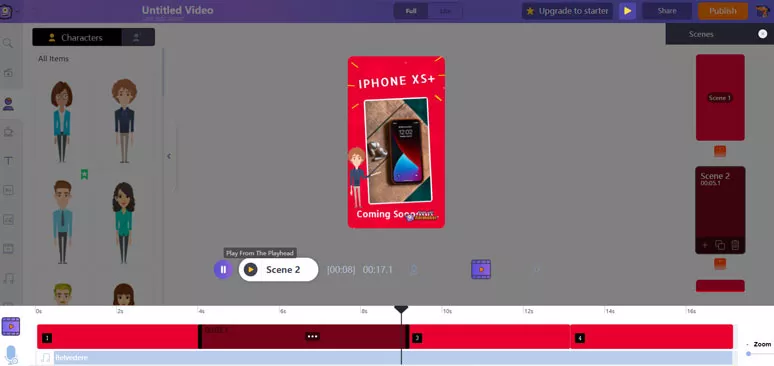
Create customized animated characters for your Instagram videos by Animaker
You can select a premade Instagram video template and personalize animated figures with vivid facial expressions, body moments, audio, etc. to bring your Instagram video ads to life.
Prominent Features:
Who Is Animaker Best Suited For?
If you are an avid fan of animation or your Instagram account is related to design, education, gaming, cartoons, or mostly for video tutorials, etc, then using Animaker’s free Instagram video templates, together with its awesome animation tools will help you create fascinating Instagram Story, Instagram Feed, etc. for target audiences. Learn how to make a stop motion video.
4. Renderforest
While most Instagrammers still compete with stereotyped Instagram slideshow videos and 2D promo videos, then you post a mind-blowing 3D video on Instagram Feed for your product release. Wouldn't it be overkill?
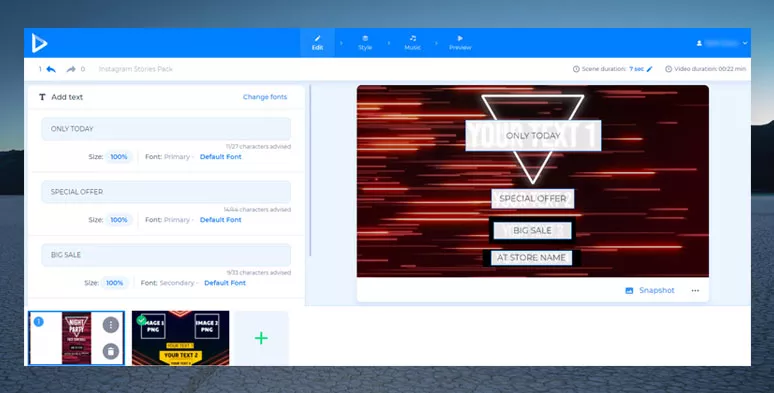
Powerful Renderforest Instagram video editor
To make it happen, you need the help of Renderforest. Renderforest is the only Instagram video editor online that offers 3D video templates for you to kickstart a studio-like Instagram Reels, or Instagram News Feed, etc.
Besides, for your brand, you may use Renderforest's AI to customize a 3D logo for your Instagram video. It's quite handy.
Prominent Features:
Who Is Renderforest Best Suited For?
If you wanna create studio-like 3D Instagram Reels and Instagram News Feed and IGTV for promo and product release, Renderforest can be a great alternative with no editing experience needed.
Instagram video editor apps on iPhone and Android
Well, for many Instagrammers, filming and editing Instagram videos wherever you want with your phone remains the top choice. Here, we would like to introduce you to the top 4 Instagram video editor apps on both iPhone and Android.
1. InShot
If all you need is the basic video editing like trimming, splitting, merging, and adjusting video speed, adding filters, stickers, and text, adding music, etc. InShot will offer you all the tools needed without being overwhelmed by unknown editing features.
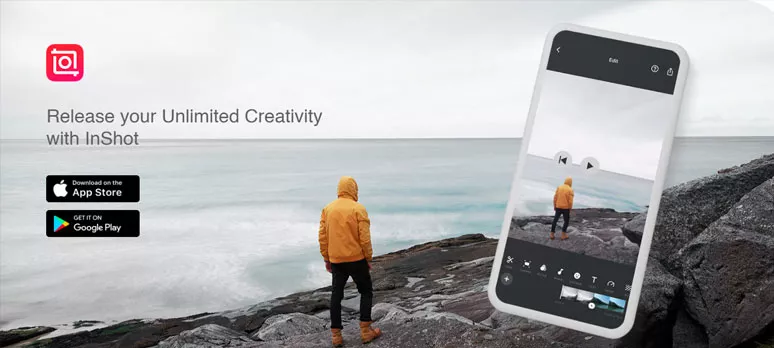
Use InShot to edit videos for Instagram Stories, etc.
Recently, Inshot also added a picture-in-picture effect for you to overlay a video over another video in the same frame or do a color correction to all videos. Other than that, you may export 4K 60fps videos on Instagram, Tiktok, etc.
Prominent Features:
Who Is InShot Best Suited For?
InShot is such an easy-to-use and basic Instagram video editor app for iPhone and Android and iPad users. So, it's mainly for beginners. You can watch an ad to remove a watermark. It's quite a user-friendly option for most users.
2. iMovie
For IOS system users, the App's pre-installed iMovie app remains a go-to choice for editing Instagram videos. You can begin by selecting a premade video template to create a Hollywood-style movie trailer for an Instagram Story or Reels or clicking on "Movie" mode to edit multiple clips and photos into a great Instagram video.
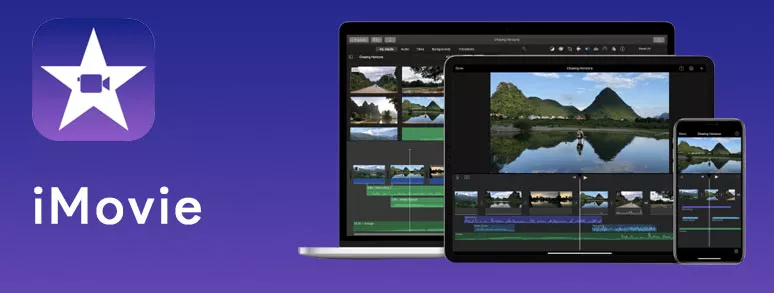
Use iMovie to edit Instagram videos across platforms
Once your video or photo assets were imported to iMovie, you can add transitions, animated texts, sound effects, change video speed. By tapping the "gear" icon at the bottom of the right corner, you can apply a color theme to color grade all the clips and photos, along with a BGM.
You may also freeze a frame or detach the audio from a particular clip and then manually audio-duck the volume of another clip.
Prominent Features:
Who Is iMovie Best Suited For?
If you happen to post Instagram videos using iPad, iPhone, and Mac, the iMovie app offers you an easy option to edit a refined video for Instagram in minutes. You can add B-roll, BGM, sound effects, animated texts, transition, etc. Since iMovie doesn't have many fancy visual effects, If all you need is some basic editing for Instagram News Feed or showing what you are doing on 15-sec Instagram Story, iMovie can be a free alternative.
3. CapCut
CapCut is the latest feature-packed mobile app for Instagram and Tiktok without watermark. Apart from the basic editing tools like trimmer, aspect ratio, background change, etc., you can achieve studio-like effects only available on Adobe Premiere Pro, such as separating an object from a video, detaching audio from the video, adding keyframes, using a curve to adjust video speed, etc.
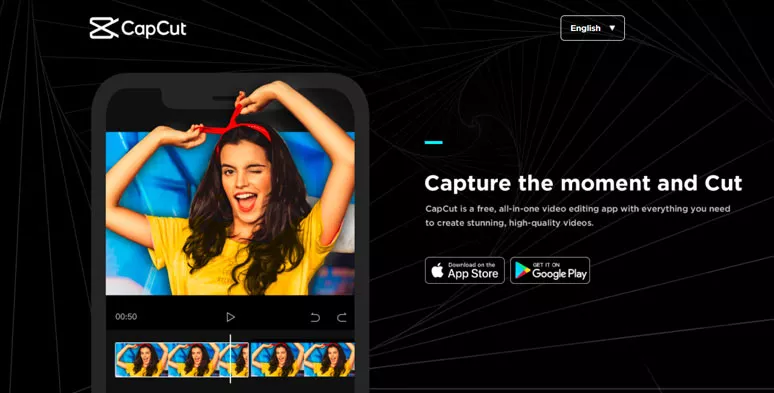
Use CapCut to create stunning video effects for Instagram Reels and Stories, etc.
You can easily add audio, special effects, photos, and videos in different tracks on the timeline, which is exceedingly helpful for editing.
Prominent Features:
Who Is CapCut Best Suited For?
CapCut would be a perfect tool for the day-to-day post of Instagram videos for Vloggers, Instagrammers who want to create elevated Instagram videos with amazing visual effects. It can truly make your creative juice flow.
4. Adobe Premiere Rush
Adobe Premiere Rush is more of a simplified Premiere Pro video editor on smartphones, capable of creating stunning pro-level Instagram videos in a breeze.
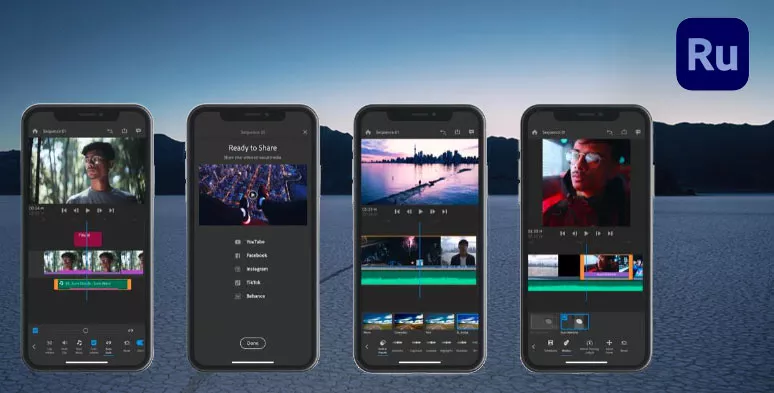
Use advanced features of Adobe Premiere Rush to edit Instagram videos
With an intuitive video editing interface, tools like texts and motion graphics, transitions, color-grading, speed changer, audio enhancer, transformer, trimmers, trash can are aligned in an orderly fashion on both sides.
You can add and insert multiple video overlays and audio on different tracks on the timeline with great ease. For premium users, you may enjoy audio-ducking and auto-reframe and thousands of featured royalty-free sound effects and text animations.
Prominent Features:
Who Is Adobe Premiere Rush Best Suited For?
If you are a desktop Adobe Premiere Pro user and want to create elevated videos for Instagram Reels, Instagram promo videos or IGTV, or trailers on Instagram Story, Adobe Premiere's auto-sync and clouds feature will make things much easier for you to edit videos on different platforms.
Besides, for Vloggers or podcast hosts, Adobe Premiere Rush's premium one-click auto-ducking feature also makes audio-mixing easy for you. Of course, you need to upgrade to premium users to enjoy all the royalty-free sound effects or more valuable video assets.
Now, It's Your Move
So, that's all the top 8 Instagram video editors you may use to take your Instagram videos up to a notch. And no video editor is built equal and can meet all your needs. Given the vast royalty-free stock assets, zero cost, and versatility, FlexClip, and CapCut could be two great choices for either editing Instagram videos online or on your phone. Hopefully, you find this post helpful. Start editing your Instagram videos with your ideal Instagram video editor, now!




FlexClip AI Video Maker
Reach professional-quality videos faster with easy editing tools, templates, and smart AI.
Start Now for Free
Hot & Trending
-

Ultimate Tik Tok Guide – How to Tik Tok & How to Make a Tik Tok Video that Gets Likes
-

The Best Birthday Video Maker for You to Create Birthday Videos Online for Free
-

Large Collection of Creative and Funny Birthday Video Ideas for Ones You Care
-

Instagram Story Video Quality Bad After Upload? Fix It!
-

How To Remove/Reduce Background Noise? - 3 Best Free Audio Optimizers
-

Best Video Quality Enhancer: Improve Your Video Quality Easily
-

TikTok Filters Guide: How to Use Filter Effects on TikTok
-

How to Add Multiple Photos to One Instagram Story