A public survey report shows that more than half of people are accustomed to locking their mobile phones in a "portrait" state, while 98% of people are accustomed to using their mobile phones vertically.
Thanks to the popularity of smart phones, vertical videos are getting more poplar. People like to shoot videos on the vertical screen and them share it to TikTok, Instagram, Snapchat and more platforms. If you are looking for a vertical video editor, let's read through this article and get 5 best vertical video editor/maker to edit vertical video easily.
Best Vertical Video Editor
Also Read: 4 Portrait to Landscape Converter: Portrait Video to Landscape Free
Part 1. 5 Best Vertical Video Editor in 2021
Check out the following 5 best vertical video editors and find one you like the most to edit and make your own vertical video with great ease.
# 1 Online Vertical Video Editor/Maker - FlexClip
As an online video editor as well as video maker, FlexClip can work as a free online vertical video editor/maker to edit vertical videos online within simple steps. No software download is needed, no editing experience is required. Let's check some main features below:




Visit FlexClip online vertical video editor go to the Media section to add your vertical video footage and edit them online freely.
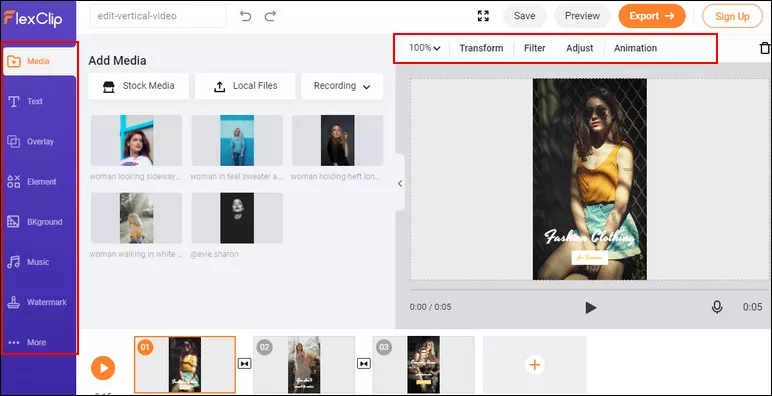
Online Vertical Video Editor - FlexClip
Quick Tips:
# 2 Online Vertical Video Editor/Maker - Kapwing
If you record a video on your phone and want to post as an Instagram story, TikTok video or IGTV video, it's possibly in a 9:16 aspect ratio, which is a vertical video. Then you'll need a vertical video editor to edit vertical online easily, Kapwing is an great option to go.
To edit vertical video online quickly with Kapwing vertical video editor, you just need to open your browser, go to Kapwing.com, and click "Start Editing". Then you can paste a link or click the Upload button to upload video from your computer.
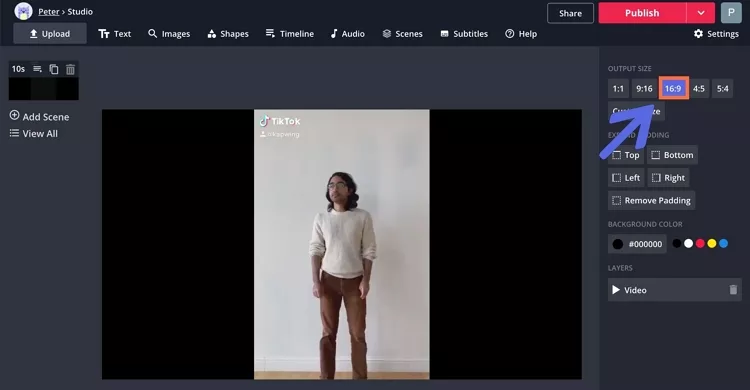
Online Vertical Video Editor - Kapwing
# 3 Vertical Video Editor - Inshot
Inshot is one of the most popular choices to edit vertical videos on your mobile phones including iPhone and Android phones. You can easily trim video, remove the middle part, split video, merge clips, adjust speed and more. Also, it offers a lot of free vlog music and sound effects, and you can also add your own music or voice over.
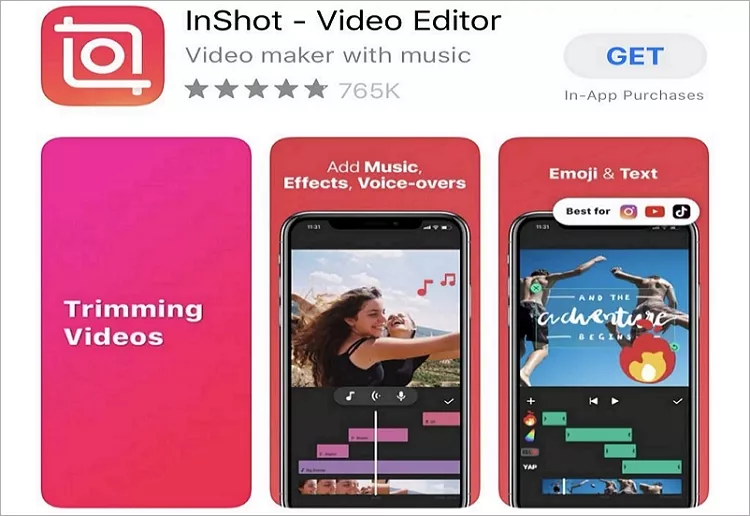
Vertical Video Editor - Inshot
# 4 Vertical Video Editor - VSCO
VSCO video editor offers creative photo and video editing tools, inspiration, and a place for you to be you. VSCO works as a great vertical vidoe editor coming with clean interface and simple features, it allows you to edit vertical video on your mobile phones easily.
However, the free version is pretty limited and the paid version is so expensive. You can't edit videos on the free version so you can become a member of the VSCO community and then you can edit vertical videos in resolutions that go up to 4K. Share your photos and videos with #VSCO for a chance to be curated by VSCO.
Vertical Video Editor - VSCO
# 5 Vertical Video Editor - ApowerEdit
ApowerEdit is an amazing, easy, yet powerful video editor that has helped millions of users edit vertical video on your computer easily. It lets users easily cut, trim, split, crop, zoom, merge, add mosaic, add audio, adjust speed, contrast, adjust brightness, saturation and more. It's compatible with both Windows and Mac computer, and it supports all types of video formats like avi, mpeg, wmv, mp4, mov and a lot more.
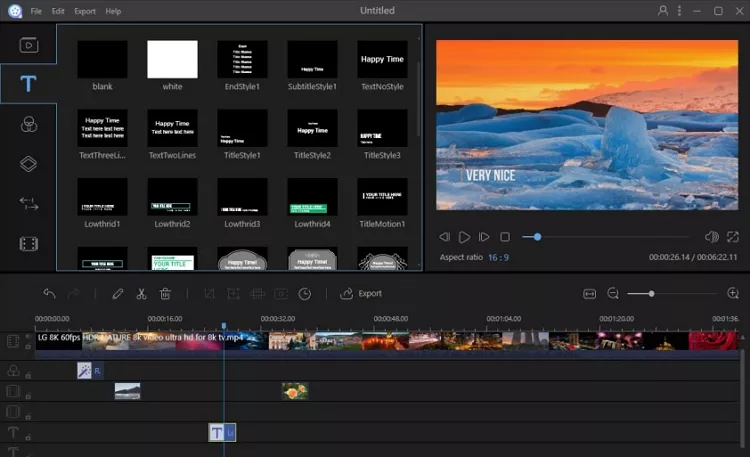
Vertical Video Editor - ApowerEdit
Part 2. How to Make A Vertical Video Online
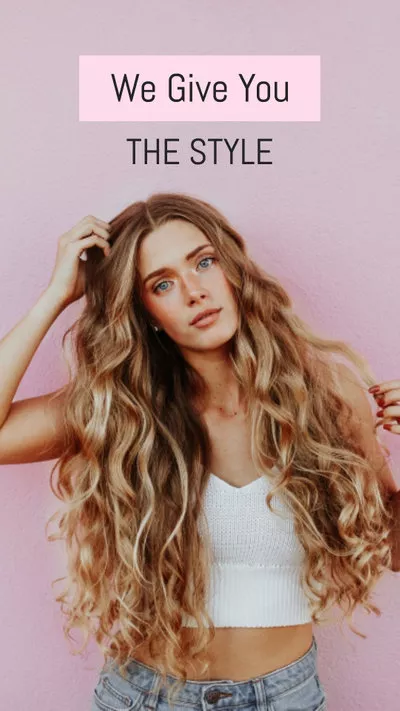
Also, you can make a vertical video for social media easily with FlexClip vertical video templates. Without downloading an application to computer or phone, you just need to choose a template and customize it online quickly.
Visit FlexClip vertical video templates and try to edit and make a vertical video now!
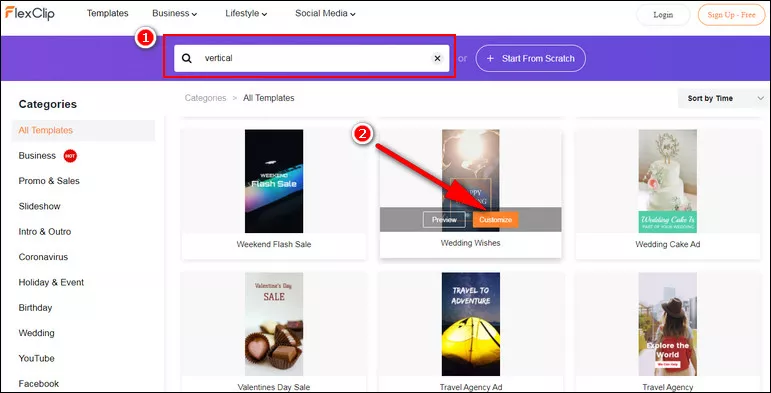
How to Make A Vertical Video Online
The Bottom Line
That's all about how to edit vertical videos and we introduced 5 best vertical video editor for computer as well as mobile phones. Also, FlexClip also offers a lot of video templates to help you make vertical videos online easily!




FlexClip AI Video Maker
Reach professional-quality videos faster with easy editing tools, templates, and smart AI.
Start Now for Free
Hot & Trending
-

Ultimate Tik Tok Guide – How to Tik Tok & How to Make a Tik Tok Video that Gets Likes
-

The Best Birthday Video Maker for You to Create Birthday Videos Online for Free
-

Large Collection of Creative and Funny Birthday Video Ideas for Ones You Care
-

Instagram Story Video Quality Bad After Upload? Fix It!
-

How To Remove/Reduce Background Noise? - 3 Best Free Audio Optimizers
-

Best Video Quality Enhancer: Improve Your Video Quality Easily
-

TikTok Filters Guide: How to Use Filter Effects on TikTok
-

How to Add Multiple Photos to One Instagram Story