


Want to remove the background from a video? With the green screens and a video editing effect called chroma key, everyone can easily do this task if the footage is filmed with a green screen or any single-colored background.
But how to remove the background from a video that doesn't come with a single-colored background. This article will show you three easy ways to remove the background from videos without green screens.
Also Read: How to Remove Background from Video in Premiere Pro >
How to Remove Background from a Video Online
Do not need professional software or skills, and you can easily remove any video background without green screens. Sounds great? Keep reading to learn how.
Method 1: Remove Video Background via Unscreen
Unscrren is a 100% fully automatic online video background remover to get rid of the background of the video. With Unscreen, there is no need to pick pixels, select colors, paint masks or move paths to adjust the settings, Unscreen will analyze your video automatically and get rid of the background directly. But it is limited by its capacity to only process a 5-second long video clip as a GIF, animated PNG, and Single Frames with the watermark.
How to Remove Background from a Video with Unscreen
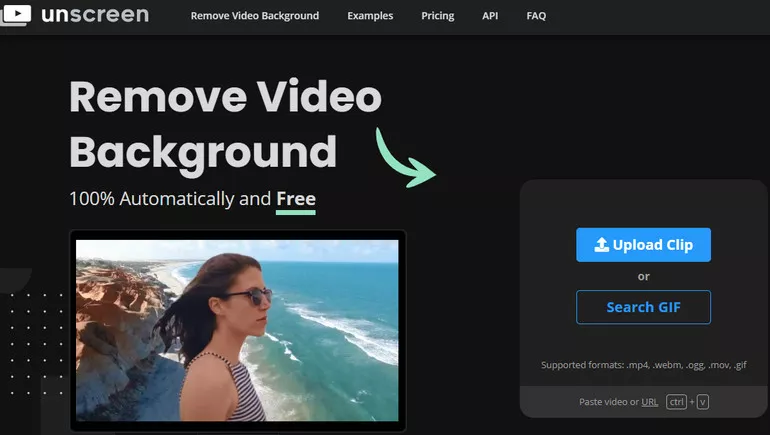
Remove Background from a Video with Unscreen - Step 1
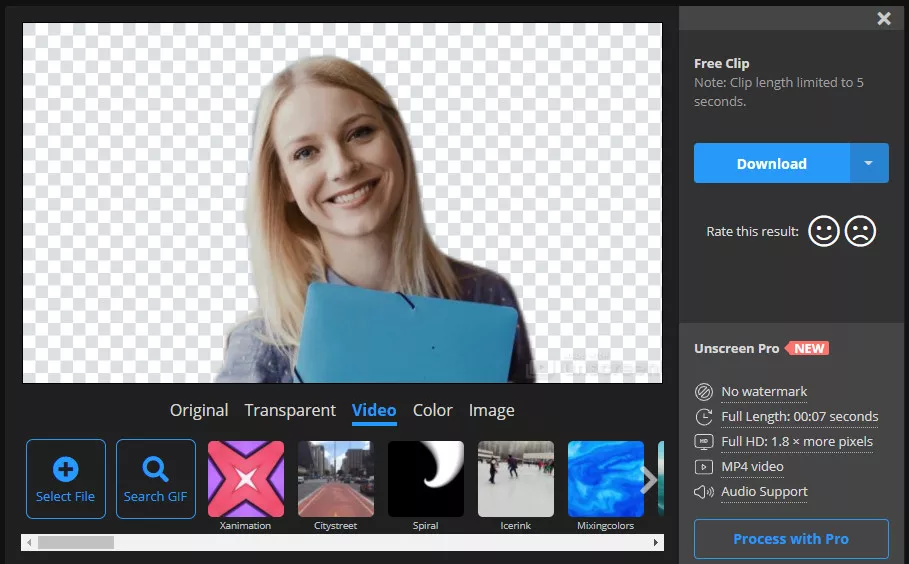
Remove Background from a Video with Unscreen - Step 2
Method 2: Remove Video Background via Bgrem Deelvin
Bgrem Deelvin is another free online video background remover without the use of a green screen. It accepts '.mp4', '.mov', '.ts', '.avi', '.mkv', '.webp', '.mpg' files can helps you delete background of a video without the watermark for free in three simple steps. The website provides several images that you can use directly to as the new background of your video. The only downside of Bgrem Deelvin is that it doesn't offer a transparent background.
How to Remove Background from a Video with Bgrem Deelvin
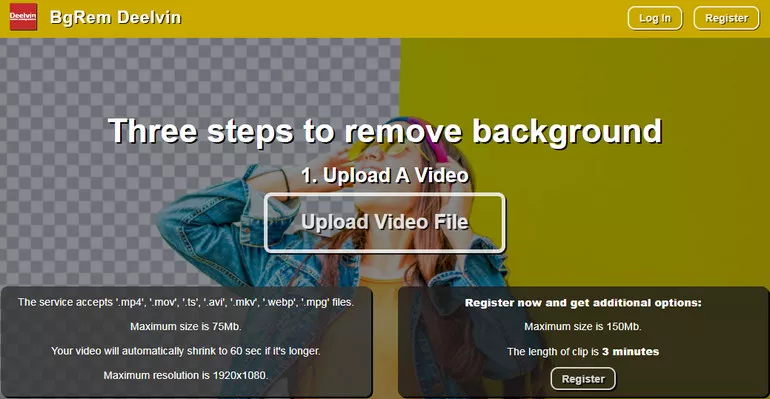
Remove Background from a Video with Bgrem Deelvin - Step 1
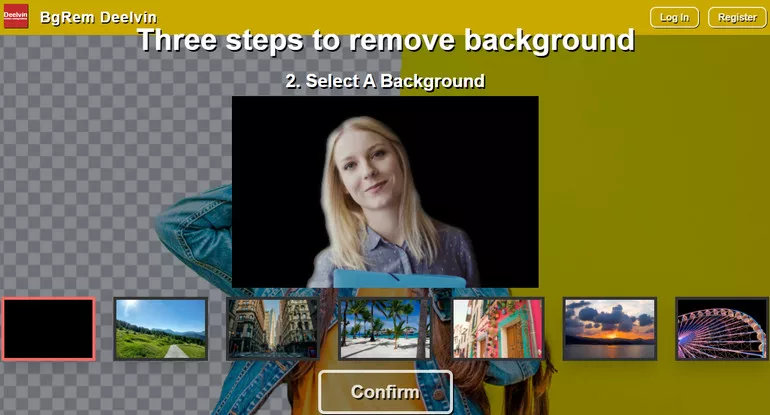
Remove Background from a Video with Bgrem Deelvin - Step 2

Remove Background from a Video with Bgrem Deelvin - Step 3
Method 3: Remove Video Background via Kapwing
Kapwing provides you with a free online video background remover that allows you to remove background from a video in just a few clicks and replace it with any image or video if needed. Kapwing offers its services for free! The free version is good enough to use and worth trying as for removing the video background. But if you want to export your background-free video with no watermark, you need to sign in to your Kapwing account. And the results are not as accurate as the Unscreen and Bgrem Deelvin.
How to Remove Background from a Video with Kapwing

Remove Background from a Video with Kapwing - Step 1

Remove Background from a Video with Kapwing - Step 2
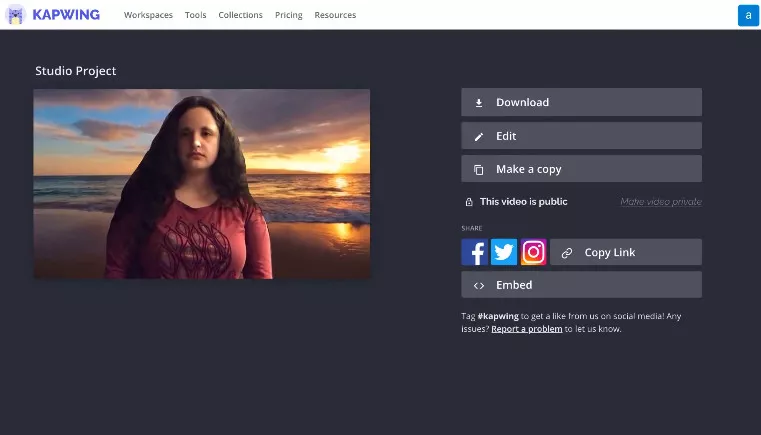
Remove Background from a Video with Kapwing - Step 3
Final Words
Now you know how to remove background from video simply and easily with the free online background removers above! Just choose the way you like and start removing the video background now!




FlexClip AI Video Maker
Reach professional-quality videos faster with easy editing tools, templates, and smart AI.
Start Now for Free
Hot & Trending
-

Ultimate Tik Tok Guide – How to Tik Tok & How to Make a Tik Tok Video that Gets Likes
-

The Best Birthday Video Maker for You to Create Birthday Videos Online for Free
-

Large Collection of Creative and Funny Birthday Video Ideas for Ones You Care
-

Instagram Story Video Quality Bad After Upload? Fix It!
-

How To Remove/Reduce Background Noise? - 3 Best Free Audio Optimizers
-

Best Video Quality Enhancer: Improve Your Video Quality Easily
-

TikTok Filters Guide: How to Use Filter Effects on TikTok
-

How to Add Multiple Photos to One Instagram Story




