Professional video editors always suggest adding audio files after a video is edited and done because voice collecting while shooting can’t achieve the best result. If you want to merge audio and video online for free, a powerful audio and video merger is necessary.
No need to do endless searching. After hundred times of trial, we collected the best audio and video mergers online. They are all free to use! Pick the best one to help you join audio and video files. Let’s get started!
Also Read: 8 Best Video Background Music Resources >
Best Free Audio and Video Mergers Online/Offline
1. Best Audio and Video Merger - FlexClip
FlexClip’s online audio and video merging tool is easy-to-use. To join video and audio, all you have to is uploading the video and audio files, syncing the video and audio by dragging the slider. This online video editor also provides you a set of powerful video editing tools, like video speed changer, video filters. Remember to give those tools a try to level up your video!
After you successfully merged audio and video, you can one-click to share the video to YouTube or download to your computer. Easy and effective!
How to Merge Audio and Video with FlexClip


Merge Audio and Video - Step 2

Merge Audio and Video - Step 3
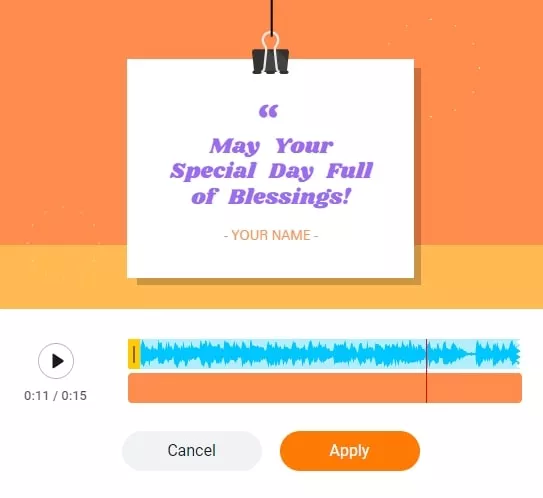
Merge Audio and Video - Step 4
2. Clideo
Clideo is another easy-to-use audio and video merger. It instantly combines your videos, photos and music into one integrated video, even videos and photos online. The supported media formats are MP4, AVI, MPG, VOB, WMV, MOV and more.
The editing panel would be in timeline, an editing mode that many professional editors will choose. If you are a green hand, don’t feel panic. It’s easy to operate.
How to Merge Video and Audio with Clideo
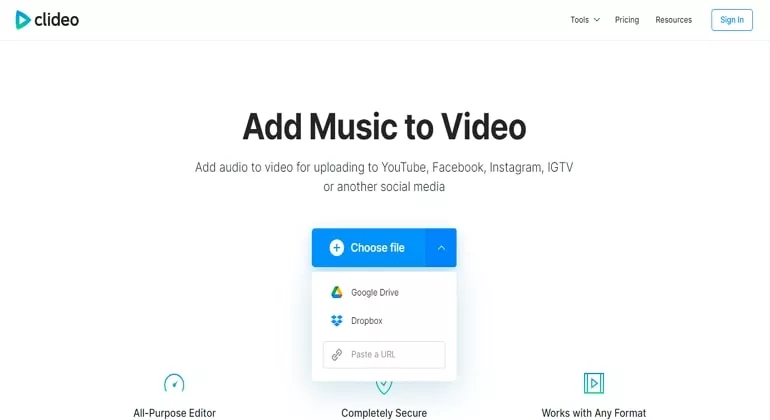
Merge Audio and Video with Clideo
3. Kapwing
Kapwing merges any videos and audio files to help tell your stories. The drag-and-drop timeline enables you to upload audio and video files and rearrange them smoothly. It’s perfect for beginners on Windows, Mac and Linux. If you have a team, you can work collaboratively on the same video.
Kapwing does put a watermark on your video. However, to merge audio and video without a watermark, you have to sign in.
How to Merge Audio and Video with Kapwing
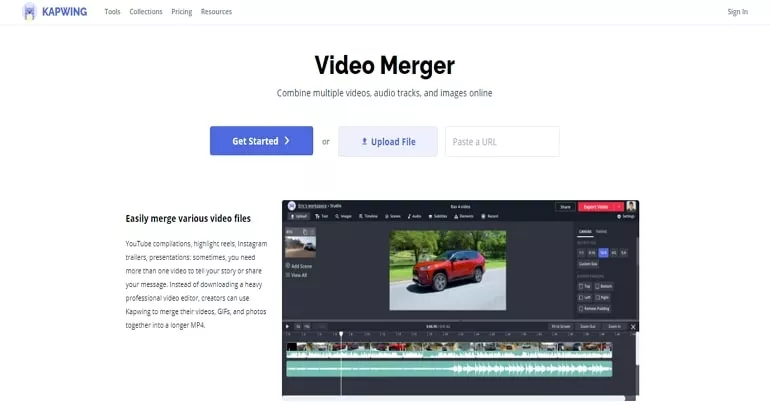
Merge Audio and Video with Kapwing
4. Windows Photos
Windows comes with the Photos application that allows you to make basic edits. It can be somewhat complicated to operate, but you don’t have to worry about video quality and any security issues.
How to Combine Audio and Video with Windows Photos App
5. VLC
VLC is an open-source media player as well as an excellent video editor. It does a great job to combine audio and video files, then save to a local folder. You can also select the desired format.
How to Merge Audio and Video on VLC
Bonus Tip: Merge Video and Audio with FFmpeg
To merge video and audio with audio re-encoding, try:
ffmpeg -i video.mp4 -i audio.wav -c:v copy -c:a aac output.mp4
You may also want to copy the audio without re-encoding, the following will work.
ffmpeg -i video.mp4 -i audio.wav -c copy output.mkv
If your input video already contains audio, and you want to replace it, you need to tell FFmpeg which audio stream to take:
ffmpeg -i video.mp4 -i audio.wav -c:v copy -c:a aac -map 0:v:0 -map 1:a:0 output.mp4
The Bottom Line
The above are five ways to merge video and audio. If you are not satisfied with the results, you can always replace the audio in video. So, which works best for you? Tell us via Facebook. You are also welcomed to reach our support team if there are any questions.




FlexClip AI Video Maker
Reach professional-quality videos faster with easy editing tools, templates, and smart AI.
Start Now for Free
Hot & Trending
-

Ultimate Tik Tok Guide – How to Tik Tok & How to Make a Tik Tok Video that Gets Likes
-

The Best Birthday Video Maker for You to Create Birthday Videos Online for Free
-

Large Collection of Creative and Funny Birthday Video Ideas for Ones You Care
-

Instagram Story Video Quality Bad After Upload? Fix It!
-

How To Remove/Reduce Background Noise? - 3 Best Free Audio Optimizers
-

Best Video Quality Enhancer: Improve Your Video Quality Easily
-

TikTok Filters Guide: How to Use Filter Effects on TikTok
-

How to Add Multiple Photos to One Instagram Story