For all the photo and video works you created, it would be better if the people, pets, or plants in it could tell their story, profess their love, or share information. The speech/thought bubbles are ready to help.
Adding text bubbles to a video or photo can inject a little humor into your work and help tell a story in an adorable way. Speech or thought bubbles make your characters do the talking and thinking and bring them to life with speech, thoughts, and dialogue.
Contents
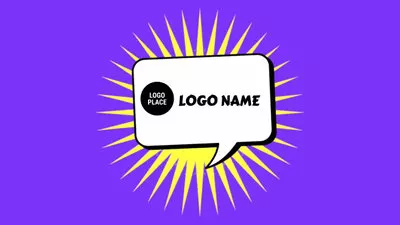
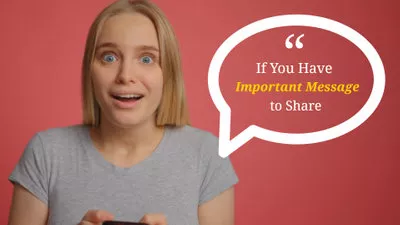
Free Customizable Speech Bubble Effect Video Templates:
Also Read: How to Add a Subscribe Button to Your Videos>
Part 1 How to Add Speech Bubbles to a Video Online
Looking for some online speech bubble generators to add text bubbles to your video? Here FlexClip is ready to help.
FlexClip was originally designed as a powerful online video maker/editor, but it also works as a robust text bubble maker to help you add speech bubbles or thought bubbles to a video with great ease. It is developed with the easiest-to-use features, no watermark, no registration required, and most importantly, it is absolutely free to add text bubbles to a video. What's more, it provides you with rich text bubble animation templates to choose from, including speech bubbles and comic bubbles.
Just click the Get Started now button below to add the text bubble to your video or pics.


Go to the Media option to upload your video or photo to FlexClip's video editor from Local Files, then apply them to the storyboard.
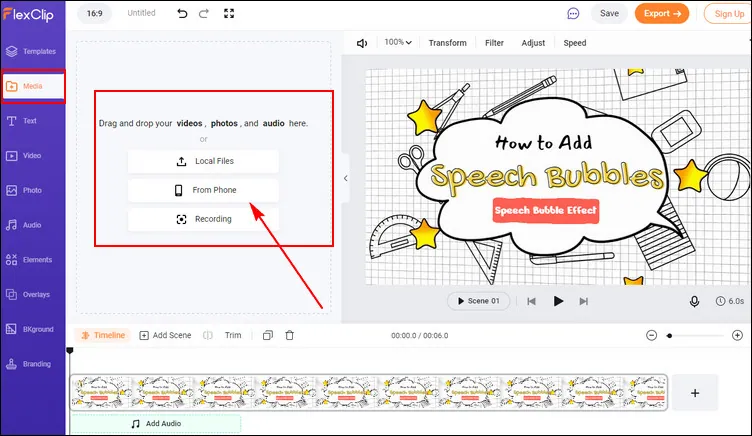
FlexClip Add Speech Bubbles - Upload
Next, go to the Text option, browse through the text effects, and find the Speech Bubbles or Comic Bubbles. Here are various text bubble animation templates that you can use for free, just pick your desired text bubble effect freely.
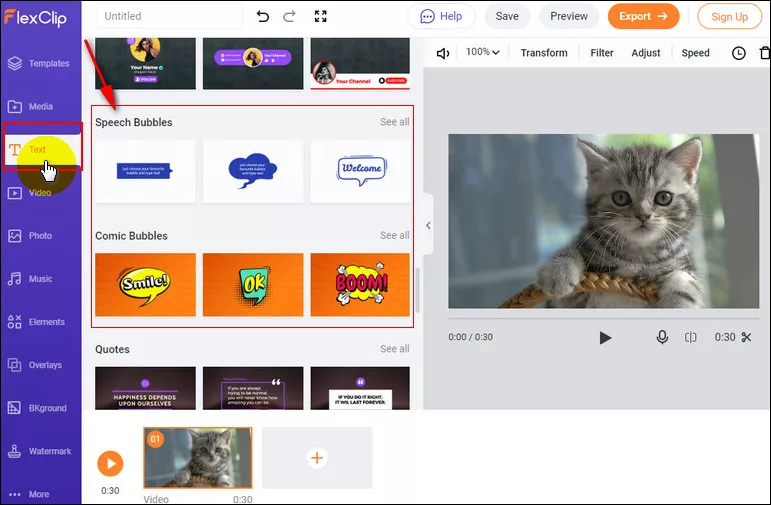
FlexClip Add Speech Bubbles - Select
Once you've selected your desired text bubble effect, just enter your bubble text by double-clicking the textbox. Then, you can make some adjustments to customize the text bubble freely - change the text's font, size, color, placement, and adjust the animations and duration.
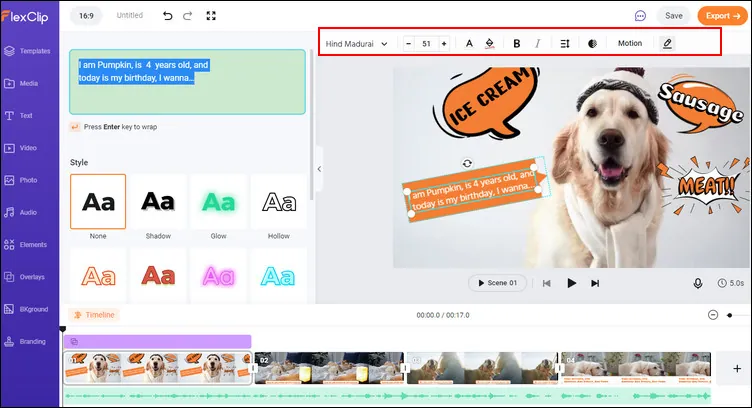
FlexClip Add Speech Bubbles - Customize
Now, you've got the desired speech or thought bubble on your video or photo, and you can preview the final result and save it to your computer and share it with others.
While you're in FlexClip editor, you can make more edits to level up your video:
- Set background music, add transition effects, filter effects.
- Change video speed, do the voice-over, add a logo.
- Add funny emojis/stickers, subscribe buttons, etc.
Part 2 How to Use Pet Thought Bubble on TikTok
TikTok also offers a Pet Thought bubble effect allowing you to add speech bubbles to a video easily. Here are the detailed steps on how to use the TikTok text bubble as a pet speech bubble or human speech bubble:
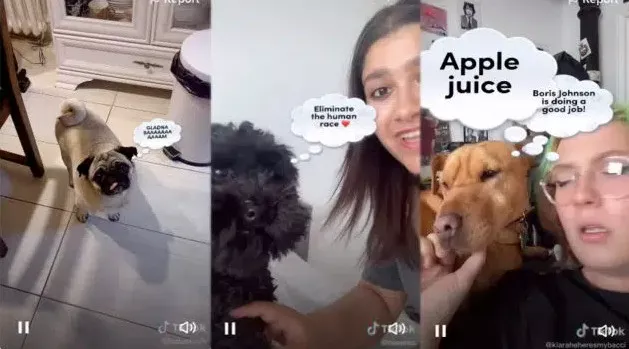
TikTok Speech Bubble Effects
Part 3 How to Add Speech Bubbles in iMovie
Many users are wondering how to add speech bubbles to a video in iMovie. Unfortunately, there is no speech bubble feature in iMovie 10.
However, you can create speech bubbles on a transparent background using other speech bubble generators and then use the layering feature of iMovie to overlay the speech or thought bubble onto your video.
Compared with the two ways we shared before, it's not quite that simple with iMovie to add speech bubbles to a video, so you cna try one of the ways above to make a speech bubble effect video for free quickly.
FAQs about Speech Bubbles
A speech bubble is a round or similar shape next to the head of a character. Inside of the speech bubble, the character's words or thoughts are presented. That's to say, speech bubbles are used as text holders to make your characters do the talking and thinking.
Custom speech, thoughts, and dialogue doesn't even have to be a person. The speech bubbles are great for using in any subject - it can be your dog, a cartoon character, or even an inanimate object.
The possibilities of the words you can put in a speech bubble are limited only by your imagination. You can show a conversation, a sound effect, or the thought of the subject, etc. Whatever the caption, you can add the speech or thought bubble overlays to your photos or videos and type away!
Final Words
That's all for the how to add speech bubbles to a video. Hopefully, with the tool and steps we shared, everyone can add the text/ thought bubble to a video or image with great ease. Try FlexClip to add speech bubbles to your videos or pics! Make your characters talk right now!




FlexClip AI Video Maker
Reach professional-quality videos faster with easy editing tools, templates, and smart AI.
Start Now for Free
Hot & Trending
-

Ultimate Tik Tok Guide – How to Tik Tok & How to Make a Tik Tok Video that Gets Likes
-

The Best Birthday Video Maker for You to Create Birthday Videos Online for Free
-

Large Collection of Creative and Funny Birthday Video Ideas for Ones You Care
-

Instagram Story Video Quality Bad After Upload? Fix It!
-

How To Remove/Reduce Background Noise? - 3 Best Free Audio Optimizers
-

Best Video Quality Enhancer: Improve Your Video Quality Easily
-

TikTok Filters Guide: How to Use Filter Effects on TikTok
-

How to Add Multiple Photos to One Instagram Story