Summary: This blog shows you what exactly right YouTube video size includes, and how to change the dimension, aspect ratio, resolution and YouTube image size to get your perfect YouTube video size!
Image board: Best YouTube Video Size: Dimension, Resolution, Aspect Ratio
YouTube is definitely king of online video platform. So how to get more followers and maximum your opportunity on YouTube? The first significant thing is that you need to use the right YouTube video size to give your viewers best viewing experience.
Part 1: YouTube Video Size: Right Resolution
When you decide to manage your YouTube Channel, correcting your YouTube resolution can maximum your brand-promotion for search optimization.
YouTube recommended 7 resolutions for videos. but which is the best resolution for YouTube video size?
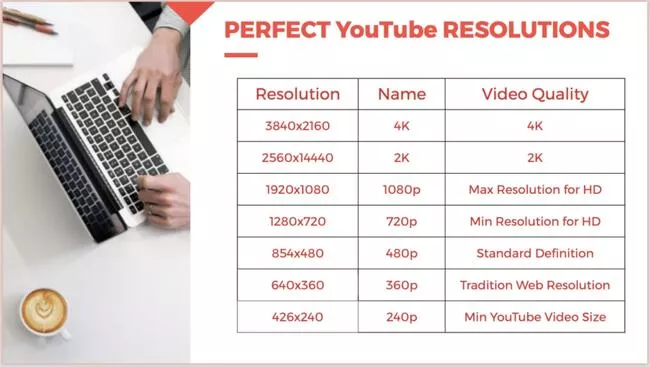
Image board: YouTube Video Size: YouTube Resolutions
4k devices are not widely used for most individuals, so although it has the highest performance, we recommend 1080p as your YouTube video size, which can perform on any 1080+ hardware screen and give you a very professional visuality.
1080p is the most popular playing video quality on YouTube, this is also one of reason why we recommend 1080p as your YouTube video resolution.
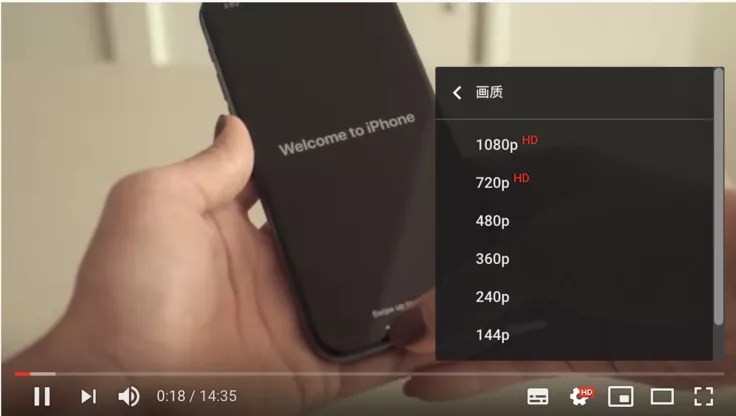
Image board: YouTube Playing Video Quality
We make an image to show you all of them in one illustration. You can see how many 240p fit within 1080p high definition dimension.
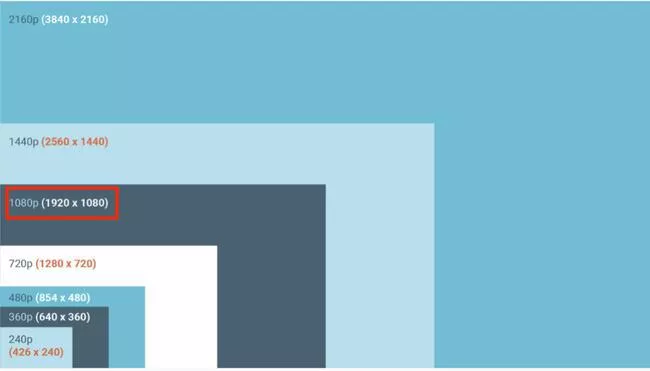
Image board: Differences between YouTube Resolutions
How to Change YouTube Video Quality and Resolution
FlexClip video converter can help you change your video quality and resolution with only 3 easy steps. Upload video > Select 1080p resolution and high quality > Export
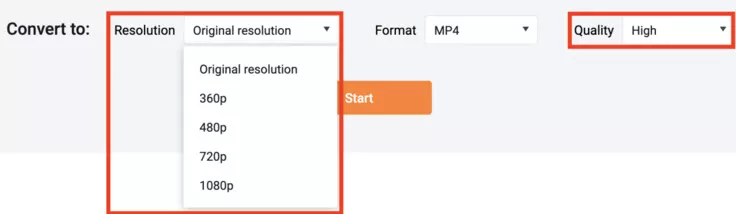
Image board: Change YouTube video resolution and quality by FlexClip video converter
How to Change YouTube Video Quality When Watching Videos
1.Tab YouTube 'settings wheel' on the right bottom of video screen.
2.Click on ‘Quality’ to choose best YouTube video size and quality for better viewing experience.
3.Choose the video resolution you want.
Depict video: Change YouTube Video Quality When Watching Videos
Part 2: YouTube Video Size: Right Aspect Ratio
What does 1:1, 9:16 and 16:9 aspect ratios mean? Which is the best for YouTube videos? Here’s a quick breakdown!
1:1 aspect ratio: This is perfect square for Instagram video.
9:16 aspect ratio: this is vertical view, perfect for your IGTV and Instagram TV.
16:9: aspect ratio: This is default aspect ratio of YouTube. 16:9, the new standard for videos, is the landscape view. Professional videos are now made in 16:9.
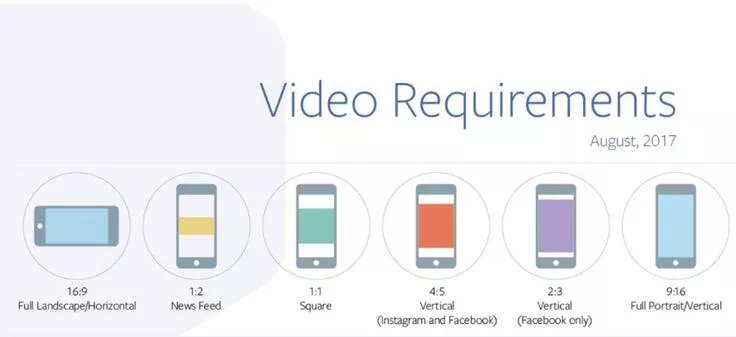
Image board: Choose right aspect ratio for perfect YouTube video size((Source from: alex4d.com)
For YouTube, the right aspect ratio is 16:9, even on Mobile devices, it’s default to play in 16:9. There are some vertical ratio 9:16 / 4:3 videos on YouTube, too, but they are added black bars on two sides. So, for getting better viewing experience, the 16:9 is recommended.
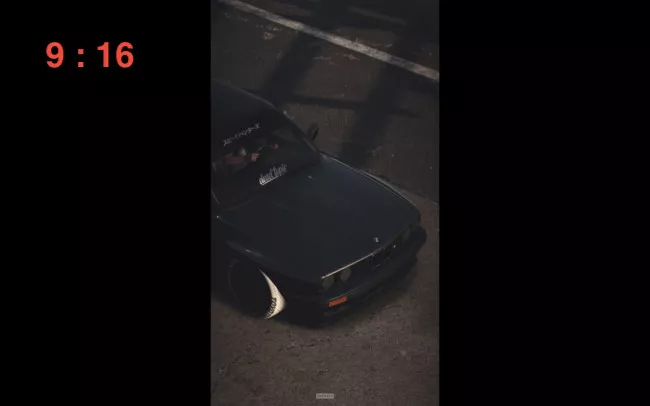
Image board: Bad YouTube video size: 9:16 vertical vision
How to Change Video Aspect Ratio for YouTube?
FlexClip video editor can change video aspect ratio easily and quickly. Just upload your video clips to FlexClip, and then go to ‘setting wheel’ to change the aspect ratio for right YouTube video size. Last, export the new video in 16:9.
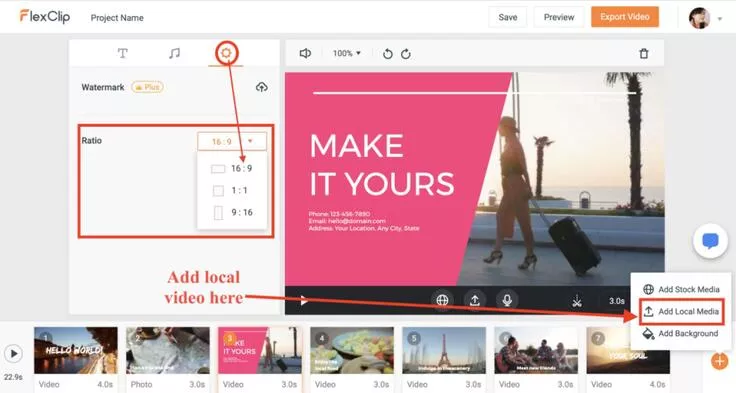
Image board: Change aspect ratio for right YouTube video size
Part 3: YouTube Video Size: Right Formats
√ YouTube videos accepted the following video formats:
.mov, .mp4, .avi, .mpeg, .wmv, mpegps, .flv, .webm and 3gpp
√Maximum file size: 128GB
√ Maximum video length: 12hours
As you can see, YouTube accepted many videos in different formats, but if your video format is still not supported, you can try FlexClip video converter to change the format (MP4,MOV,M4V,AVI,WMV,FLV,MKV etc.) to mp4 or webm.
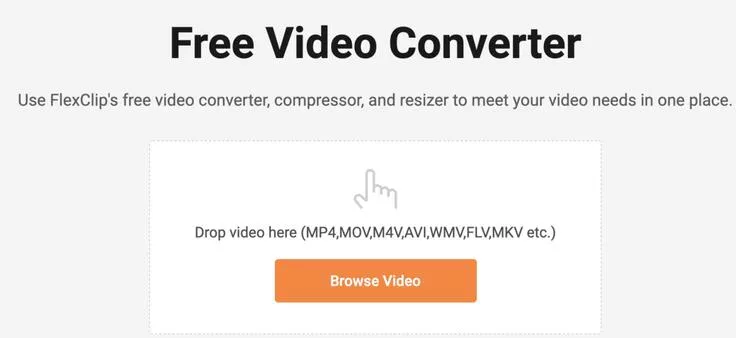
Image board: Get right video format by FlexClip video converter
Part 4: YouTube Video Size: Right Video Image Size
The Best YouTube Banner Size And Thumbnail size
The recommended size of YouTube Channel Cover is 2560 x 1440 pixels, and for YouTube video thumbnail, the recommended size is 1280 x 720 pixels.
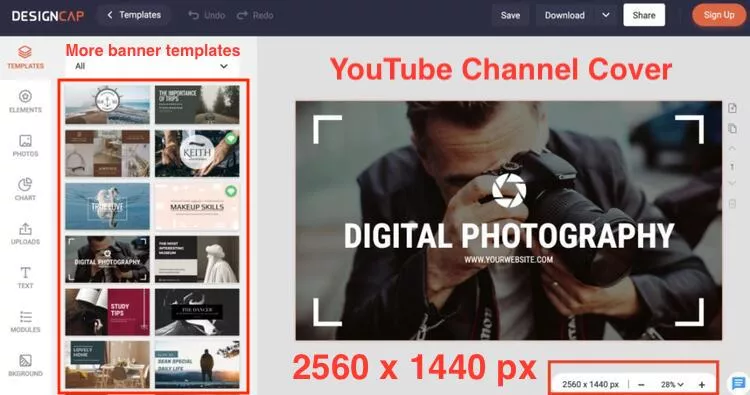
Image board: Right YouTube Channel Cover for perfect YouTube video size
Don’t worry to make a YouTube Channel Cover or Thumbnail, DesignCap online graphic designer provides you thousands of YouTube channel cover templates and YouTube thumbnail templates to inspire your minds.
Come to try it for free!
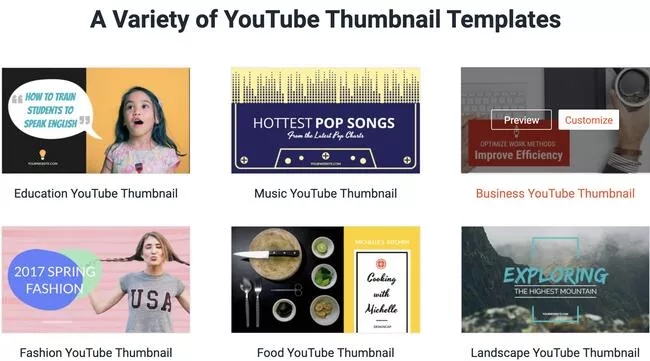
Image board: Right YouTube thumbnail for perfect YouTube video size
Bottom Line
Come to join in FlexClip video converter, DesignCap graphic designer and free video editor to get the right video resolution, aspect ratio, video format, YouTube channel cover and thumbnail size, and high video quality to make the perfect YouTube video size!




FlexClip AI Video Maker
Reach professional-quality videos faster with easy editing tools, templates, and smart AI.
Start Now for Free
Hot & Trending
-

Ultimate Tik Tok Guide – How to Tik Tok & How to Make a Tik Tok Video that Gets Likes
-

The Best Birthday Video Maker for You to Create Birthday Videos Online for Free
-

Large Collection of Creative and Funny Birthday Video Ideas for Ones You Care
-

Instagram Story Video Quality Bad After Upload? Fix It!
-

How To Remove/Reduce Background Noise? - 3 Best Free Audio Optimizers
-

Best Video Quality Enhancer: Improve Your Video Quality Easily
-

TikTok Filters Guide: How to Use Filter Effects on TikTok
-

How to Add Multiple Photos to One Instagram Story