Summary: Looking for a video looper? You've just come to the right place. In this post, we'll walk you through the five best video loopers online.
Want to make your video loop smoothly? All you need is an online video looper.
In this post, we've compiled five of the best video loopers online for you. Let's dive into these tools' pros and cons to find the one that suits you the most.
Also Read: How to Loop a Video in Easy Steps
Top 5 Best Video Loopers Online
1. FlexClip
FlexClip is designed for video making and video editing. It has the feature of looping a video. What makes it stands out is that it allows you to loop a video clip online for as many time as you want. The process is very simple. Just open the video looper, upload your video clip to the tool, and click the "Duplicate" button on the video clip you want to repeat.
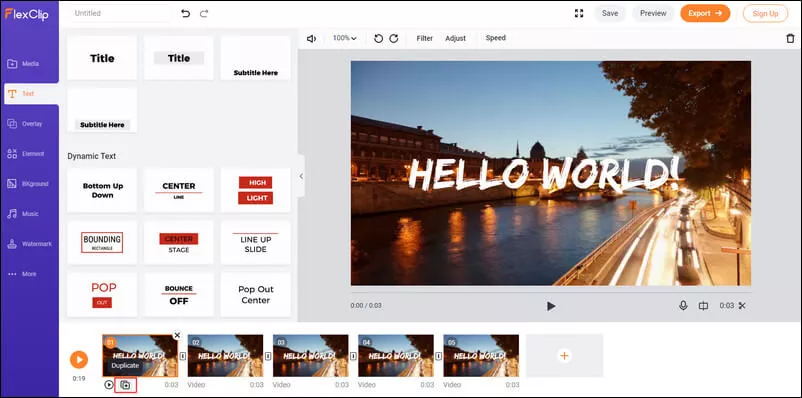
Image Board: Loop Videos Online with FlexClip
Pros:
- It lets you loop videos online for free.
- You can repeat videos as many times as you want.
- It offers you rich video editing features, like trimming, adding text, adding music, etc.
Cons:
- You can't loop a YouTube video.
2. Kapwing
Kapwing's video looper also helps you repeat a video online quickly. Not only can you use it to loop a video from your computer, but you can also use it to loop a video from YouTube. Just add the video clip you want to repeat to the tool, trim it according to your needs, choose the number of repetitions, and click the red "Create" button to export the looped video.
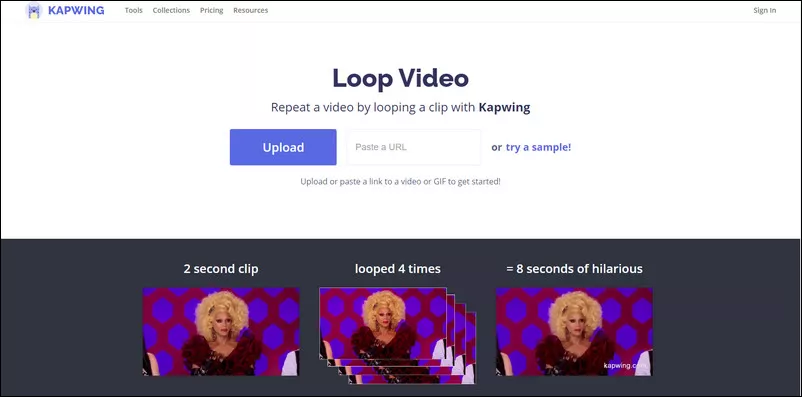
Image Board: Loop Videos Online with Kapwing
Pros:
- You can loop videos online for free.
- It lets you loop an entire YouTube video or a portion of it.
Cons:
- It comes with limited preset repeat options.
- You need to sign up to Kapwing to remove the watermark.
3. Clideo
Clideo is another popular video looper that allows you to loop videos from your local desk, Google Drive, Dropbox, and YouTube URLs. What makes it unique is that you can use it to create infinite GIFs. It's worth noting that you can only use its YouTube looper to repeat an entire YouTube video. Give the Chrome extension - Looper for YouTube - a try if you want to loop a part of a YouTube video.
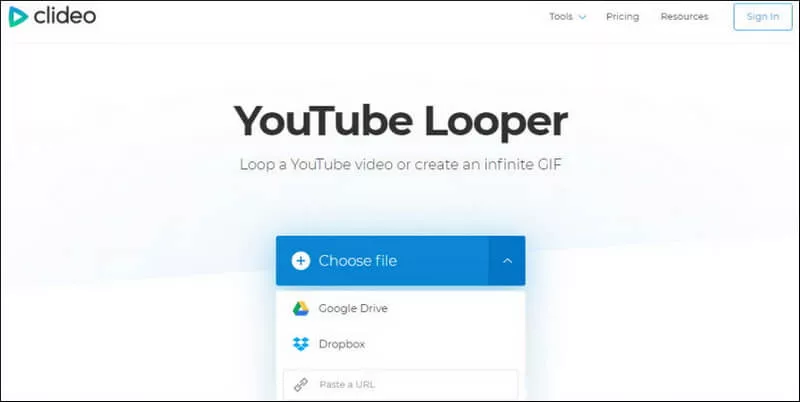
Image Board: Loop Videos Online with Clideo
Pros:
- You can loop YouTube videos and videos from your computer, Google Drive, and Dropbox.
- It helps you create infinite GIFs.
- It presets repeat numbers.
Cons:
- It's slow to upload a video.
- You can't loop a part of a YouTube video.
4. FileConverto
Among all the video loopers online, FileConverto is the easiest one to use. It is a free tool that can help you loop a video online up to 7 times. You don't even need to worry about any watermark on your looped video. Just upload a video up to 500MB, select a number of repetitions, and start to loop your video.

Image Board: Loop Videos Online with FileConverto
Pros:
- It's free and super easy to use.
- It allows you to repeat a video online up to 7 times.
- It won't add a watermark to your video.
- No registration is required.
Cons:
- It doesn't support looping YouTube videos.
- It lacks video editing features.
5. Rocketium
Rocketium is another free online video looper that is worth a try. With this powerful tool, you can loop a video 2, 3, 5, or 10 times. It supports multiple file formats, such as MP4, AVI, WMV, VOB, GIF, and so on. When you're finished looping a video, you can even use its online video editor to add captions, tags, and background music to the looped video.
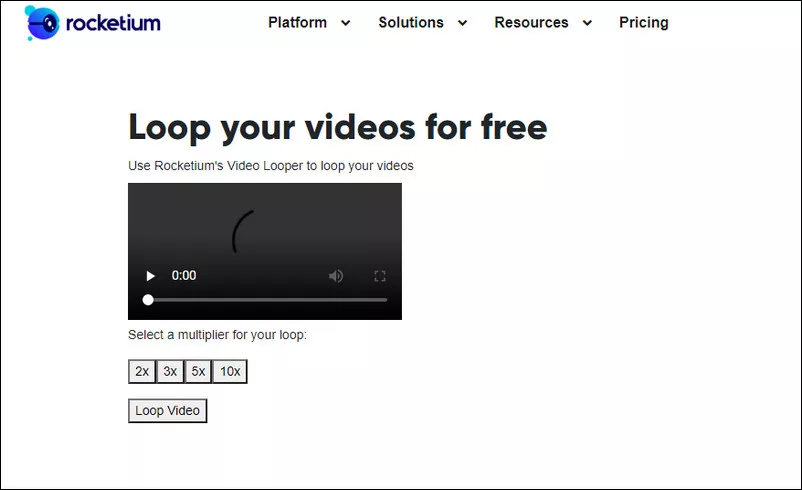
Image Board: Loop Videos Online with Rocketium
Pros:
- You can loop videos online easily.
- It comes with four preset options.
- No sign up is needed.
Cons:
- You can't repeat YouTube videos.
Bonus: How to Loop Part of A YouTube Video Easily
If you are eager to find an easy way to loop a part of a YouTube video, Looper for YouTube is just for you. Unlike the video loopers mentioned above, Looper for YouTube is a Chrome extension that enables you to loop YouTube videos with one-click. Once you have it installed in your Chrome, a loop button will appear at the bottom right of the YouTube Player. Click on the loop button, and you will be able to loop a part of a YouTube video. Follow the steps, as shown in the picture below, to loop YouTube videos at your will.

Image Board: How to Loop a Part of a YouTube video
Conclusion
Above are the five best online video loopers we'd like to share with you. If you're going to loop a video online, don't forget to give one of them a try.
By the way, FlexClip does more than video looping. It is a free powerful video editor having all the essential video editing tools you need and loads of ready-made video templates for any occasion. Use it to make your video more engaging now.




FlexClip AI Video Maker
Reach professional-quality videos faster with easy editing tools, templates, and smart AI.
Start Now for Free
Hot & Trending
-

Ultimate Tik Tok Guide – How to Tik Tok & How to Make a Tik Tok Video that Gets Likes
-

The Best Birthday Video Maker for You to Create Birthday Videos Online for Free
-

Large Collection of Creative and Funny Birthday Video Ideas for Ones You Care
-

Instagram Story Video Quality Bad After Upload? Fix It!
-

How To Remove/Reduce Background Noise? - 3 Best Free Audio Optimizers
-

Best Video Quality Enhancer: Improve Your Video Quality Easily
-

TikTok Filters Guide: How to Use Filter Effects on TikTok
-

How to Add Multiple Photos to One Instagram Story