TimeLapse video are frames captured in a much more slower frequency than that is used to view the sequence. For example, a timelapse video is captured at 1 frame per second, but played back at 30 frames per second. When a timelapse video is played at a normal speed, time appears to be moving faster.
Time Lapse Video Template
Depict video: “Time-Lapse Video Template
Of course, you can use any camera, mobile phone to take a timelapse video. When you want to convert any normal speed video to a timelapse video, there are always solutions. Here are ways to help you turn a video into timeplase online/on iPhone/iMovie. Refer to the following part you need.
Can't Miss: How to Slow Down a Video >
Part 1. How to Turn a Video into Timelapse Online
As mentioned above, time-lapse video is quite similar with videos that played at a higher speed. You can convert a video into timelapse simply by using the speeding up feature.
FlexClip is a free time lapse video maker online which helps you change video speed. Upload the video clip, select the video speed, then upload, you can get a time-lapse video. Moreover, it has loads of powerful editing features which enable you to level up any video by adding filters, text, backgrounds. The best part is, FlexClip doesn’t add any watermark on the video. This online tool is free to use!
Here is how to turn a video into timelapse via FlexClip.


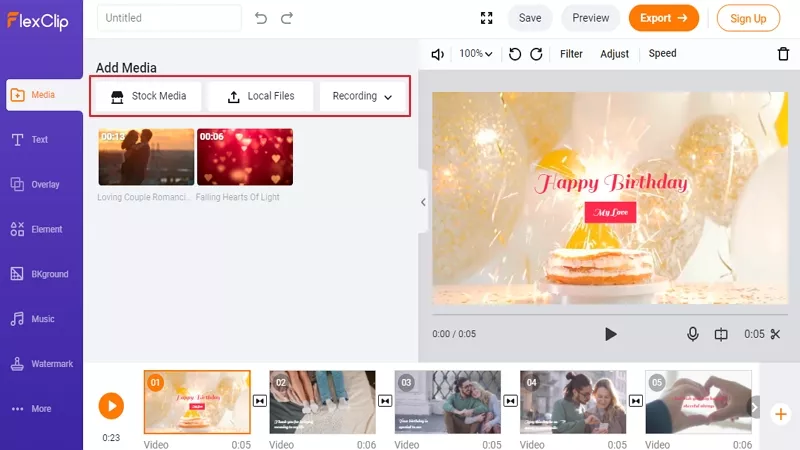
Create a Time-Lapse Video - Add to Storyboard
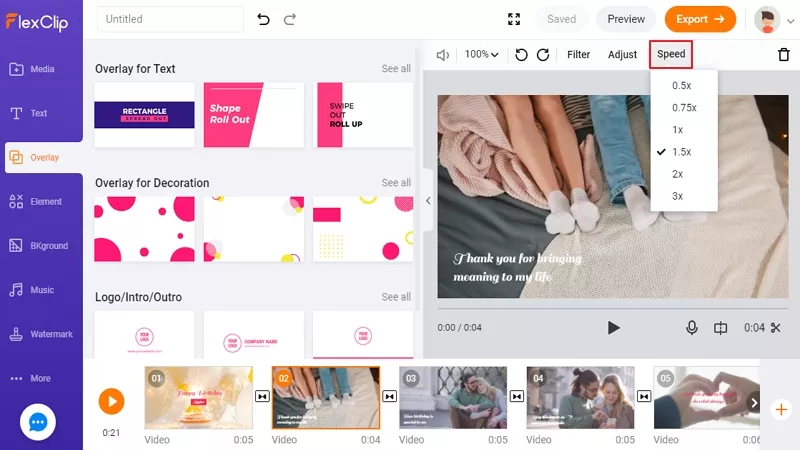
Create a Time-Lapse Video - Speed Up Video
Part 2. How to Covert a Video into Timelapse on iMovie
iMovie is a program embedded in all iOS devices and it includes the ability to increase the speed of a video. It is not hard to use iMovie to convert a video to timelapse. Give this method a try!
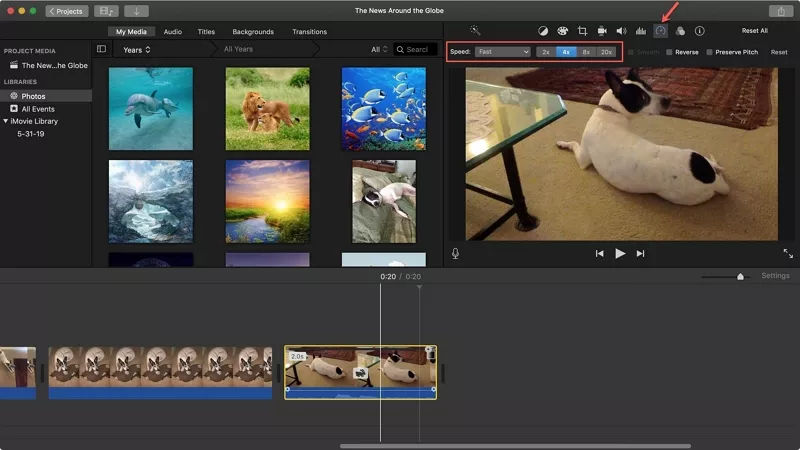
Create a Time-Lapse Video - iMovie
Part 3. How to Convert a Video into Timelapse on iPhone
To convert a video into timelapse on iPhone, you can always turn to iMovie. If you need a method that’s easier, there are some third-party applications that deserve a try! Among all possible options, we suggest Slow Fast Slow, a program to increase the playback speed of a video on iPhone.
The Bottom Line
That’s all for how to convert a video in normal speed to a timelapse online, on iPhone/iMovie. Which method works the best for you? Tell us via Facebook. If you find this post helpful, please do share it with others.