Summary: Need a video cropping tool to crop videos online quickly? You've come to the right place. Let's walk through this article and get 5 online video cropper.
"Ho do I crop a video without losing quality? Sometimes I need to remove some unwanted part from video or get rid of the black bars, but when I searched for a video cropper I got a video trimmer instead."
A user from Quora
There are many users meeting the similar situation and we can help you out if you are one of them. Here we tested over 10 online video cropper and then listed 5 best video cropping cool for you.

Image board: Best Online Free Video Cropper
Part 1. 5 Best Online Video Cropper
1. FlexClip
To crop videos online, FlexClip is ready to help. Designed as an online video maker and video editor, FlexClip can also help you crop video online for free. No software installation, no complicated features learning. You can make it within simple steps:
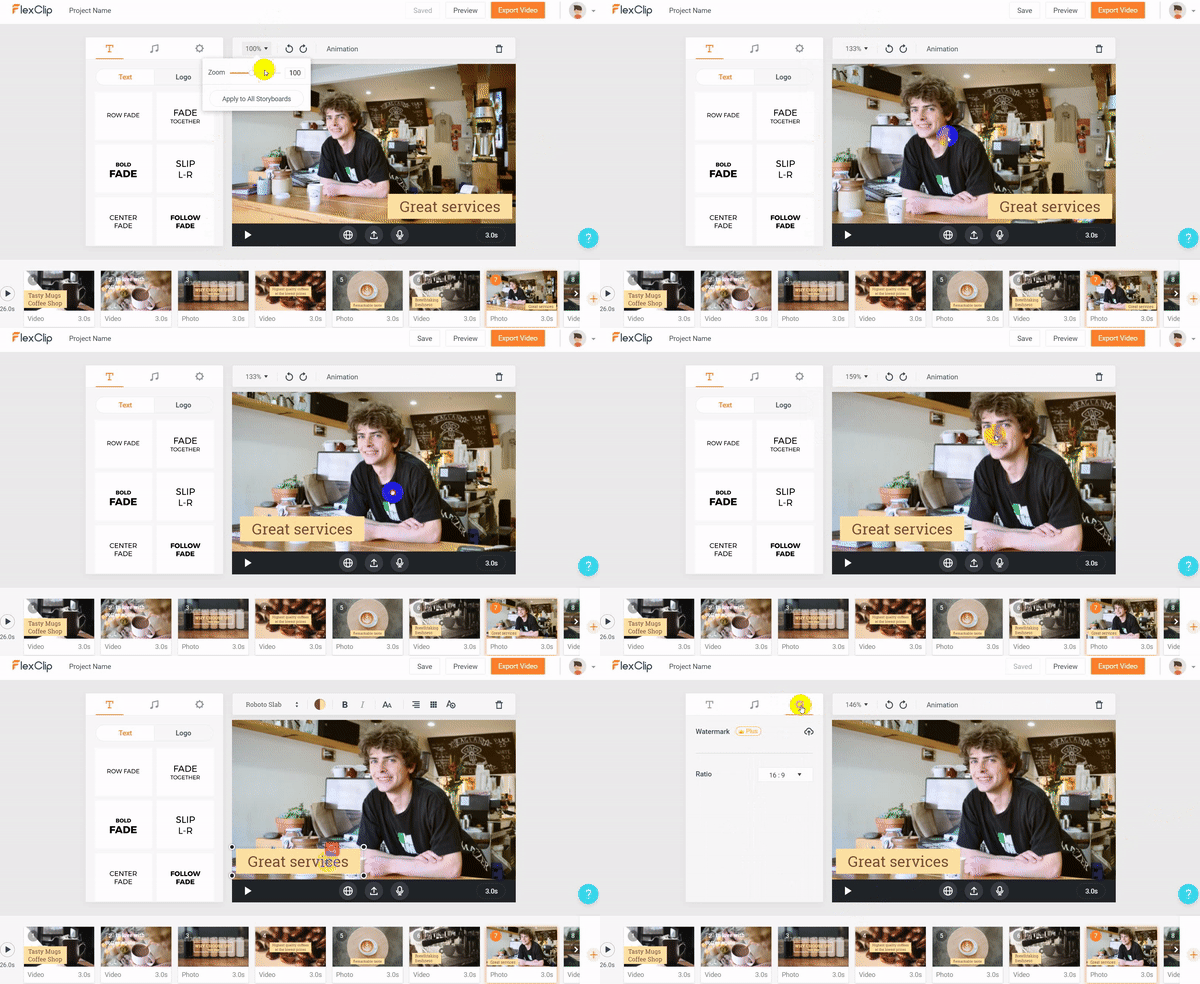
Image board: Best Online Video Cropper - FlexClip
2. Ezgif
I use Ezgif in a daily basic. It supports cropping video files in various formats. Meanwhile, it makes it easy to see the file size, format, length of the original video. Contrasted with original data, you can set the expecting cropping size and aspect ratio more effectively by EZGIF online video cropping tool.
①Output formats : MP4, WebM, AVI, MPEG, FLV, MOV, 3GP, etc.
②Maximum file size: 100MB
③Notice: video preview may have reduced quality, but it won't affect the output.
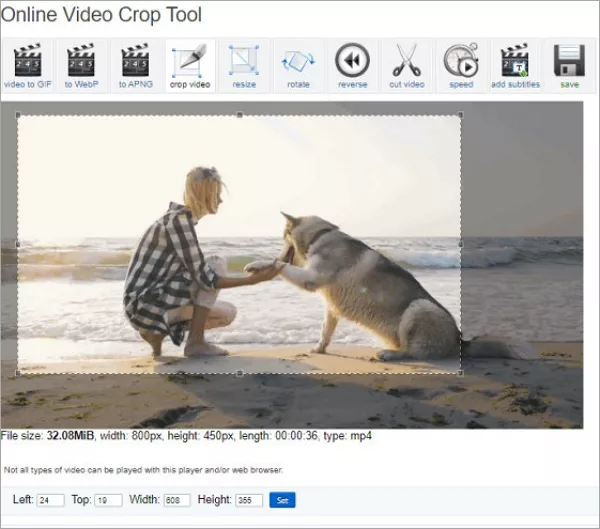
Image board: Best Online Video Cropper - EZGIF
3. iMovie
If you are a Mac user, iMove is your best choice to crop your videos. Every Mac has the app so there is no need to spend extra money. So just tab the crop icon to choose which cropping tool you want to use.
Platform: Mac Only
iMovie supports 2 options to crop videos:
① 'Crop to File': Crop videos to fit a standard video box. You can change the box size and placement to crop video.
② 'Ken Burns': the feature is named as a famous documentary director, instead of showing a static photo on screen, the Ken Burns effect crops to a detail, then pans across the image.
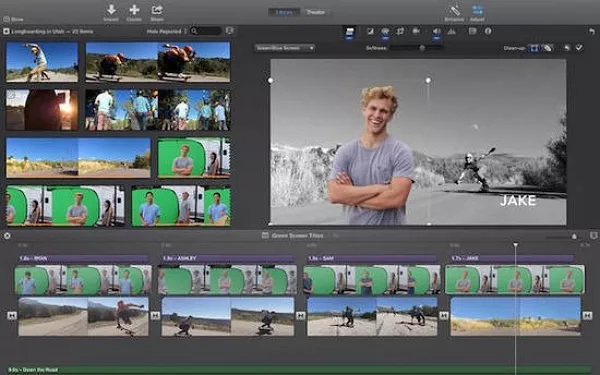
Image board: Best Online Video Cropper - iMovie (image source: businessinsider.com)
4. OnlineVideoCutter
OnlineVideoCutter is also a handy video cropper which supports you customize the aspect ratio and cropping selection. At the same time, you can rotate your video by Online Video Cutter.
① Free to use
② Upload: URL, Dropbox, Google Drive, drag and drop
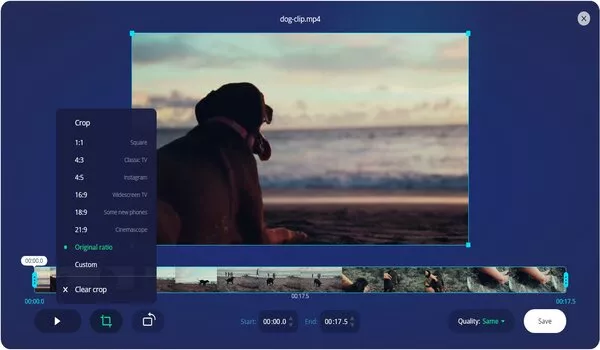
Image board: Best Online Video Cropping Tool - OnlineVideoCutter
5. Clideo
The interface of Clideo video cropper is concise, so don’t worry it’s hard to use. You can drag the video to the centre page. For video cropping, just choose which area you want to crop and name the exported video format.
① It supports AVI, MPG, MP4, MOV, WMV and all the other video formats you might have
② Different aspect ratios
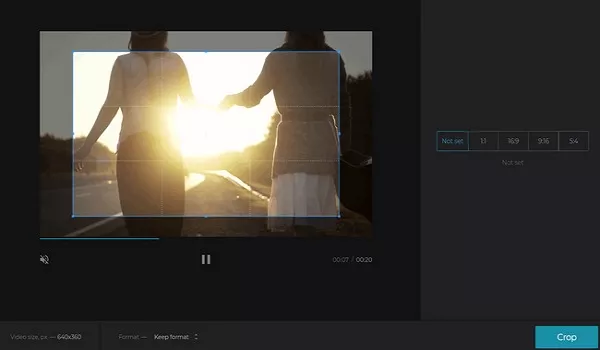
Image board: Best Online Video Cropping Tool - Clideo
Part 2. [Recommended] Online Video Maker
Besides, there is also an impressive online video maker called FlexClip an help you make a video online with online templates easily. No download is needed, you can choose a video template and customize it online easily. It allows you to trim, split, merge, add music, add text, add filter, add watermarks and more.
Just visit FlexClip template page and choose a template to start customizing it.
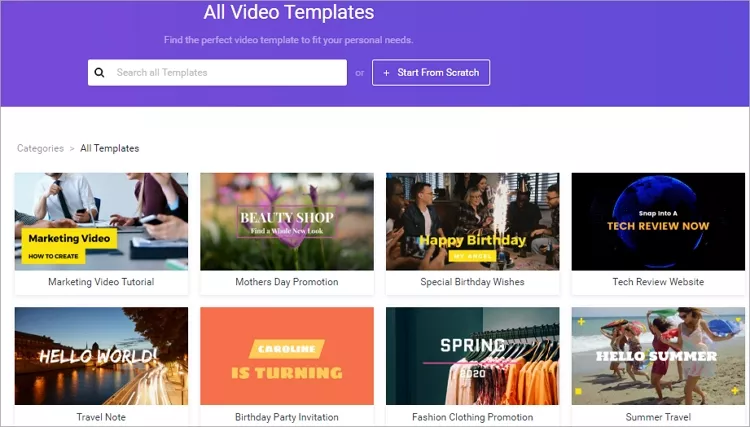
Image board: How to Make A Video Online
Bottom Line
That's all about 5 best video cropping tool and we also introduced an online video maker called FlexClip to help you make and edit videos online for free. Just choose a video cropper to crop your videos online easily!




FlexClip AI Video Maker
Reach professional-quality videos faster with easy editing tools, templates, and smart AI.
Start Now for Free
Hot & Trending
-

Ultimate Tik Tok Guide – How to Tik Tok & How to Make a Tik Tok Video that Gets Likes
-

The Best Birthday Video Maker for You to Create Birthday Videos Online for Free
-

Large Collection of Creative and Funny Birthday Video Ideas for Ones You Care
-

Instagram Story Video Quality Bad After Upload? Fix It!
-

How To Remove/Reduce Background Noise? - 3 Best Free Audio Optimizers
-

Best Video Quality Enhancer: Improve Your Video Quality Easily
-

TikTok Filters Guide: How to Use Filter Effects on TikTok
-

How to Add Multiple Photos to One Instagram Story