No matter if you're a big shot or start-up, an animated logo reveal video can be a great way to capture your audience's attention and stand out from the competition.
Creating a logo reveal video may not be as difficult as you think - you don't have to be a motion design expert. Check out the easiest way to make a logo reveal video below.
Also Read: Best Video Quality Enhancer: Improve Your Video Quality Easily>
Online Logo Reveal Video Maker with Templates
FlexClip has an easy-to-use logo reveal video maker, and you can make a free reveal video with great ease and use it as an intro or outro to leave your brand's unique signature on every video you make.
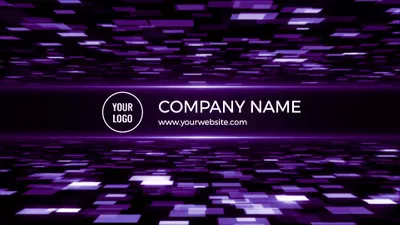
What's more, FlexClip is packed full of great logo reveal templates to help your video look its best. Here are a few more below:
Logo Reveal Templates



How to Create a Logo Reveal Intro Video with Templates
Here how you can create a logo reveal animation video with FlexClip:
FlexClip offers logo reveal templates for you to choose from, pick one that works with your project. You can also start from scratch with the button below.


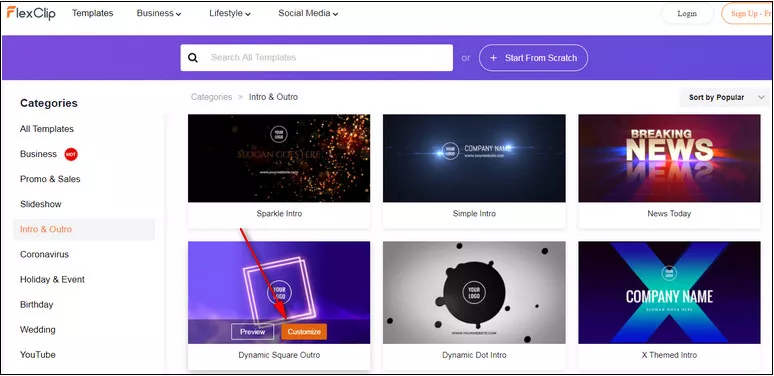
Image Board: Pick a Logo Reveal Template
You can click the Upload Logo icon on top of the screen or double-click the circle Your Logo icon on the screen to upload your own logo.
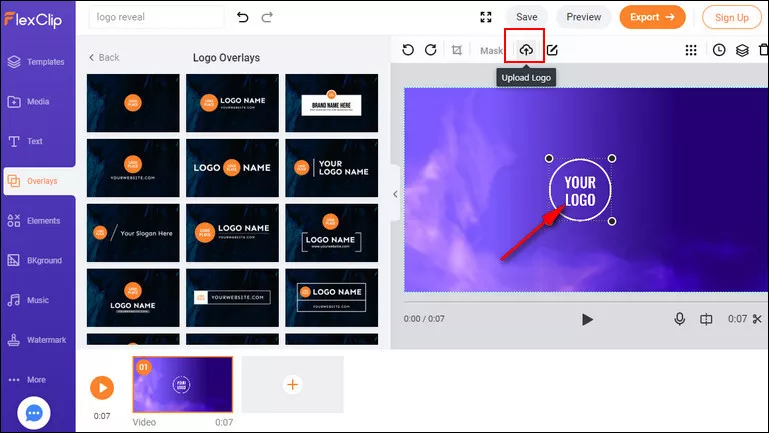
Image Board: Upload Your Logo
Make more edits to level up your logo reveal video! Animated text, background music, interesting overlays, emojis and more are waiting to be applied.
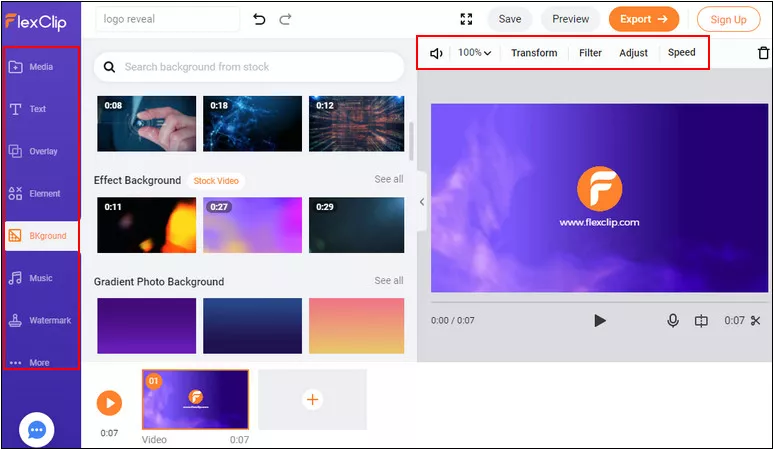
Image Board: Edit Your Logo Reveal Intro
Think you're all done? Click on the Preview button to preview your logo reveal video. You can continue editing or save the video to your computer.
Final Words
That's so easy to make a logo reveal animation with the FlexClip online logo reveal video maker! Just try it free to create engaging and unique logo reveal videos for your brand now.




FlexClip AI Video Maker
Reach professional-quality videos faster with easy editing tools, templates, and smart AI.
Start Now for Free
Hot & Trending
-

Ultimate Tik Tok Guide – How to Tik Tok & How to Make a Tik Tok Video that Gets Likes
-

The Best Birthday Video Maker for You to Create Birthday Videos Online for Free
-

Large Collection of Creative and Funny Birthday Video Ideas for Ones You Care
-

Instagram Story Video Quality Bad After Upload? Fix It!
-

How To Remove/Reduce Background Noise? - 3 Best Free Audio Optimizers
-

Best Video Quality Enhancer: Improve Your Video Quality Easily
-

TikTok Filters Guide: How to Use Filter Effects on TikTok
-

How to Add Multiple Photos to One Instagram Story