Nowadays, makeup videos or beauty makeup tutorials have become mainstream in sharing makeup techniques, makeup inspiration, and beauty product reviews.
So, whether you are a makeup artist or a makeup enthusiast who is keen to record your newly-inspired makeup as a video and share it on YouTube, Instagram, or TikTok, etc., we’ve got you covered.
In this post, we will be walking you through an A-to-Z makeup video tutorial on how to do the setup, what to do when filming a makeup video and how to refine makeup video recording to be more engaging and professional, plus offering you loads of proven practices via top YouTube makeup artists for making a great makeup video.
Here’s what you’ll learn:
How to Setup for Making a Makeup Video
Well, the prerequisite for making an engaging makeup tutorial video is to have all the gears ready. For ordinary people, you don’t need to have a fancy studio to start with.
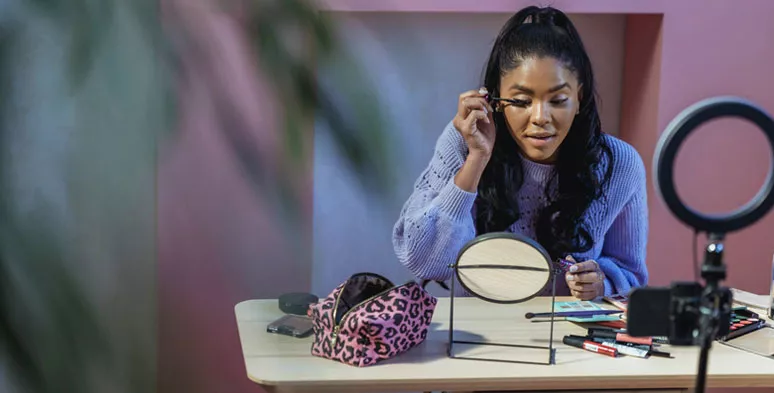
Makeup video setup for beginners and makeup artists
Instead, having a small room with a clean background, ample lighting, and even an iPhone for recording and editing would be enough to kick off your journey of being a makeup artist or beauty YouTuber.
So, let’s take a look at some of the basic gears recommended:
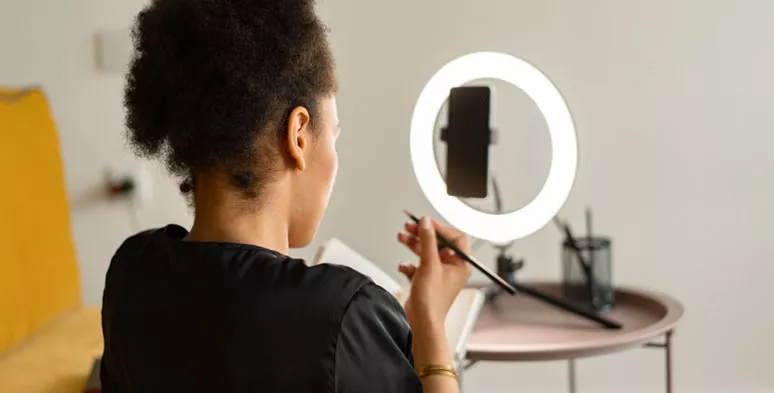
Use ring light to create flattering catch light for makeup videos
How to Film a Makeup Video Using iPhone
Put your iPhone on the stand and adjust the angle of the iPhone, horizontally for YouTube makeup videos, vertically for Instagram, TikTok, etc. Then flip the camera lens by switching to the front-facing camera.
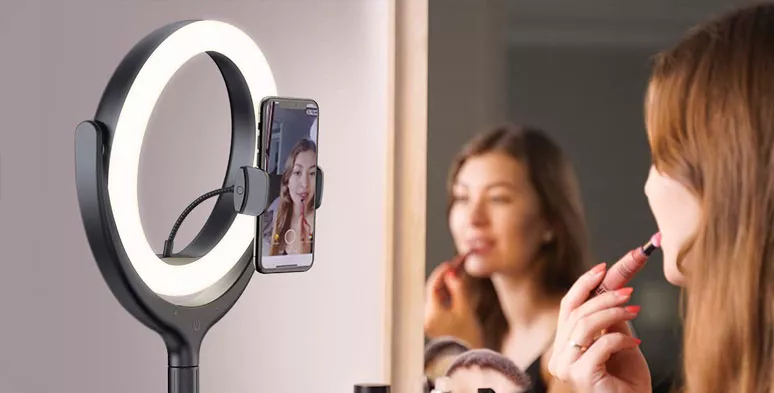
Flip the camera to the front-facing camera for recording a makeup video
So you can see yourself on the iPhone screen and adjust the posture and composition flexibly. Besides, a front-facing camera allows you to easily pause or stop the recording. If you are using a DSLR for filming, do choose one that has a flip-out screen.
Next, turn on the ring light and set the color temperature to 2700-3000K to have soft warm light and have an external mic connected to the iPhone and use iPhone’s built-in Voice Memos for audio recording. Check the free online voice recorder.
In addition, new makeup and clean brushes are preferable if you don’t want to compromise the overall effect, and foundation, concealer, and bronzer and eyeliner, and Mascara, eyeshadow palette, etc. should be laid over the table in an orderly fashion for easier reach.
By the way, don’t forget to wash your face with lukewarm water and switch off all the apps’ notifications on your phone to get everything ready.
A makeup video consists of 3 parts: the greeting, actual makeup, and the ending.
As you record the makeup video, follow the rule of the thumb of “Show and Makeup”, which means you should first show the details of a cosmetic product like its brand and explaining its benefits and then proceed to apply it to your face and clearly explain how it works.
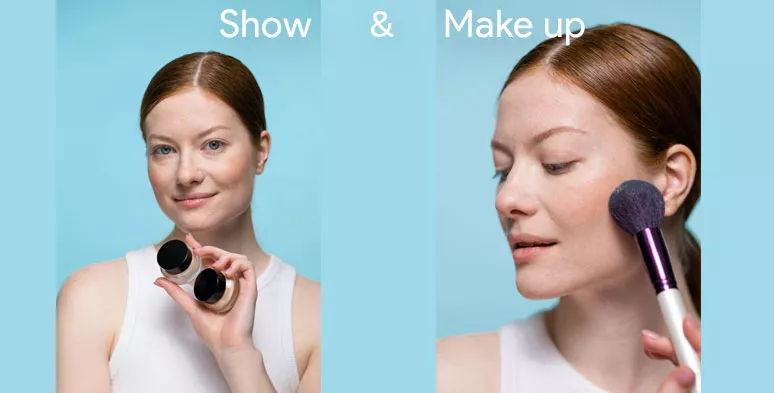
Show the details of cosmetic products and then do the makeup
Meanwhile, you can pose differently and use different angles to show the makeup effects to the viewers.
How to Edit a Makeup Tutorial Video by FlexClip
To most beauty vloggers and makeup artists, having a free and easy-to-use video editor would save you lots of time for editing and unnecessary cost for buying an expensive editing software like Camtasia or Premiere Pro.
A perfect video editing solution for you is to use a versatile and feature-packed online video editor like FlexClip, with no software download to install and no watermark.
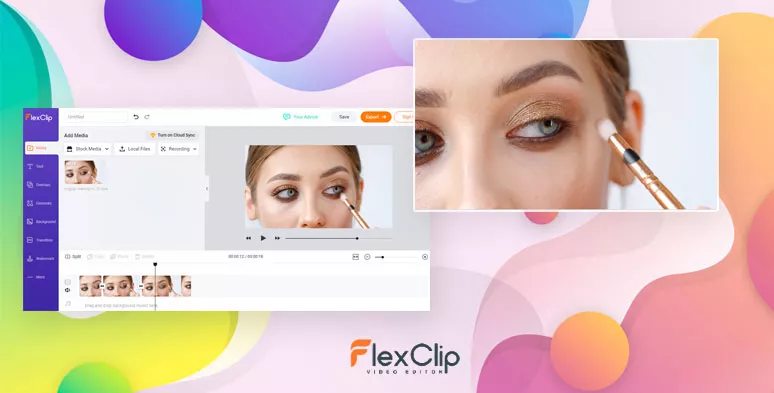
Edit a makeup video by FlexClip


It offers you dozens of designer-made beauty and makeup templates for you to quickly customize stylish intros and outros for your makeup video and has millions of royalty-free stock assets (videos and photos, music) in its media library and awful lots of video tools to refine your video recordings with easy clicks.
Here is how to use FlexClip to elevate your makeup video recordings:
Click the link to access FlexClip’s Timeline Mode for video editing and then upload the clips and audio to the video editor.
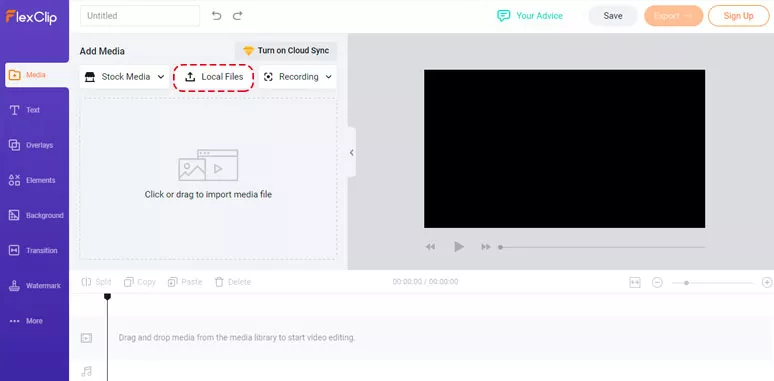
Upload the video footage and audio narration to FlexClip’s video editor
Add different clips and audio to the timeline and drag and drop them to match the right content.
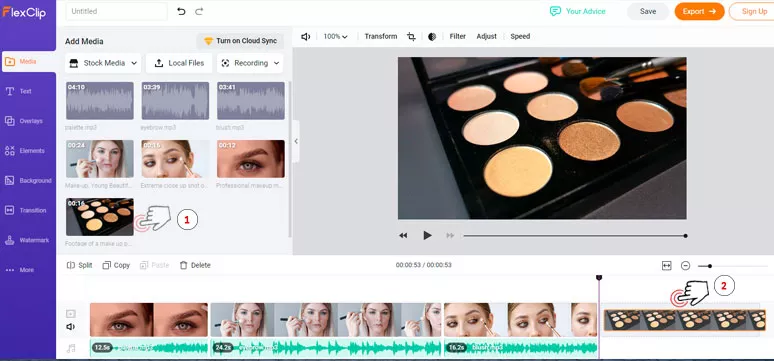
Sync the audio narration to the corresponding videos
You can add texts and easily customize their fonts, colors, and alignment. Or put one clip over another to create the picture in picture effect to show the details of the makeup. Meanwhile, you can easily trim the unwanted clips, add dynamic emoji or even change the playback speed of an individual clip as you wish to make the makeup video more engaging.
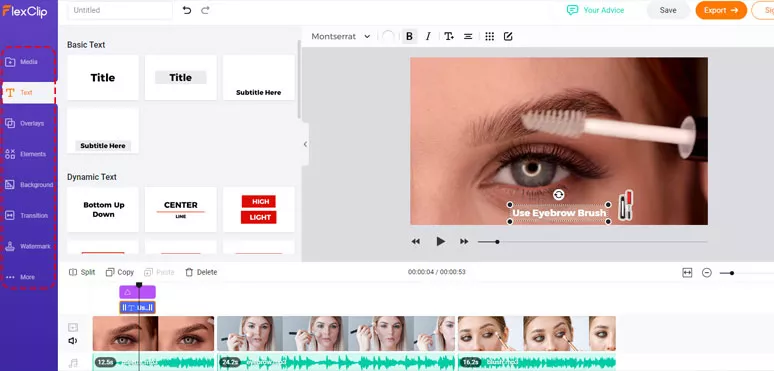
Refine a makeup video by adding text, elements, etc
After you’ve edited the main content of the makeup video. Then we can customize the intro and outro for the makeup video in the next step.
Go to the template icon and enter the keyword "makeup" and select two fully customizable makeup templates to create the unique intro and outro for your make video. Don't forget to add your logo to build brand awareness.
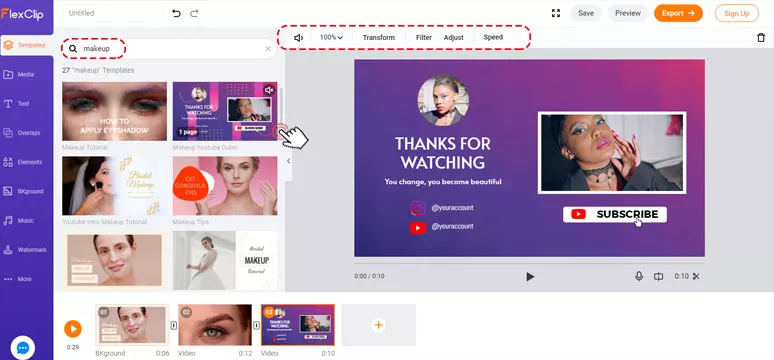
Select and customize an intro and outro for a makeup video
With one click, you can directly share the finished makeup tutorial video to your YouTube channel or Dropbox for storage.
Get Inspired from the Best Makeup YouTubers
Lack of inspirations to create captivating makeup tutorial videos? Let's learn from some of the hottest makeup YouTubers. Here, we handpicked 3 distinctive makeup YouTubers and helpfully you can get inspired from their makeup videos.
1. Transform Yourself into a Movie Character or a Celebrity Using Makeup
Well, people are often obsessed with a makeup artist who can use their makeup expertise to perfectly transform her into a popular movie character or any celebrity. So, this could be a great kick-start for your makeup channel on YouTube or Instagram.
Wonder Woman Makeup Tutorial Video
Here, Liechee, the makeup artist, successfully use her power of makeup and transformed her into the charming Wonder Woman, played by Gal Gadot. You can learn from her about how she teaches the viewers to do the makeup and the way she speaks and makes the makeup video.
2. Check How the Celebrity Makeup Artist Makes the Makeup Video
With 8.84 million YouTube subscribers, Tati Westbrook is a Hollywood makeup artist and stylist who posts beauty hauls, makeup tutorials, and beauty products reviews to her channel. We are sure you can learn a lot from how she reviews the beauty products in her makeup video and run the makeup YouTube channel overall.
Tati Westbrook's review of $11 drugstore foundation
3. Show Your Personality and Create Instantly-recognizable Makeup Videos
With so many makeup artists competing on YouTube’s beauty video channels, to stand out from the crowd, you gotta spice up your makeup videos with distinct character and presenting styles.
Having a staggering number of 13.8 million fans on YouTube, Nikkie de Jager, a Dutch beauty and makeup influencer, sets a great example of how the power of makeup could be through her straightforward personality and compelling makeup videos. Get inspired from her makeup tutorial videos below.
Nikkie shows TikTok makeup trends
Final Thoughts
So, if you've made it here, we are sure you must have learned a lot from our makeup video tutorial. Hopefully, you can create original and thumb-stopping makeup tutorial videos by using FlexClip and your inspiration. If you have better solutions to create makeup videos for YouTube or Instagram, don't hesitate to reach us on our official Facebook or Twitter, etc.




FlexClip AI Video Maker
Reach professional-quality videos faster with easy editing tools, templates, and smart AI.
Start Now for Free
Hot & Trending
-

Ultimate Tik Tok Guide – How to Tik Tok & How to Make a Tik Tok Video that Gets Likes
-

The Best Birthday Video Maker for You to Create Birthday Videos Online for Free
-

Large Collection of Creative and Funny Birthday Video Ideas for Ones You Care
-

Instagram Story Video Quality Bad After Upload? Fix It!
-

How To Remove/Reduce Background Noise? - 3 Best Free Audio Optimizers
-

Best Video Quality Enhancer: Improve Your Video Quality Easily
-

TikTok Filters Guide: How to Use Filter Effects on TikTok
-

How to Add Multiple Photos to One Instagram Story