Adding music to your Facebook Story is a proven way to engage friends and followers and adds a personal flair to your Facebook account.
Whether you wanna share a video of your recent life accompanied by a relaxing Jazz song or promote the product release through photos with a piece of uplifting music or just wanna display your taste in music on Facebook Story, in this post, we got you covered.
Please walk with us to find out two foolproof ways to add music to Facebook Story using both Facebook mobile apps and a free and versatile online video editor—FlexClip.
Here’s What You Will Learn:
First and foremost, through our hands-on test, currently using the Facebook mobile app is the only way to directly add music to Facebook Video Story. Though you can post Facebook Story on PC through its website, you are limited to creating a Photo or Text Story with no way to add music.
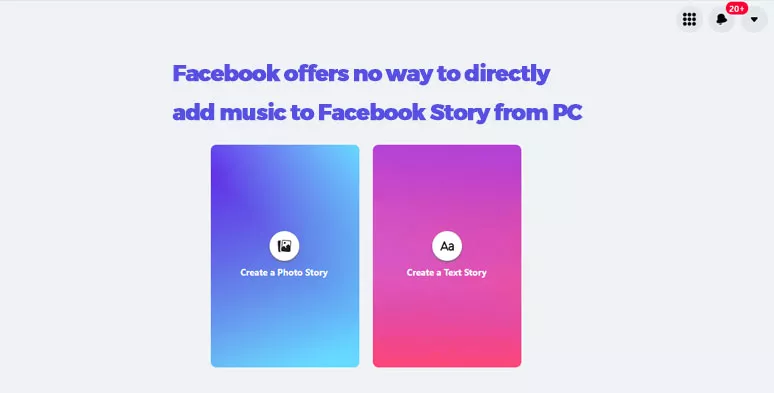
There is no way to directly add music to Facebook Story from your PC.
Besides, the updated Facebook mobile app no longer offers options to create a music-only Facebook Story or add music to a photo for Facebook Story.
How to Add Music to Facebook Story Using iPhone/Android
Click on the “Create Story” Icon > select a video from Camera Roll (iPhone)/Photo Gallery (Android). Then the chosen video will be used for your Facebook Story.
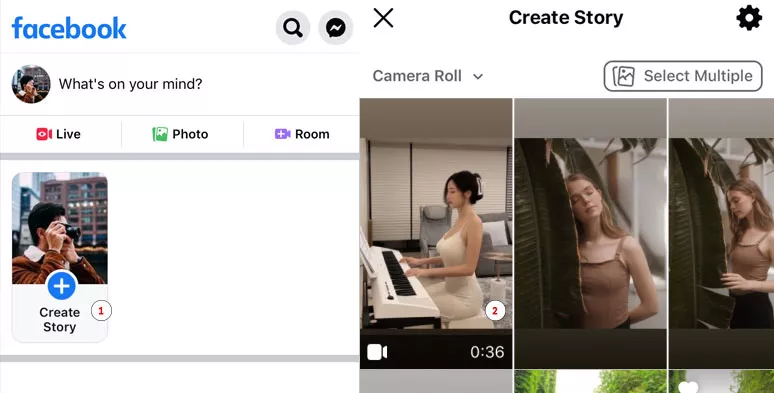
Select a video from Camera Roll/Photo Gallery for Facebook Story
Make sure your videos follow the latest specs of Facebook Story:
Once your video is imported to the Facebook mobile app. You will see many options on the right sidebar. Just tap the “Sound” icon > tap “Add Music”. Now, you can add a piece of music from Facebook’s music library, including R&B and Soul, Pop, Jazz, Country, Latin, Electronic, Folk, etc. to your Facebook Story.
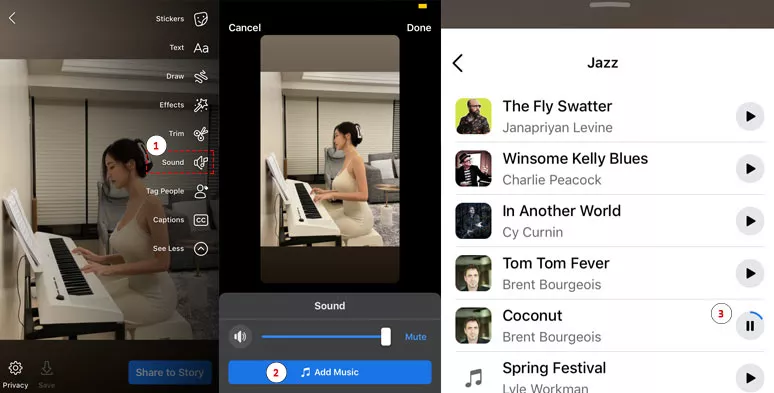
Add music to video on Facebook Story video
Besides, Facebook also offers you 3 options to customize the music to your Facebook Story:
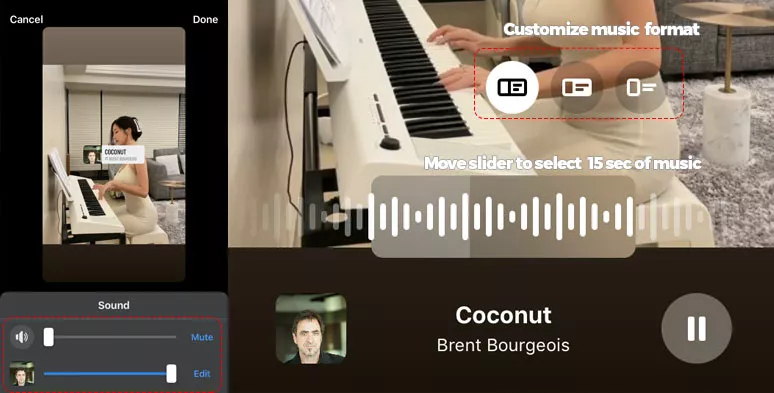
3 options to customize music on Facebook Story
On top of that, since the music added to Facebook Story only lasts for 15 secs, you may move the slider to decide which part of the song you want to play in the Facebook Story.
Facebook also allows you to select who can see your Facebook Story. Available for public or only your Facebook friends, or some chosen people, or even hide the Facebook Story from specific persons. Also, read how to share Facebook videos to Instagram.
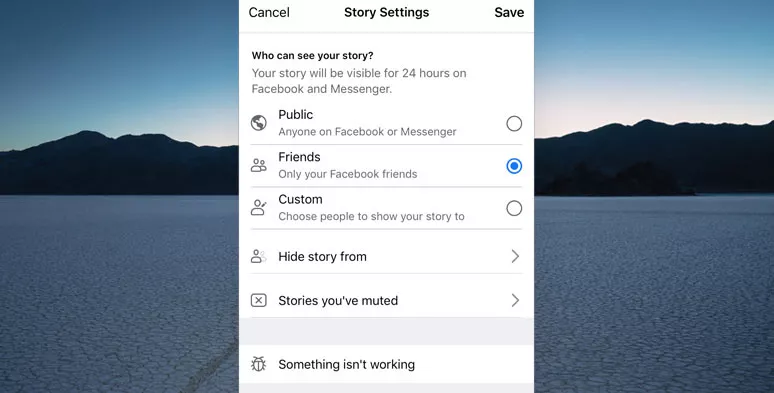
Decide who can see your Facebook Story
How to Add Custom Music to Videos and Photos on Facebook Story
Well, although the Facebook mobile app offers you an easy way to add music to Facebook Story, you can only play limited 15-sec music for a Facebook Story, and very often you might not find the ideal music from Facebook's default music library.
So, another solution is to add royalty-free music to your video first and then post it to Facebook Story. To that end, a viable option is using FlexClip, a free and powerful online video editor that offers you thousands of royalty-free music and sound effects and HD stock videos, and photos, and user-friendly tools for video editing.
Versatile FlexClip online video editor

How to Add Custom Music to Facebook Story Using FlexClip:
After your video footage is imported to FlexClip > click on the "+" icon to add it to the timeline. If you currently don't have a video, you may select a stock video from FlexClip's stock media for a test.
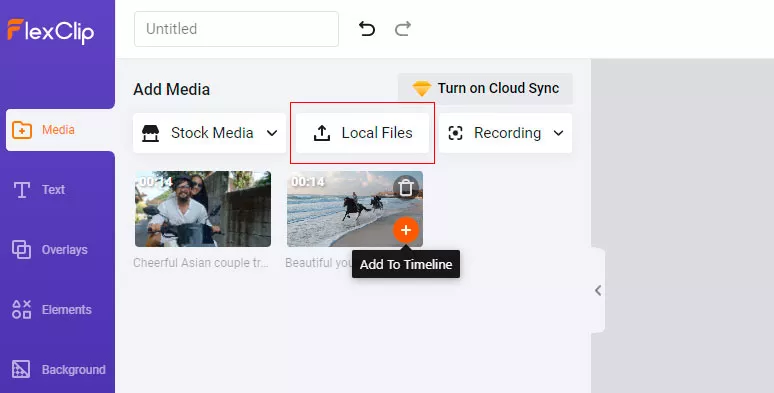
Upload videos to FlexClip
Go to the "Stock Media" > select "Audio" > enter any keywords or browse through mood or music genres like cinematic, country, folk, jazz, pop, etc. to pick one or multiple music > drag and drop the music to the audio track > use slider to trim music to match the video. You may add a fade-in or fade-out effect to perfectly blend the music into the video.
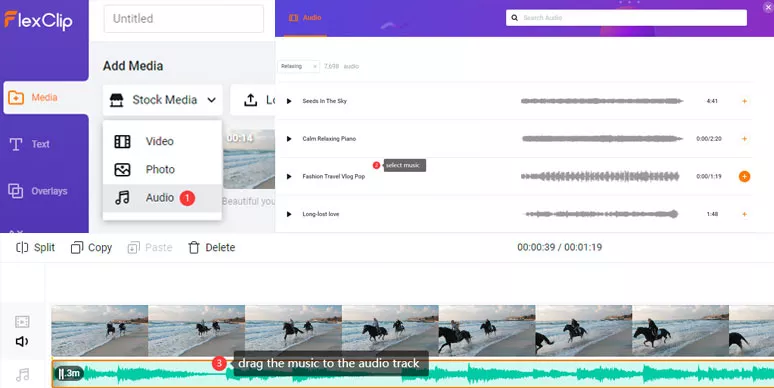
Add music to video on Facebook Story by FlexCLip
How to Add Music to Multiple Pictures on Facebook Story by FlexClip:
Since Facebook offers no options to add music to multiple pictures on Facebook Story, you may also use FlexClip's readymade slideshow video templates to easily do the job.
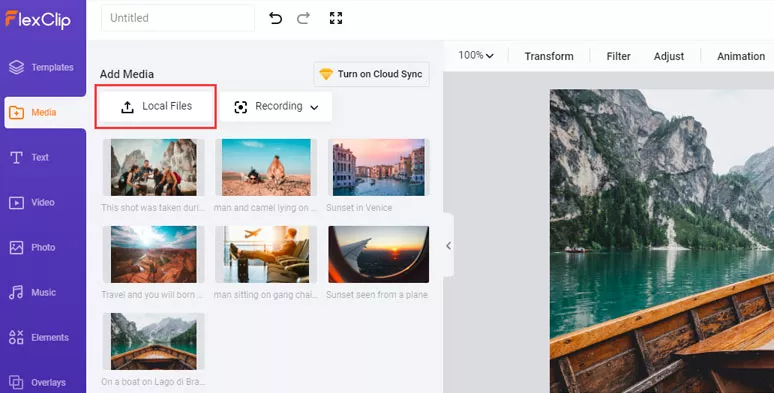
Upload photos to FlexClip
Go to the "Templates" tab on the left sidebar > enter keywords like "Birthday", "Anniversary", "Wedding", "Memorial", or "Slideshow", "Promo",” Travel” > pick a video template you like and add it to the storyboard.
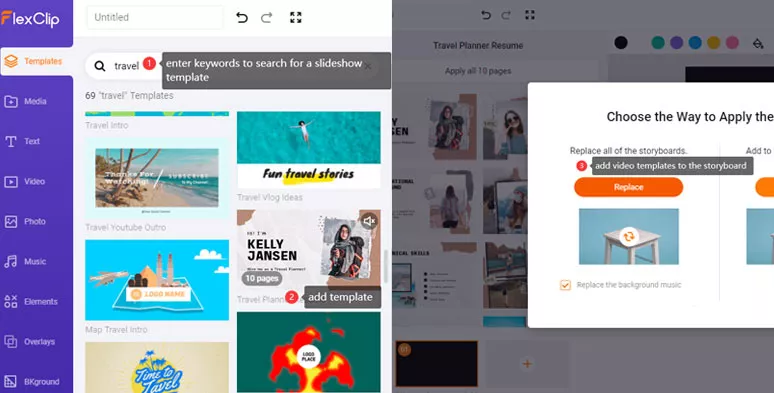
Select a slideshow video template and add it to the storyboard
You can replace the original photos with yours. Or customize the fonts, color scheme, motion, and style of the text animation. And use FlexClip's royalty-free music library to find a new piece of music to match your photo story.
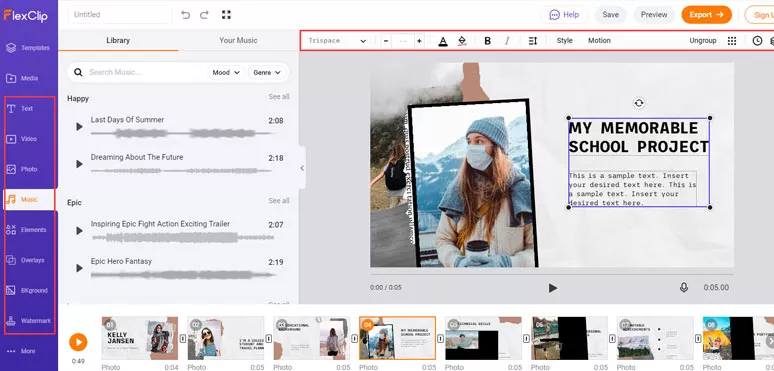
Use the tool and stock assets to customize the video
Now, It’s Your Move
Adding music to your Facebook Story is a proven way to boost Facebook engagement. For both individual and small and big businesses, it's worth doing so. If you find Facebook's options to add music to Facebook Story limited, using FlexClip to add music to both Facebook Story videos and photos could be a great alternative. So, start using FlexClip to add music to Facebook Story, Now.




FlexClip AI Video Maker
Reach professional-quality videos faster with easy editing tools, templates, and smart AI.
Start Now for Free
Hot & Trending
-

Ultimate Tik Tok Guide – How to Tik Tok & How to Make a Tik Tok Video that Gets Likes
-

The Best Birthday Video Maker for You to Create Birthday Videos Online for Free
-

Large Collection of Creative and Funny Birthday Video Ideas for Ones You Care
-

Instagram Story Video Quality Bad After Upload? Fix It!
-

How To Remove/Reduce Background Noise? - 3 Best Free Audio Optimizers
-

Best Video Quality Enhancer: Improve Your Video Quality Easily
-

TikTok Filters Guide: How to Use Filter Effects on TikTok
-

How to Add Multiple Photos to One Instagram Story