In 2021, Easter falls on April 4th. Even though this festival is religious, it is now more a day of hope. Besides, traditions like egg hunting, Easter Bunny and Easter parades and varieties of conventional foods can always make children excited. Since it is doomed to be a festival full of happiness and joy, why not join the day, create an Easter video to deliver your wishes or invite more people to the Easter party?
Easter Wishes Video Templates


Easter Invitation Video Templates


Many of you might have been frightened at the first thought of making an Easter video. In fact, as long as you have FlexClip and its Easter video templates, it is just a piece of cake.
Also Read: How to Make A Mother's Day Video >
How to Personalize an Easter Video


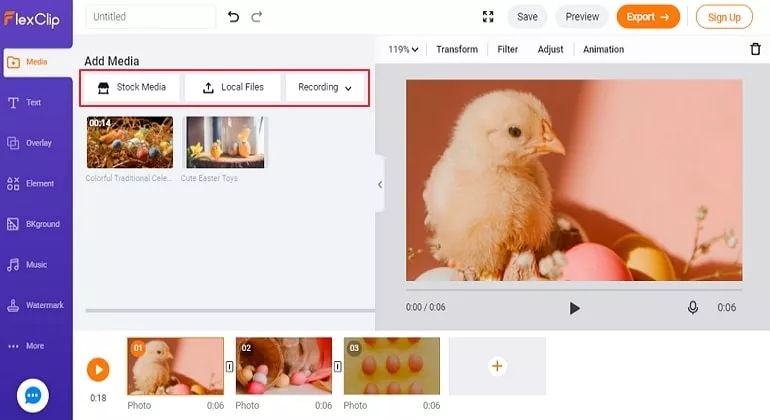
Make Funny Easter Videos - Step 2
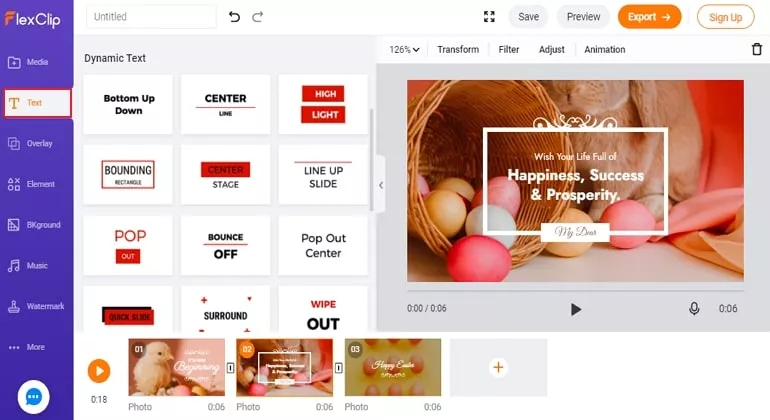
Make Funny Easter Video - Step 3
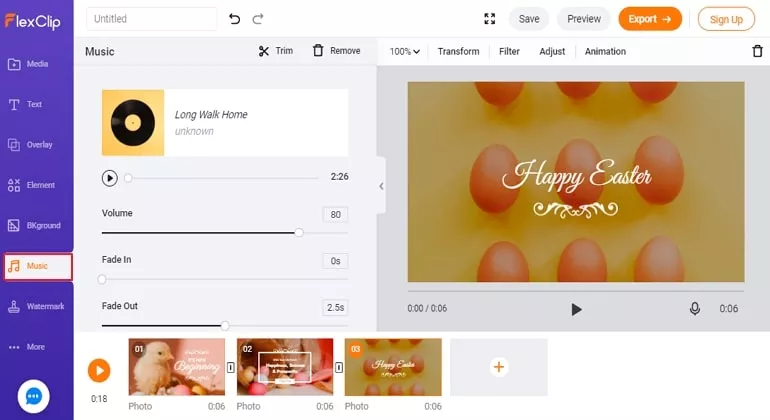
Make Funny Easter Video - Step 4
The Bottom Line
That’s all for how to make an Easter day video. With above introduction and detailed steps, you can surely make a nice Easter day video. Give FlexClip a free trial!




FlexClip AI Video Maker
Reach professional-quality videos faster with easy editing tools, templates, and smart AI.
Start Now for Free
Hot & Trending
-

Ultimate Tik Tok Guide – How to Tik Tok & How to Make a Tik Tok Video that Gets Likes
-

The Best Birthday Video Maker for You to Create Birthday Videos Online for Free
-

Large Collection of Creative and Funny Birthday Video Ideas for Ones You Care
-

Instagram Story Video Quality Bad After Upload? Fix It!
-

How To Remove/Reduce Background Noise? - 3 Best Free Audio Optimizers
-

Best Video Quality Enhancer: Improve Your Video Quality Easily
-

TikTok Filters Guide: How to Use Filter Effects on TikTok
-

How to Add Multiple Photos to One Instagram Story