Still struggling to post multiple photos to an Instagram post? No need to! Update your Instagram, you will find that Instagram has introduced its slideshow feature for some time. It enables users to upload up to 10 multimedia files over one post. This feature provides convenience for those who want to deliver lots of information on one Instagram Story.
Here in this post, we will show you how to create a slideshow for Instagram on the app itself as well as with excellent slideshow maker on computers. Let’s start to make a slideshow to amaze your friends!
Can't Miss: Create a Birthday Wishes Video for Free >

Create a Slideshow for Instagram
Method 1. Make Slideshows for Instagram on the App Itself
Method 2. Make Slideshows for Instagram with Music on Computer
There is no doubt that the new slideshow feature on Instagram is interesting. However, Instagram itself doesn’t allow you to make all edits you want on the slideshow. As an alternative way to make slideshows for Instagram, FlexClip’s slideshow provides you more interesting fonts, effects, and music to create more engaging slideshows.
Main Recommendation Reasons:
Now, click the Start to Create button and follow us to create interesting slideshows. If you have no idea on what to create, view templates for inspiration.


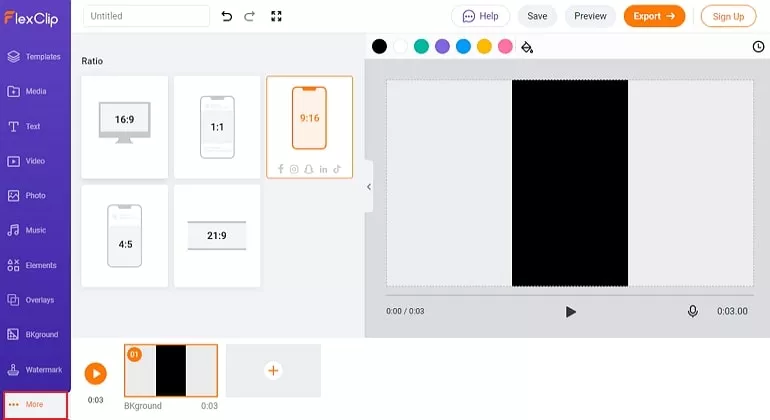
Create a Slideshow for Instagram with FlexClip - Step 1
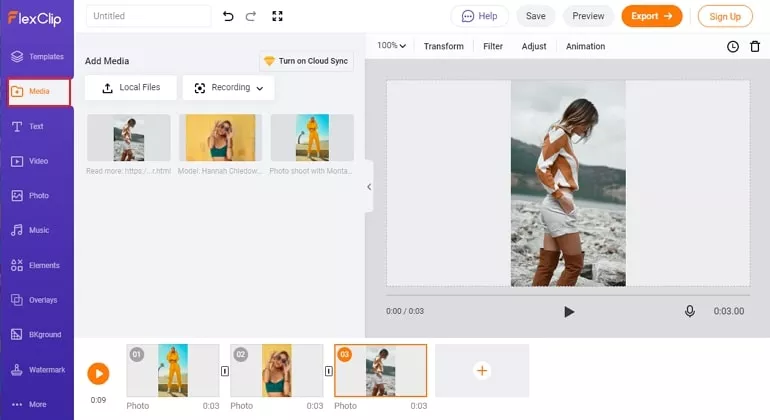
Create a Slideshow for Instagram with FlexClip - Step 2
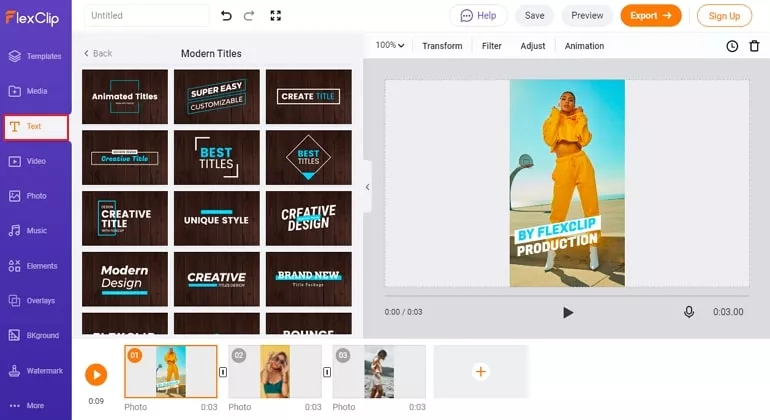
Create a Slideshow for Instagram with FlexClip - Step 3
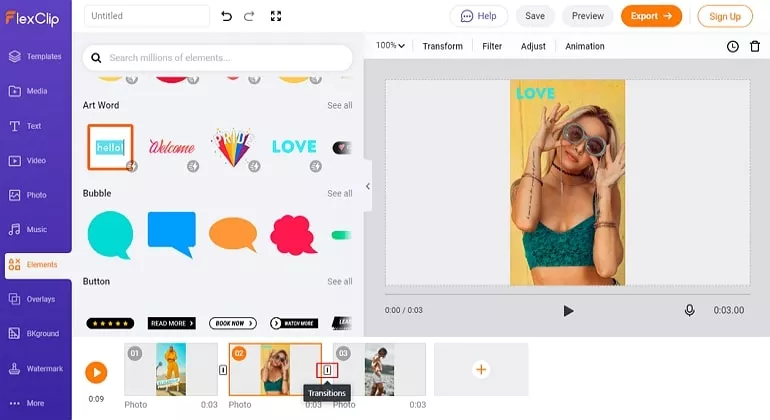
Create a Slideshow for Instagram with FlexClip - Step 4
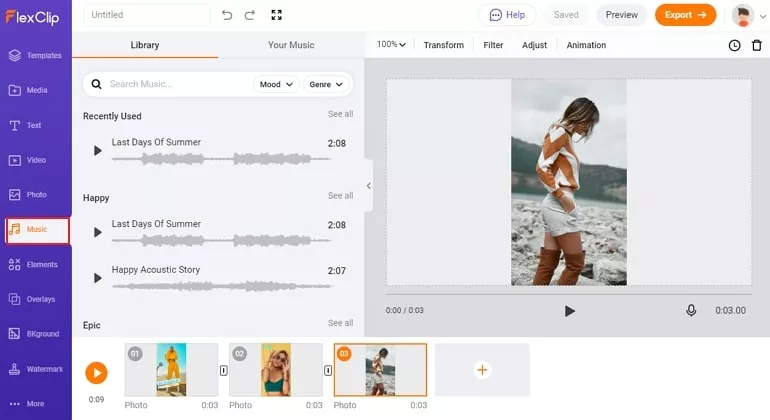
Create a Slideshow for Instagram with FlexClip - Step 5
If you have no idea on what to get started, or want to generate a slideshow quickly, FlexClip also provides a slideshow maker tool. You just need to pick a template you like and upload photos and videos, then a slideshow is delivered to your computer. Give FlexClip's slideshow maker a try!
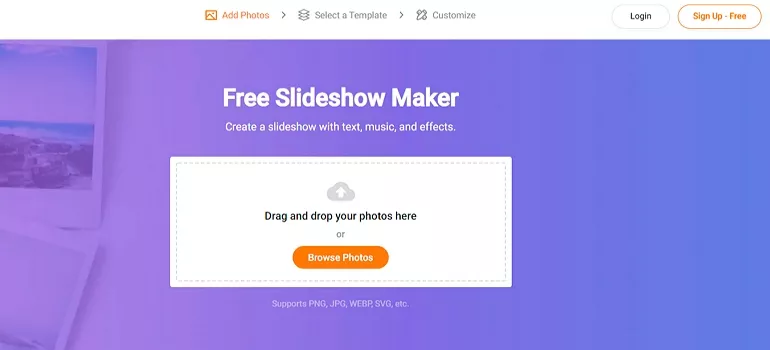
Generate Slideshow for TikTok
The Bottom Line
That’s all for how to create slideshow for Instagram. Are you satisfied with the solutions above? Tell us via Facebook. If you find this post helpful, please do share it with others.




FlexClip AI Video Maker
Reach professional-quality videos faster with easy editing tools, templates, and smart AI.
Start Now for Free
Hot & Trending
-

Ultimate Tik Tok Guide – How to Tik Tok & How to Make a Tik Tok Video that Gets Likes
-

The Best Birthday Video Maker for You to Create Birthday Videos Online for Free
-

Large Collection of Creative and Funny Birthday Video Ideas for Ones You Care
-

Instagram Story Video Quality Bad After Upload? Fix It!
-

How To Remove/Reduce Background Noise? - 3 Best Free Audio Optimizers
-

Best Video Quality Enhancer: Improve Your Video Quality Easily
-

TikTok Filters Guide: How to Use Filter Effects on TikTok
-

How to Add Multiple Photos to One Instagram Story