Summary: Wondering how to make a video a live photo for your iPhone? Stop searching cause Apple doesn't offer an official solution to help you out. Fortunately, we've found some ways to show you how to make a video into a live photo easily.
Live Photo refers to a feature of the new iOS system camera. It is a small video with a length of 3 seconds and also including sound, which can be produced in the iOS system camera. Open the "Camera", enable the "Live Photo" function, and then press the shutter button, a Live Photo is captured. Then, find the photo you just took in "Photos", long press on the photo, the photo suddenly becomes alive.
If you ask me which iPhone feature I like the most, it is Live Photo without hesitation, because it will "move". During this time, I like a video very much and want to convert it to live photo and set it as the lock screen. Here are some effective methods I've tried and I'd like to share with you.
Image board: How to Turn A Video Into A Live Photo
You May Like: Top 5 Free Screen Recorder for Windows 10/8/7
Part 1. How to Convert A Video Into A Live Photo
If you are enthusiastic about the live wallpapers, this app is a must-have. It's fully capable of turning a video into a live photo for you and you can also turn your photo or GIF into live photos. And you can edit your photos with its basic and advanced features to make creative wallpapers easily.
Method 1. IntoLive
Step 1. Launch App Store and search for IntoLive and download the app. Open the app and then it will ask for your access to your photos.
Step 2. Tap on the video you'd like to convert > then you can edit this video (trim, change background, add filter, change speed, mute, rotate, flip and more) > tap Make icon on the top right corner > choose No repeat (other options are Pro feature) > tap Save Live Photos on the bottom.
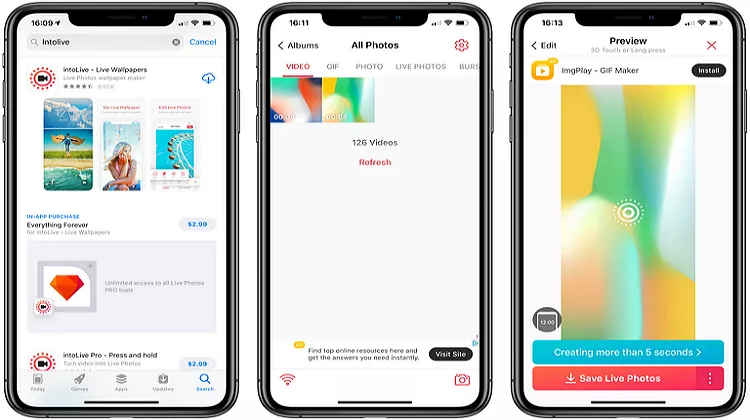
Image board: How to Turn A Video Into A Live Photo - IntoLive App
Method 2. Lively Converter
Lively Converter is an application that can help you convert videos into live photos, convert live photos into videos, photos and GIFs. It's only available for iPhone and iPad running or iOS 10.0 and later.
Steps: Go to App Store on your iPhone and search for Lively Converter and get it to your device. Run it and choose Video icon > choose the video you want to convert into live photo > preview it and tap on Save as Live Photo.
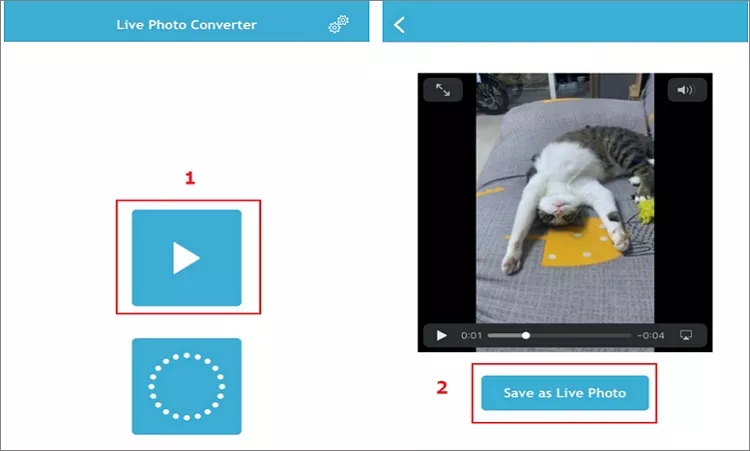
Image board: How to Turn A Video Into A Live Photo - Lively Converter
Method 3. LP Converter
LP is an simple converter for iPhone and iPad users, which is able to help you convert live photos into videos and vice versa. Also, you can export live photos to video, GIF, and still images easily. It supports exporting multiple Live Photos at once and offers several settings to customize the exported videos, live Photos, and GIFs.
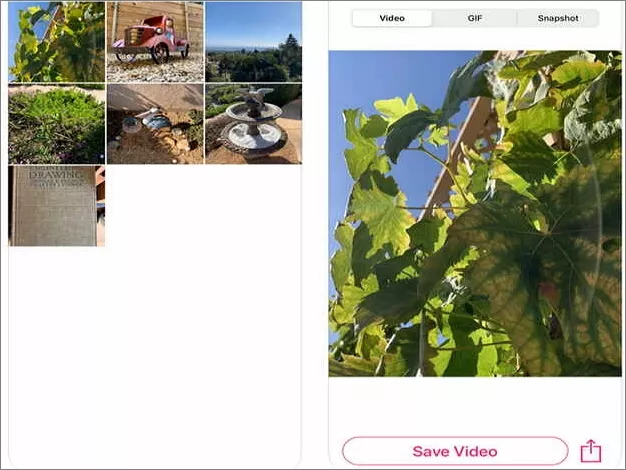
Image board: How to Turn A Video Into A Live Photo - LP Converter
Part 2. How to Edit A Video Online for Free
There are chances that you may want to edit a video and share it to YouTube, Facebook, Instagram and more. For this purpose, FlexClip video maker is strongly recommended for you. It's an online tool that can help you edit a video with its impressive features. Let's check how it works to edit a video online easily.
Step 1. Open FlexClip and click Start from Scratch to start.
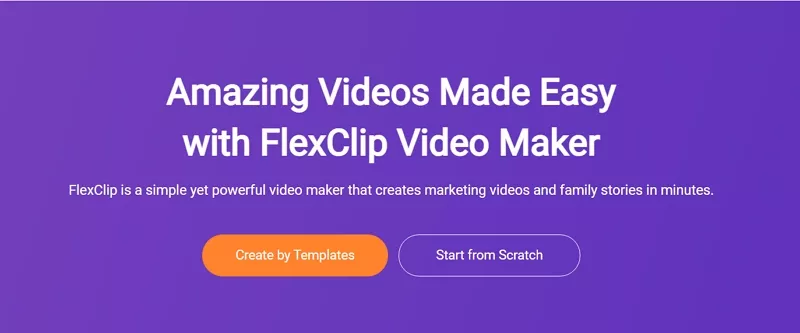
Image board: How to Make A Video Online for Free - Step 1
Step 2. Then you can click Local Files to upload your videos here.
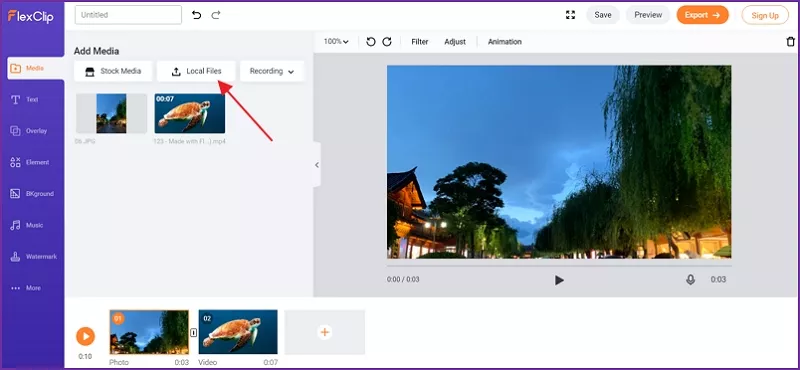
Image board: How to Make A Video Online for Free - Step 2
Step 3. Then you can edit your video like trim, edit, add text, add background music, add watermark, add filter, add transition effects and more.
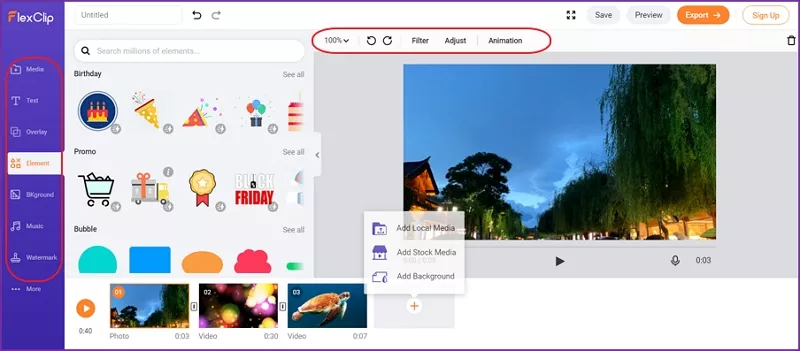
Image board: How to Make A Video Online for Free - Step 3
Quick Tips:
TipsYou can also convert AVI, MOV, M4V, MP4, AVI, FLV, MKV formats to MP4 or WEBM with FlexClip Converter now.
The Bottom Line
That's all about how to convert a video into a live photo, and we introduced 3 simple methods to help you turn videos into live photos and set it as your iPhone wallpaper. What's more, you can rely on FlexClip video maker to make a video online for free! Just try it and explore more.




FlexClip AI Video Maker
Reach professional-quality videos faster with easy editing tools, templates, and smart AI.
Start Now for Free
Hot & Trending
-

Ultimate Tik Tok Guide – How to Tik Tok & How to Make a Tik Tok Video that Gets Likes
-

The Best Birthday Video Maker for You to Create Birthday Videos Online for Free
-

Large Collection of Creative and Funny Birthday Video Ideas for Ones You Care
-

Instagram Story Video Quality Bad After Upload? Fix It!
-

How To Remove/Reduce Background Noise? - 3 Best Free Audio Optimizers
-

Best Video Quality Enhancer: Improve Your Video Quality Easily
-

TikTok Filters Guide: How to Use Filter Effects on TikTok
-

How to Add Multiple Photos to One Instagram Story