The annual birthday party is also a very commemorative event, and making a birthday slideshow to record the time spent with friends and loved ones is also very heart-warming.
If you need to make a birthday slideshow, FlexClip must be an ideal birthday slideshow maker. It provides photo and video editing features, allowing users to cut, rotate, zoom, adjust brightness and contrast of photos, and more. Let's make a happy birthday slideshow online easily.
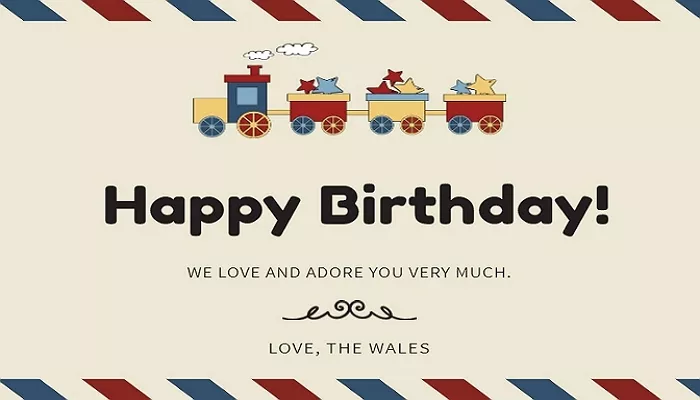
How to Make A Birthday Slideshow Online
You May Like: 10 Great Birthday Ideas for Loved Ones
Part 1. The Tool We'll Need to Make A Birthday Slideshow


To make a birthday slideshow online, FlexClip is definitely a great helper. It's designed as an online video maker and editor, which is also able to help you make a happy birthday slideshow online with ease. Here are some highlights of this tool to help you know more about it:
1. Rich Templates: It offers a lot of templates including amazing birthday slideshow templates to help you make a happy birthday slideshow online with ease.
2. Online Service: No download, no installation. FlexClip is an online service for both Windows and Mac users, all you need to do is open this website and start your design.
3. Editing Features: It offers basic as well as advanced features to help you edit your videos and slideshow, you can trim, split, merge, add text , add music, add photos, speed up and more.
4. Elegant Animations/Transitions: FlexClip provides more than 30 photo animations and transitions, making your birthday slideshow more dynamic than any others'.
5. More Tools: Also, it offers free tools to help you convert video and trim video online easily.
Quick Tips:


Part 2. How to Make A Happy Birthday Slideshow Online


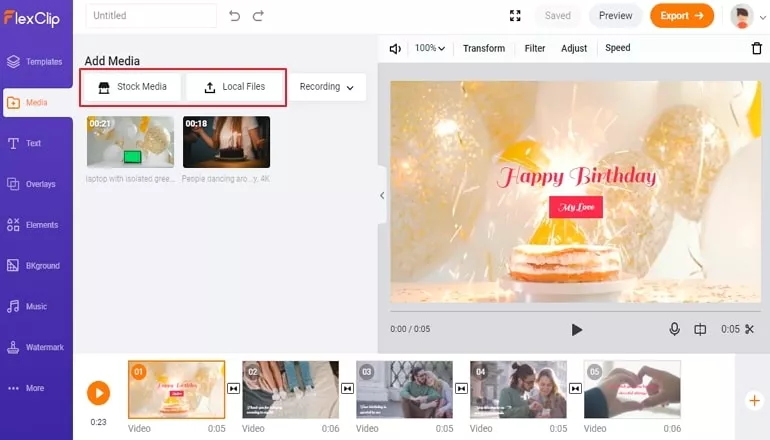
How to Make A Birthday Slideshow Online - Step 2
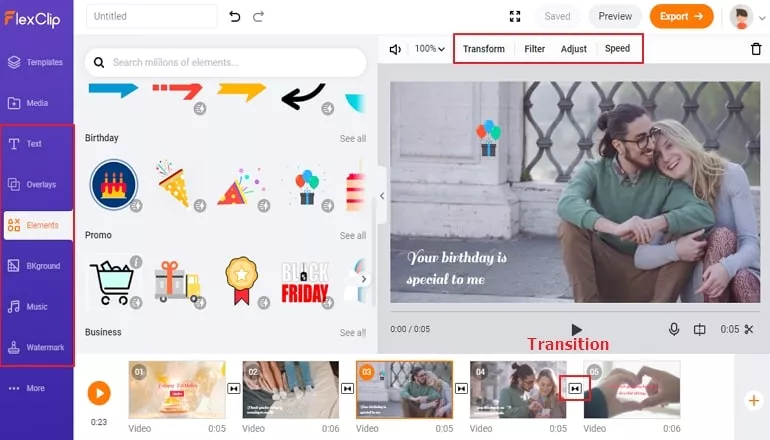
How to Make A Birthday Slideshow Online - Step 3
You now finished making an excellent birthday slideshow. Export it to the computer or share to YouTube directly.
The Bottom Line
That's all for how to make a birthday slideshow online with the help of FlexClip , and you can also make a slideshow based on its built-in birthday templates. Also, you can convert your slideshow formats and trim your birthday slideshow easily! Just try it and explore more.




FlexClip AI Video Maker
Reach professional-quality videos faster with easy editing tools, templates, and smart AI.
Start Now for Free
Hot & Trending
-

Ultimate Tik Tok Guide – How to Tik Tok & How to Make a Tik Tok Video that Gets Likes
-

The Best Birthday Video Maker for You to Create Birthday Videos Online for Free
-

Large Collection of Creative and Funny Birthday Video Ideas for Ones You Care
-

Instagram Story Video Quality Bad After Upload? Fix It!
-

How To Remove/Reduce Background Noise? - 3 Best Free Audio Optimizers
-

Best Video Quality Enhancer: Improve Your Video Quality Easily
-

TikTok Filters Guide: How to Use Filter Effects on TikTok
-

How to Add Multiple Photos to One Instagram Story