Summary: If you are looking for the best video editor for Linux, you’re in the right place. Here in this post, we’d like to share the six best video editors with you. Let’s check it out.
Linux is an operating system next to Windows and Mac. It is free to use, and it opens its source codes to the public. Although it is being updated constantly, the video editing software you can use is limited somehow.
To help you quickly find the suitable video editor for Linux, we’ve compiled six best of them in the post below. Want to know what they are? Let’s take a look.
Also Read: Top 5 Best Open Source Video Editors in 2020
Top 6 Best Video Editors for Linux
List of Our Six Best Video Editors for Linux:
1. FlexClip - No Download Required
Unlike many other video editors for Linux, FlexClip is a web-based video editor that you don't need to download to use. It is a free video editor ideal for novices. Whatever system your computer runs on, you can use it freely as long as you can install a browser like Google Chrome. Though being free to use, it is powerful. It allows you to make amazing videos in minutes. Edit like a pro now.

Image Board: Best Video Editor for Linux - FlexClip
Reasons for Recommendation:
- Free and easy to use.
- User-friendly interface, ideal for beginners.
- Web-based, no download required.
- Meets all your basic video editing needs with powerful features, like adding transitions, creating video collage.
- Loads of video templates for any occasion.
- Millions of royalty-free video, music, and image resources.
- No watermark with the free version.
Available on: Web
Price: Free
2. Kdenlive
Kdenlive, short for KDE Non-Linear Video Editor, is the best video editing software for Linux. It is a free open source video editor with a simple and intuitive interface. It is backed up by FFMPEG and supports a wide range of file formats, including DV, HDV, MPEG, AVI, MP4, MOV, FLV, OGG, WAV, MP3, and more.
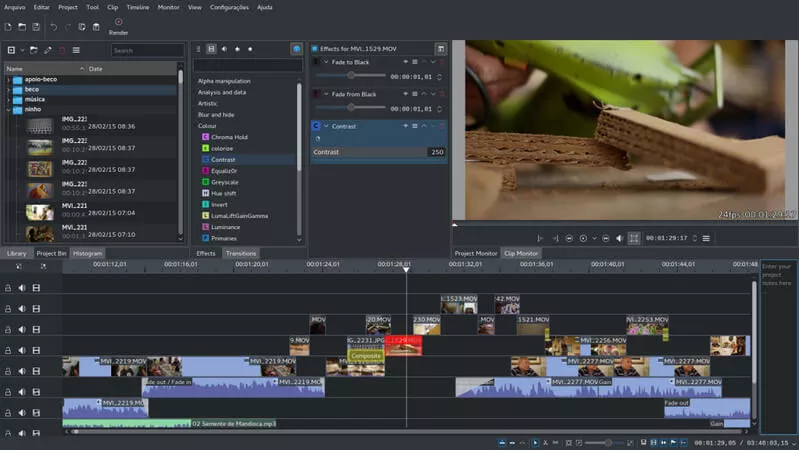
Image Board: Best Video Editing Software for Linux - Kdenlive
Noticeable Features:
- Multi-track video editing.
- Supports almost all video and audio formats.
- Configurable interface and shortcuts.
- Dozens of effects and transitions.
- Proxy editing.
- Keyframeable effects.
OS Support: Linux, Mac OS X, and Windows
Price: Free
3. OpenShot
OpenShot is a free to use cross-platform video editing software. It works well on Windows, Mac, and Linux distros like Ubuntu. It is full-featured and professional, which makes it a perfect choice for making professional-looking videos. Nonetheless, it is designed to be easy to use and quick to learn. Thus, anyone with experience or not can create amazing videos without any hassle.
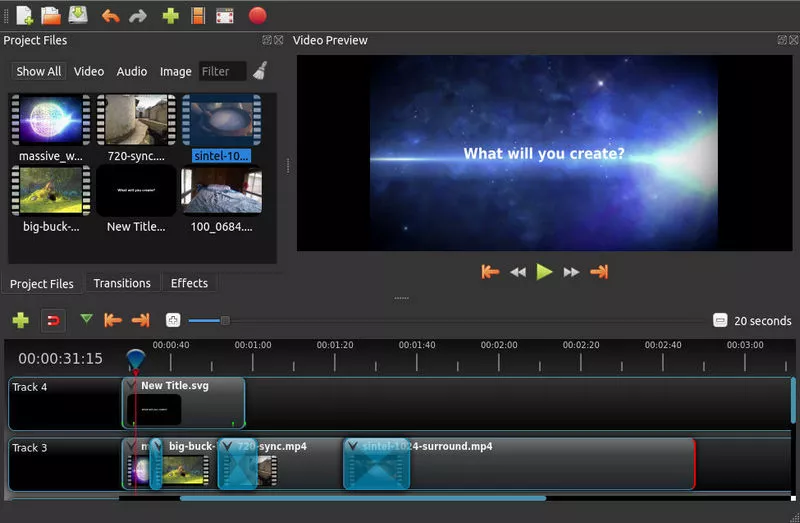
Image Board: Best Video Editing Software for Linux - OpenShot
Noticeable Features:
- Cross-platform video editing software.
- Animates everything in your video project.
- Unlimited tracks for videos, audios, watermarks, and more.
- 3D animated titles and effects.
- Audio mixing and editing.
- Supports various video, audio, and image formats.
OS Support: Linux, Mac OS X, and Windows
Price: Free
4. Flowblade
Flowblade, a multi-track non-linear video editor, is worth mentioning for its full features and advanced timeline workflow. It runs on all Linux distros and many other free platforms. Frankly, it is a perfect video editor for beginners as well as masters.
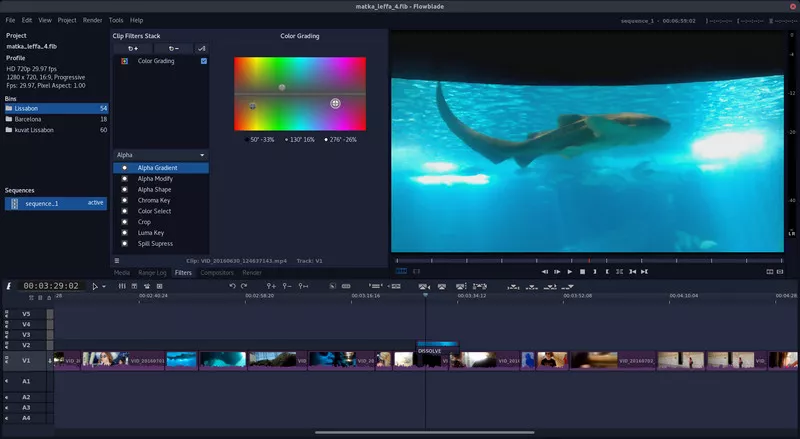
Image Board: Best Video Editing Software for Linux - Flowblade
Noticeable Features:
- Multi-track video editing.
- Configurable toolset.
- Advanced timeline workflow.
- Combine and mix images and audio easily.
- Plenty of video and audio effects.
- Supports a wide range of file formats
OS Support: Linux and other free platforms
Price: Free
5. Shotcut
Shotcut is also a free open source video editing software available on Linux, Windows, and Mac. It supports hundreds of audio and video formats. And you don't need to import your videos to the browser to edit them. Besides, you can customize functional modules according to your needs. Although it seems a little bit complicated, you'll find that it’s really in handy when you get used to its workflow.
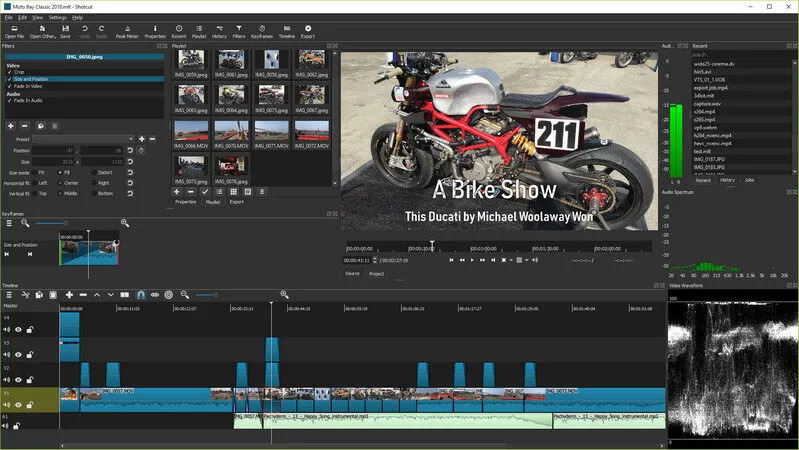
Image Board: Best Video Editing Software for Linux - Shotcut
Noticeable Features:
- All kinds of video, audio, and image formats support.
- Professional video and audio editing features.
- Webcam and audio capture.
- 4K resolutions support.
- A wide selection of video effects.
OS Support: Linux, macOS, Windows, and FreeBSD
Price: Free
6. Pitivi
Pitivi, one of Linux's best video editing software, is an open source non-linear video editor supported by the GStreamer framework. Its interface is intuitive and self-documenting. Whether you are new or experienced in video editing, you can make videos you want with great ease.
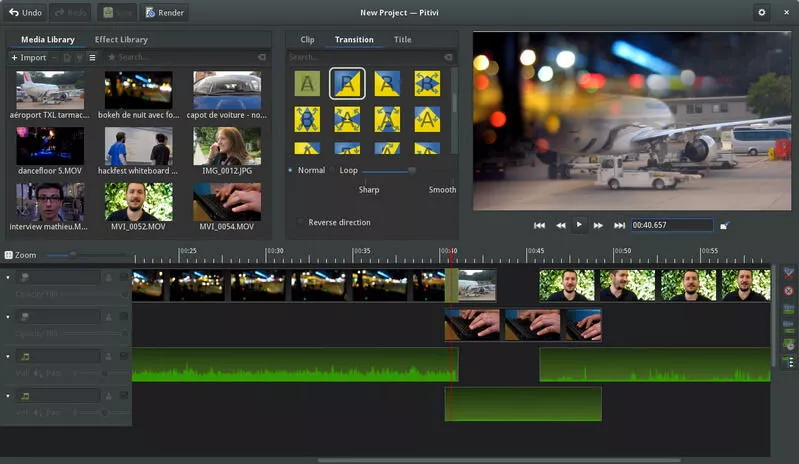
Image Board: Best Video Editing Software for Linux - Pitivi
Noticeable Features:
- 100s of animated effects, transitions, and filters.
- Framerate-independent timeline.
- Flexible and efficient.
- Beautiful audio waveforms.
OS Support: Unix-like
Price: Free
The Bottom Line
That’s all for the six best video editors for Linux. Have you found the one you like most and want to give it a try first? Let us know if you have any better recommendations. By the way, FlexClip is the best free online video editor designed for beginners. Whether you are a window user or a Linux addict, you can use FlexClip freely. No download or installation is required. Try it with no risk now.




FlexClip AI Video Maker
Reach professional-quality videos faster with easy editing tools, templates, and smart AI.
Start Now for Free
Hot & Trending
-

Ultimate Tik Tok Guide – How to Tik Tok & How to Make a Tik Tok Video that Gets Likes
-

The Best Birthday Video Maker for You to Create Birthday Videos Online for Free
-

Large Collection of Creative and Funny Birthday Video Ideas for Ones You Care
-

Instagram Story Video Quality Bad After Upload? Fix It!
-

How To Remove/Reduce Background Noise? - 3 Best Free Audio Optimizers
-

Best Video Quality Enhancer: Improve Your Video Quality Easily
-

TikTok Filters Guide: How to Use Filter Effects on TikTok
-

How to Add Multiple Photos to One Instagram Story