Collaboratively Create Free Memorial Slideshows Online for Dead Ones
FlexClip is an online, drag-and-drop video editor that makes it easy to create beautiful, heartwarming, or solemn memorial slideshows. With FlexClip, you can honor and celebrate the lives of deceased loved ones, dead friends, and fallen heroes through touching slideshows featuring photos, text, and videos. Preserve and share their stories on the funeral or social media, ensuring their wisdom and legacy reach more people. Choose a memorial slideshow template based on your preferred layout, color scheme, and style. Arrange your photos and videos chronologically or by theme, and enhance them with text, background music, and stickers to tell their everlasting stories, expressing your respect and love. Start now, and invite your family and friends to join you in this meaningful tribute!
Make a Free Video Handy video editor
 Rich video templates
 Extensive media library
 Dynamic text animations
- Trusted by:






Customizable Memorial Slideshow Templates for Free
 PreviewAI Recreate
Memorial Funeral Slideshow Video
 PreviewAI Recreate
Black Minimalist Solemn Funeral Memorial Photo Collage Slideshow
 PreviewCustomize
Memorial Photo Slideshow
 PreviewCustomize
Memorial Photo Slideshow For Funeral
 PreviewAI Recreate
Floral Pure Lily Memorial Funeral Slideshow Video
 PreviewAI Recreate
Memorial Slideshow For Funeral
 PreviewAI Recreate
Memorial Slideshow
 PreviewAI Recreate
White Ink Funeral Memorial Photo Slideshow
 PreviewAI Recreate
Minimalist Orange Particle Funeral Memorial Photo Slideshow
 PreviewAI Recreate
Funeral Memorial Slideshow
 PreviewAI Recreate
Flower Funeral Memorial Slideshow For Grandfather
 PreviewAI Recreate
Elegant Funeral Memorial Card Slideshow
Why You Need to Make a Memorial Slideshow

Share Moments
Making a video story is a great way to share your important moments with family and friends.

Evoke Emotion
A video can convey strong emotion and resonate well with audiences.

Improve Engagement
People are more likely to engage, share, and comment on video content.
How to Make a Memorial Slideshow in 3 Steps
- 1
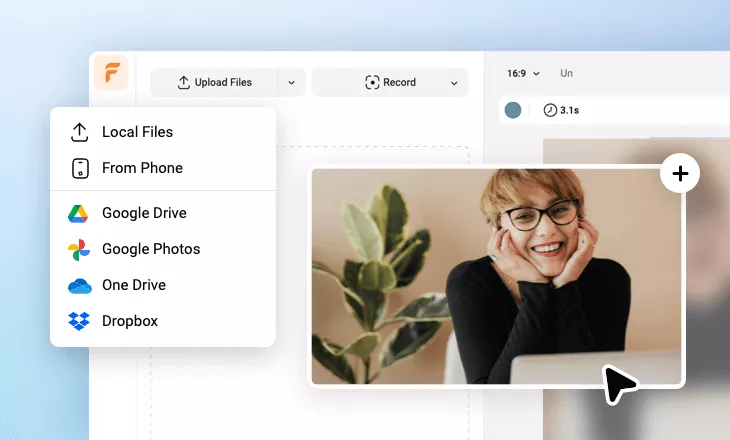
Add Media
Add videos or photos from computer or stock libraries to the scene.
- 2
Customize
Add text, music, and voiceover to customize your memorial slideshow video.
- 3
Export
Download your memorial slideshow video in various ratios and definitions or share it online with the world.