Create Animated Outros Online for Free
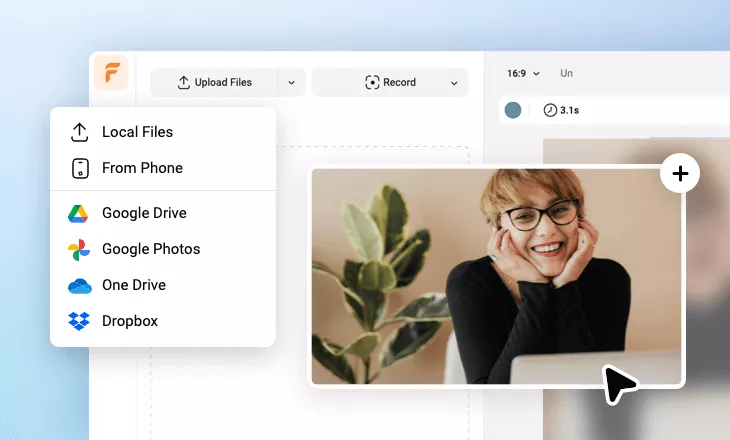
Making an animated outro video is super easy and only requires a few steps. First, upload the content that needs to be displayed at the end, such as the logo, ICONS, slogan, acknowledgments, etc. Then make them look lively and animated by adding animations, text effects, dynamic elements, etc. You can search FlexClip's royalty-free music library or upload your own audio to add sound effects and background music to enhance the animations. In addition to making it from scratch, you can also choose a pre-made template in FlexClip's template library. You can get inspiration from them. Once you've finished the video, you can save it as a template for quick editing and use next time. Try FlexClip for free now!
Make a Free Video Handy video editor
 Rich video templates
 Extensive media library
 Dynamic text animations
- Trusted by:






Free Versatile Animated Outro Templates
 PreviewCustomize
Animated Outro
 PreviewCustomize
Animated Social Outro
 PreviewAI Recreate
Lively Social Outro
 PreviewCustomize
Lively Outro
 PreviewCustomize
Beautiful Social Outro
 PreviewCustomize
Floral Social Outro
 PreviewCustomize
Artistic Outro
 PreviewCustomize
The Big News
 PreviewCustomize
Thanks For Watching
 PreviewCustomize
Youtube End Screen
 PreviewCustomize
Blooming Outro
 PreviewCustomize
Purple Outro
Why You Need to Make an Animated Outro

Share Moments
Making a video story is a great way to share your important moments with family and friends.

Evoke Emotion
A video can convey strong emotion and resonate well with audiences.

Improve Engagement
People are more likely to engage, share, and comment on video content.
How to Make an Animated Outro in 3 Steps
- 1
Add Media
Add videos or photos from computer or stock libraries to the scene.
- 2
Customize
Add text, music, and voiceover to customize your animated outro video.
- 3
Export
Download your animated outro video in various ratios and definitions or share it online with the world.